
Development Windows
kafkactl
Manage Apache Kafka topics and consumer groups, inspect messages and produce records from the command line with kafkactl for Windows.
- Operating system
- Windows; minimum version not specified in the reviewed publisher documentation
- Architecture
- x64 (amd64)
- Download package
- ZIP archive of precompiled binaries
This link selects the Windows amd64 asset. Separate Windows 386 and ARM64 archives are listed. A Kafka broker connection and suitable cluster configuration are required for cluster operations.
Link checked · Download guidance
What is kafkactl?
kafkactl is a command-line client for Apache Kafka. It brings topic administration, message production and consumption, and consumer-group inspection into one tool. Named configuration contexts let you keep connection settings for different clusters and choose which environment a command targets. It is aimed at developers and operators who want terminal-based access rather than a graphical dashboard.
For an initial inspection, configure your brokers and any required authentication, select the intended context, then list topics or describe a consumer group. The publisher documents YAML output, filtering consumer-group details to partitions with lag, and producing messages from input. Avro and JSON schema integration use a configured schema registry; protobuf messages require the appropriate message types and definitions.
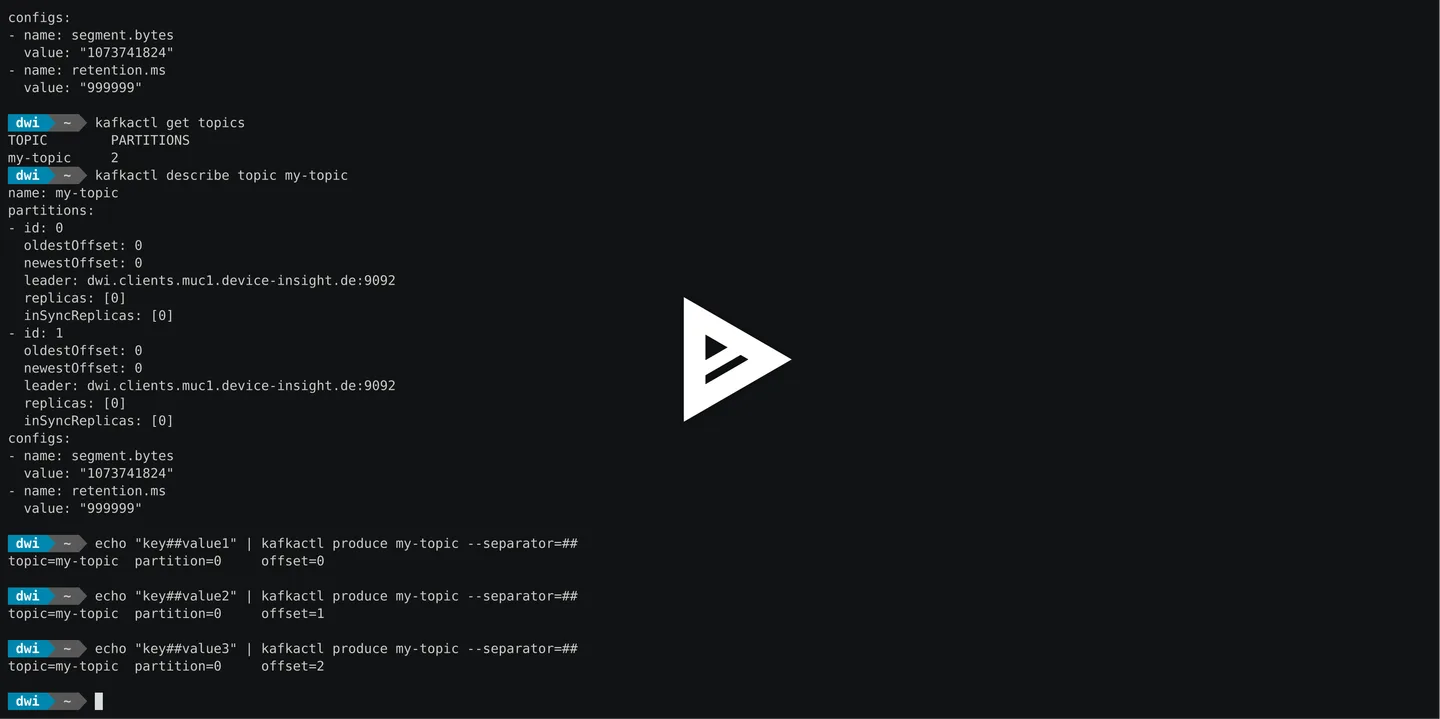
The linked download is the publisher's Windows x64 ZIP archive for version 5.21.0, not an installer. The publisher also documents installation through winget. No minimum Windows release is stated in the reviewed documentation. The screenshot is a historical publisher-linked GNU/Linux terminal demonstration of the same CLI, not evidence of a Windows installation or of this release's appearance.
There are practical limits to account for: consuming stops by default when a message cannot be deserialized, and timestamp-based offsets are calculated when the command starts rather than scheduling future consumption. Consumer-group offset resets show proposed changes unless --execute is supplied. These are documented behaviors, not results of hands-on testing for this entry.
What it offers
- List, create and describe Kafka topics from the terminal.
- Produce and consume records, including supported Avro, JSON schema and protobuf workflows.
- Store multiple cluster connection contexts and choose the target environment.
- Inspect consumer-group offsets and lag, with a preview before executing an offset reset.
- Configure TLS and SASL connection settings for protected clusters.
Good to know
- This is a command-line Kafka client, not a graphical dashboard; broker and authentication settings must match your cluster.
- By default, a message deserialization error stops consumption; --ignore-errors instead skips affected messages with warnings.
- Timestamp offset options calculate offsets at startup and do not schedule future consumption.
- The reviewed publisher documentation does not specify a minimum Windows version.
Product images
Sources
References used for this listing. Retrieval dates do not indicate hands-on testing.
More in development
View category ↗

010 Editor 17.0
Inspect and edit binary files on Mac with 010 Editor, a paid text and hex editor with Binary Templates, file comparison and a 30-day trial.
010 Editor 17.0
Inspect and edit binary files with 010 Editor for Windows, a text and hex editor with Binary Templates, file comparison and scripting. Includes a 30-day trial.
10x Editor
Edit and navigate C++ projects on Windows with a built-in parser, workspace search and Visual Studio project support. A paid license is required after the 30-day trial.