
Development Windows
Kaitai Struct Compiler
Generate binary-format parsers from YAML-based .ksy specifications with Kaitai Struct Compiler for Windows. The MSI package requires Java 8 or newer.
What is Kaitai Struct Compiler?
Kaitai Struct Compiler turns a description of a binary file or network packet format into parser source code. Define fields, byte order and nested structures in a .ksy specification, then generate code for a supported language such as C++, C#, Java, JavaScript or Python. This is useful when the same format needs to be read by several projects without maintaining a separate handwritten parser for each language.
The Windows download is the publisher's version 0.11 MSI installer. The command-line compiler can be used in build automation, with options for target language and output directory. Generated parsers need the Kaitai Struct runtime library for their target language. Java 8 or newer is required to run the compiler; the publisher recommends Java 21 LTS.
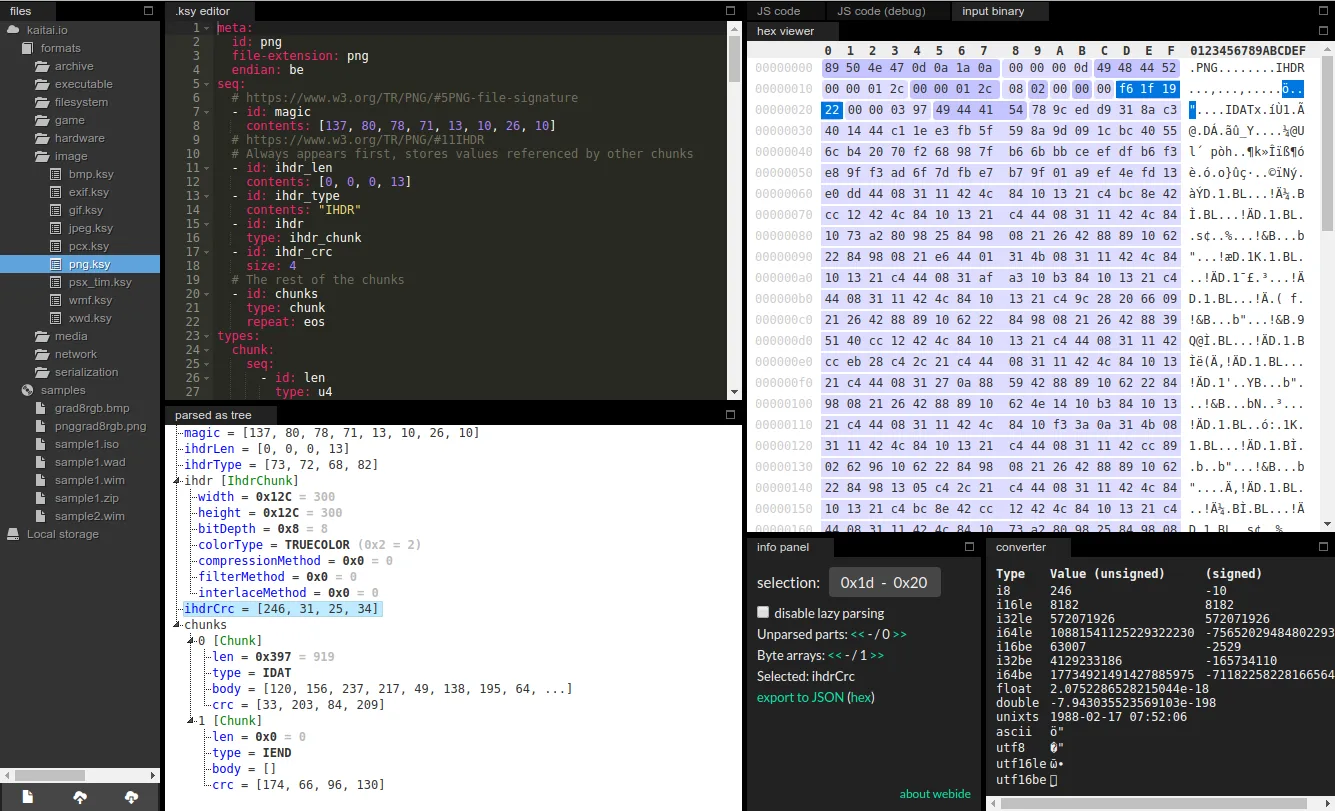
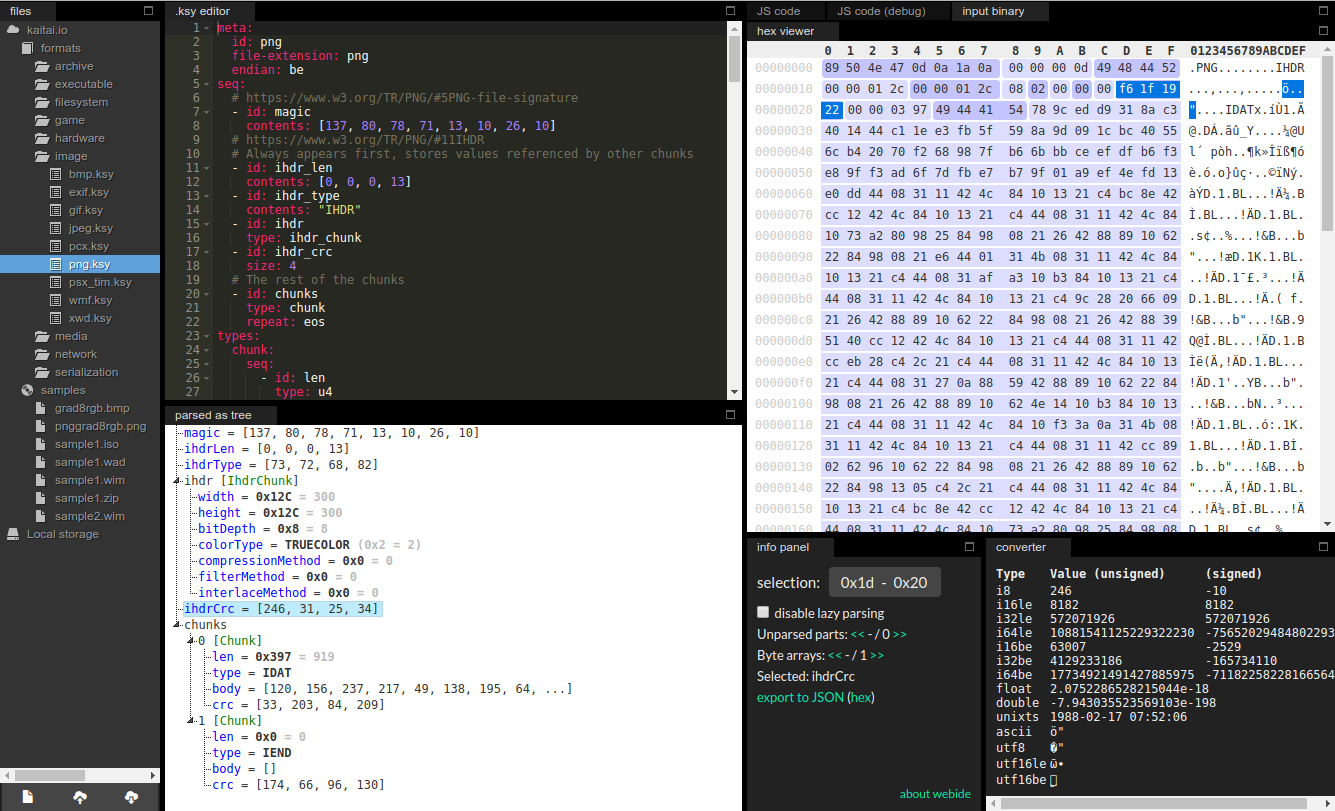
The screenshot shows the separate Kaitai Struct Web IDE documented by the publisher: a PNG specification beside its parsed fields and hex data. It illustrates the Kaitai workflow, not a native Windows interface supplied by this MSI. Version 0.11 also supports generating serialization code, but only for Java and Python; writing data is not supported equally across all targets.
What it offers
- Compile YAML-based .ksy descriptions into binary parser source code for multiple programming languages.
- Describe byte order, nested types, conditional fields and repeated structures in one format specification.
- Choose target languages and output directories from the command line for build integration.
- Generate serialization code for Java and Python with version 0.11's read-write option.
Good to know
- The Windows compiler requires Java 8 or newer; Java 21 LTS is recommended by the publisher.
- Generated parsers require the corresponding target-language runtime library in your project.
- Serialization in version 0.11 is limited to Java and Python; the Web IDE shown is separate from the Windows command-line compiler.
Product images
Sources
References used for this listing. Retrieval dates do not indicate hands-on testing.
More in development
View category ↗
010 Editor 17.0
Inspect and edit binary files on Mac with 010 Editor, a paid text and hex editor with Binary Templates, file comparison and a 30-day trial.
010 Editor 17.0
Inspect and edit binary files with 010 Editor for Windows, a text and hex editor with Binary Templates, file comparison and scripting. Includes a 30-day trial.
10x Editor
Edit and navigate C++ projects on Windows with a built-in parser, workspace search and Visual Studio project support. A paid license is required after the 30-day trial.