

Utilities Windows
KeePass for Windows
Store passwords in an encrypted database, generate new passwords and fill login forms with KeePass, a free, open-source password manager for Windows.
- Operating system
- Windows 7, 8, 10 and 11; Microsoft .NET Framework 3.5 or later required
- Architecture
- x86, x64 and ARM64 (one package)
- Download package
- EXE installer
Installation needs administrator rights; running the installed app does not. Native ARM64 execution requires Windows 11 24H2 or later. Portable and source ZIPs are separate packages.
Link checked · Download guidance
What is KeePass?
KeePass keeps usernames, passwords and notes together in an encrypted database file. Organize entries into groups, search for a login or generate a password with your chosen length and character set. The database is a single file you can copy between computers; a master password, a key file or a combination of key components controls access.
Auto-Type sends an entry's credentials to another application's login form using a configurable sequence of keystrokes. You must put the cursor in the correct field before starting it: Auto-Type does not verify the browser URL or identify the focused child control. Copying individual fields to the clipboard is another option, with timed clipboard clearing available.
This download is the KeePass 2.61.1 Windows EXE installer, not KeePass Classic 1.x, a portable ZIP or a source-code archive. The installer needs administrator rights; the installed application does not. KeePass 2.x requires Microsoft .NET Framework 3.5 or later. One package supports x86, x64 and ARM64, with native ARM64 execution requiring Windows 11 24H2 or later.
Plan for access recovery before storing important logins. Every selected master-key component is required to open the database. Losing a required password or key file without a usable backup can leave you unable to access it; KeePass has no universal recovery key.
What it offers
- Keep passwords, usernames and notes in an encrypted database file.
- Organize entries into nested groups and search for saved logins.
- Generate passwords with a chosen length and character set.
- Enter credentials with configurable Auto-Type sequences or copy individual fields with optional timed clipboard clearing.
- Unlock a database using a master password, a key file or a combination of key components.
Good to know
- There is no universal recovery key: every selected master-key component is required, so losing one without a usable backup can prevent access to the database.
- Auto-Type does not verify the browser URL or the focused child control; place the cursor in the intended login field before using it.
- The EXE installer requires administrator rights. A separate portable ZIP is available from the publisher for use without installation.
Product images
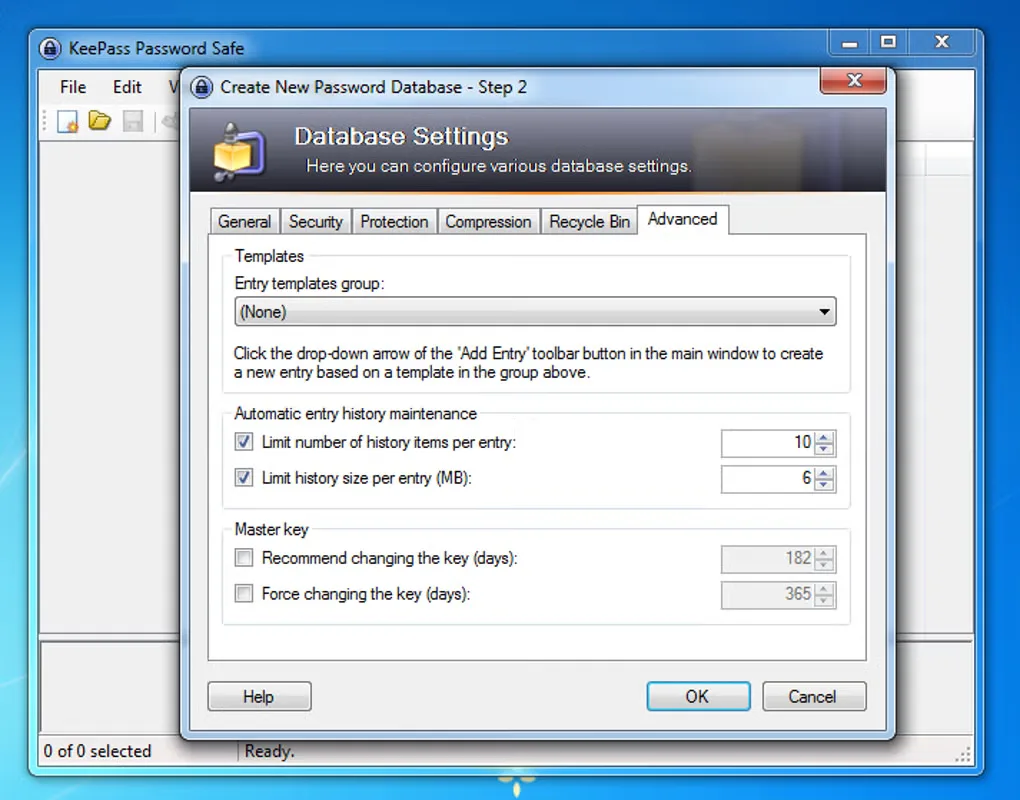
Sources
References used for this listing. Retrieval dates do not indicate hands-on testing.
- KeePass — official downloads ↗Retrieved
- KeePass — features ↗Retrieved
- KeePass 2.x — installation and portability ↗Retrieved
- KeePass 2.x — license ↗Retrieved
- KeePass — x64 and ARM64 architecture FAQ ↗Retrieved
- KeePass — master key ↗Retrieved
- KeePass — technical FAQ ↗Retrieved
- KeePass for Windows — observed Softonic screenshot gallery ↗Retrieved
More in utilities
View category ↗
1.1.1.1 with WARP 2026.8.2115.0
Encrypt traffic from your Mac to Cloudflare’s network with WARP, or use DNS-only mode for encrypted DNS queries to the 1.1.1.1 resolver.
1.1.1.1 with WARP 2026.8.2115.0
Encrypt traffic between your Windows PC and Cloudflare, or use encrypted DNS only, with the free 1.1.1.1 with WARP app.

3uTools 9.12.005
Manage iPhone and iPad photos, music, apps and backups from Windows with 3uTools, a free utility that also includes device checks and firmware flashing tools.