

Utilities macOS
KeePassXC for macOS
Store passwords, usernames and notes in an offline encrypted database with KeePassXC for Mac. This download is the Apple Silicon DMG for macOS 12 or later.
- Operating system
- macOS 12 or later
- Architecture
- Apple Silicon (ARM64)
- Download package
- DMG disk image
This link is the Apple Silicon package. A separate Intel x86_64 DMG is available from the publisher.
Link checked · Download guidance
What is KeePassXC?
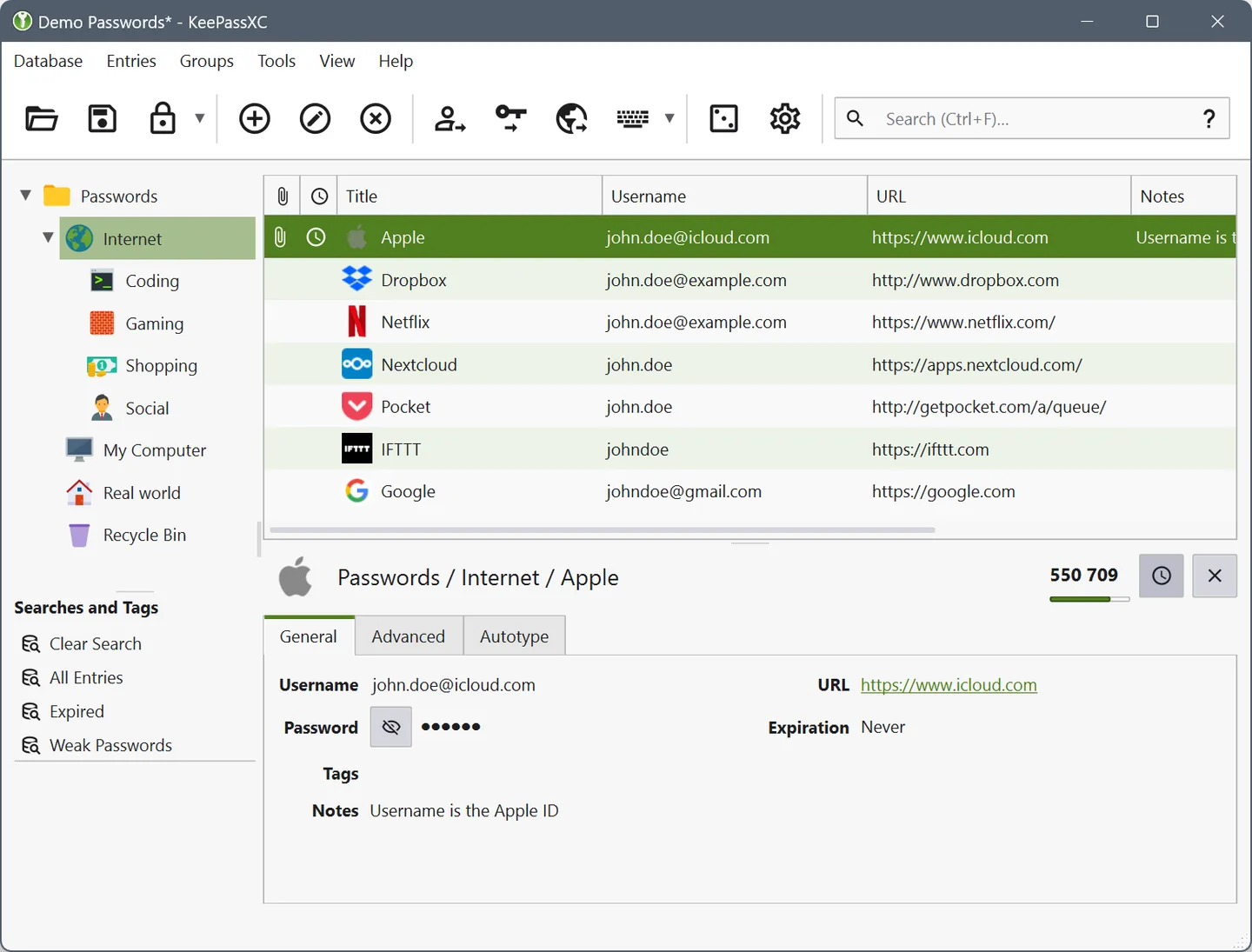
KeePassXC is a free, open-source password manager for keeping login details in an encrypted database file rather than a hosted password-management account. Store usernames, passwords, website addresses, attachments and notes together, and organize the entries for retrieval. The password generator helps create new passwords when adding accounts.
For browser autofill, install the separate KeePassXC-Browser extension alongside the desktop application. The publisher lists extensions for Firefox, Chrome and Edge. Your database can stay on your computer or be placed in a storage location you choose; KeePassXC does not provide a hosted cloud vault.
The linked version 2.8.0 disk image is for Apple Silicon Macs running macOS 12 or later. Intel Macs need the separate Intel package on the publisher’s download page. Version 2.8.0 also adds macOS Quick Unlock using the device password when Touch ID is unavailable.
What it offers
- Keep usernames, passwords, URLs, attachments and notes in an offline encrypted database file.
- Generate passwords for new or existing accounts.
- Fill browser logins through the separate KeePassXC-Browser extension for supported browsers.
- Use macOS Quick Unlock with the device password when Touch ID is unavailable in version 2.8.0.
Good to know
- The linked DMG requires macOS 12 or later and an Apple Silicon Mac; Intel Macs require a separate package.
- Browser autofill requires the separate KeePassXC-Browser extension; the desktop download alone does not install it.
- KeePassXC does not supply a hosted cloud vault; you choose where to store the database file.
Product images
Sources
References used for this listing. Retrieval dates do not indicate hands-on testing.
More in utilities
View category ↗
1.1.1.1 with WARP 2026.8.2115.0
Encrypt traffic from your Mac to Cloudflare’s network with WARP, or use DNS-only mode for encrypted DNS queries to the 1.1.1.1 resolver.
1.1.1.1 with WARP 2026.8.2115.0
Encrypt traffic between your Windows PC and Cloudflare, or use encrypted DNS only, with the free 1.1.1.1 with WARP app.

3uTools 9.12.005
Manage iPhone and iPad photos, music, apps and backups from Windows with 3uTools, a free utility that also includes device checks and firmware flashing tools.