
Utilities Windows
Key Remapper
Remap or block keyboard keys, mouse buttons and wheel actions on Windows, with profiles and application-specific rules in ATNSOFT Key Remapper.
- Operating system
- Windows 11, 10, 8.1, 8, 7, Vista, XP and 2000; Windows Server 2003–2025 listed on the product page
- Architecture
- Not specified by the publisher for this setup package
- Download package
- EXE installer
Publisher-stated compatibility, not installation-tested. Some special laptop keys may not be remappable.
Link checked · Download guidance
What is Key Remapper?
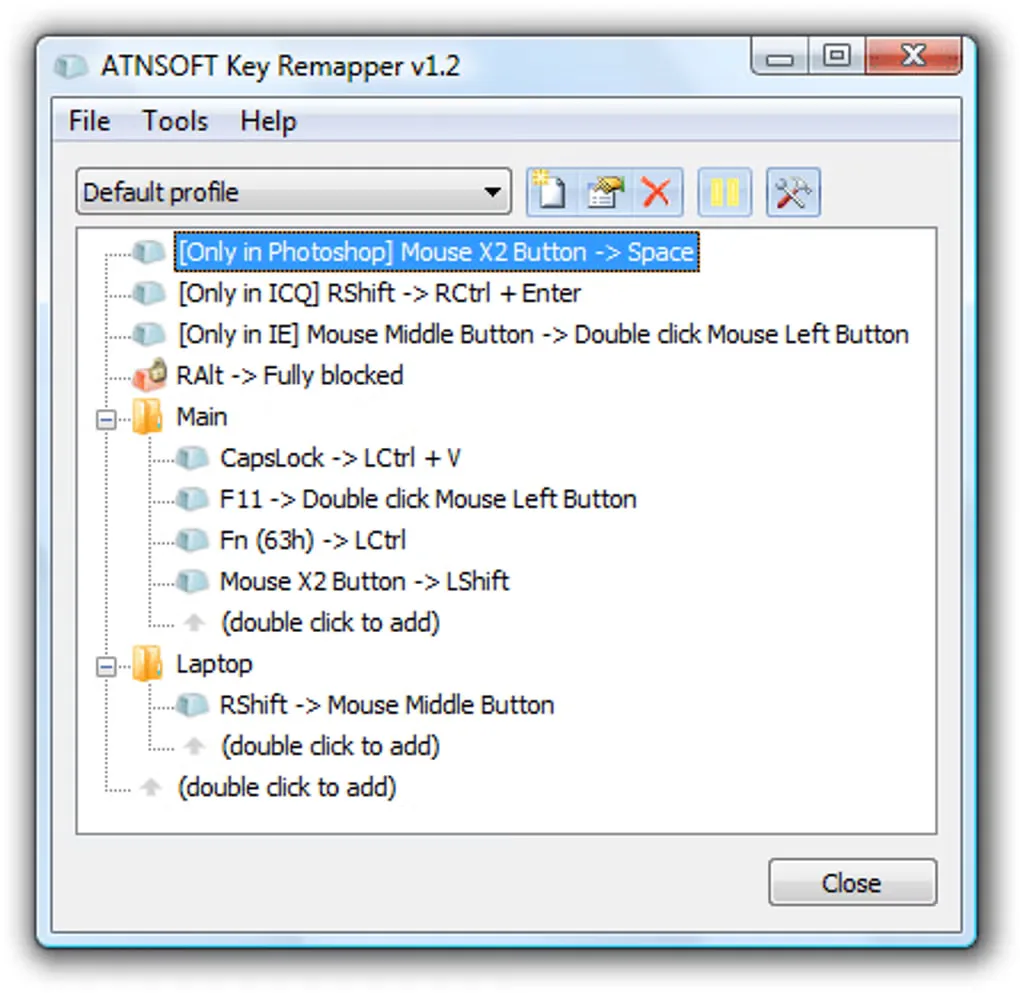
Key Remapper changes what a keyboard key, mouse button or wheel action does. It can turn an extra mouse button into a shortcut such as Ctrl+C, swap two keys using two rules, or disable an unwanted input. Profiles group mappings for different tasks, while application and window exceptions control where each rule applies.
The utility can assign a single input to an output combination with modifiers and emulate double presses with a chosen delay. It does not support remapping one key combination to another or choosing mappings by keyboard layout. The publisher also warns that some laptop Fn and special keys are hardcoded or intercepted by manufacturer software and cannot be remapped reliably.
This is commercial software with an evaluation download and separate home and business licenses. The linked EXE is the publisher’s Windows setup package. The gallery image is a historical publisher-branded interface screenshot showing version 1.2, not a capture of the listed 1.13 build 480 release.
What it offers
- Remap keyboard keys, mouse buttons and mouse wheel actions to other inputs.
- Assign a single input to a key combination with Ctrl, Alt, Shift or Win modifiers.
- Block inputs or emulate double key and mouse-button presses with a configurable delay.
- Limit mappings to selected programs or windows, or exclude those applications.
- Create profiles and switch between sets of mappings.
Good to know
- Cannot remap one key combination to another or select mappings based on keyboard layout.
- Some laptop Fn and special keys cannot be remapped because of hardcoded functions or manufacturer software.
- Commercial licensing applies; the free download is for evaluation, not an unrestricted free license.
Product images
Sources
References used for this listing. Retrieval dates do not indicate hands-on testing.
- Key Remapper - Download — protected static browser observation ↗Retrieved
- ATNSOFT Key Remapper — Key, mouse button and mouse wheel remapper ↗Retrieved
- Key Remapper — FAQ ↗Retrieved
- Key Remapper — Version History ↗Retrieved
- ATNSOFT Downloads ↗Retrieved
- ATNSOFT Purchase — Key Remapper ↗Retrieved
More in utilities
View category ↗
1.1.1.1 with WARP 2026.8.2115.0
Encrypt traffic from your Mac to Cloudflare’s network with WARP, or use DNS-only mode for encrypted DNS queries to the 1.1.1.1 resolver.
1.1.1.1 with WARP 2026.8.2115.0
Encrypt traffic between your Windows PC and Cloudflare, or use encrypted DNS only, with the free 1.1.1.1 with WARP app.

3uTools 9.12.005
Manage iPhone and iPad photos, music, apps and backups from Windows with 3uTools, a free utility that also includes device checks and firmware flashing tools.