
Utilities macOS
Keyboard Maestro
Automate repetitive Mac tasks with custom macros, keyboard shortcuts, text expansion and clipboard tools. Keyboard Maestro offers a trial and a paid license.
What is Keyboard Maestro?
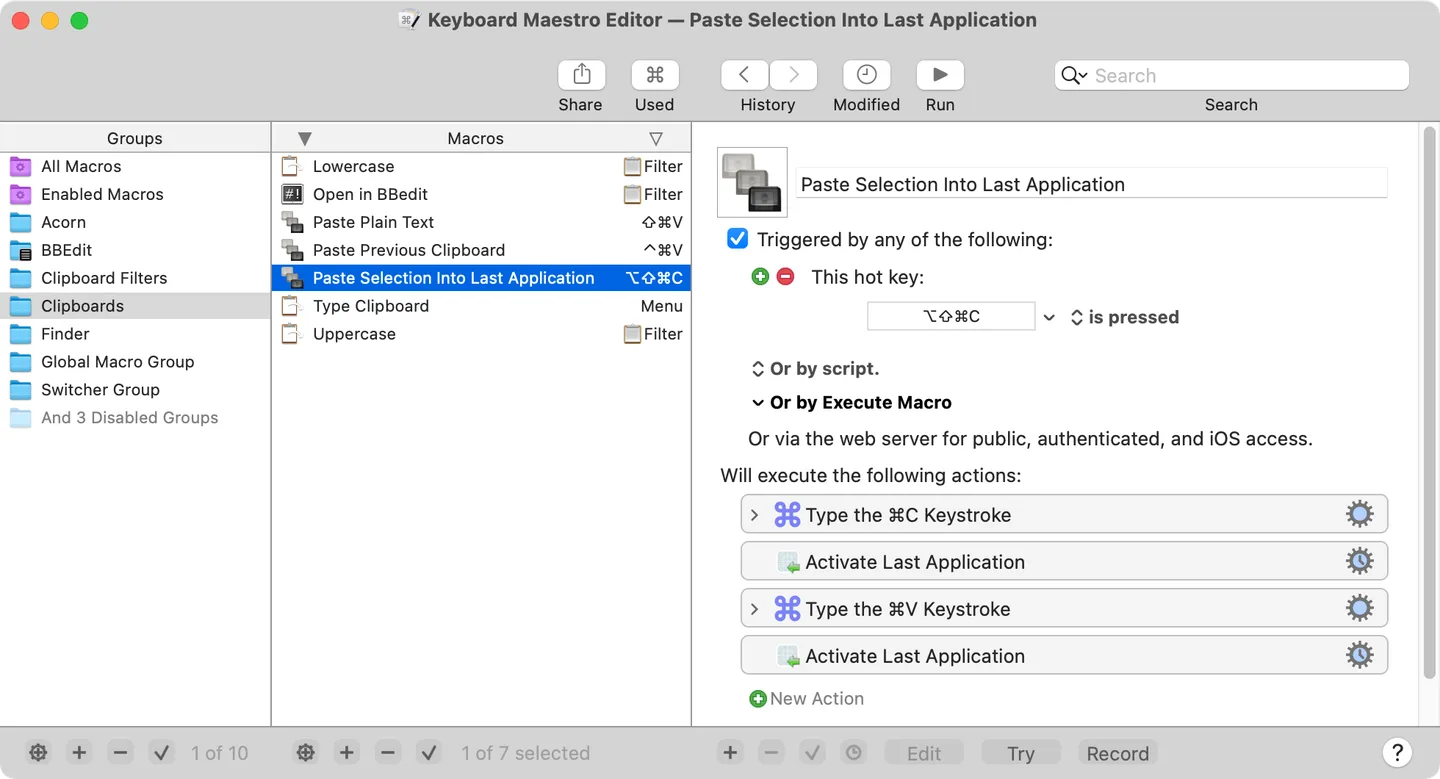
Keyboard Maestro builds Mac workflows from triggers and actions. A keyboard shortcut, typed abbreviation, application event or schedule can start a macro that launches apps, arranges windows, inserts text or works with clipboard contents. Macro groups organize these workflows and control when they are active, including restricting them to particular applications.
It suits recurring tasks that need several actions rather than a single shortcut. Combine conditions and loops, reuse text snippets, or recall earlier clipboard entries instead of repeating the same sequence manually. The publisher also documents web-form automation and image text recognition.
Version 11 requires macOS 10.13 High Sierra or later, and the publisher lists native Apple Silicon support. The linked publisher download supplies a ZIP archive. A free trial is available, but continued licensed use is a paid one-time purchase for version 11, not a subscription. Automation also depends on the relevant macOS security permissions; the version 11 Security Settings pane shows their status.
What it offers
- Start macros with hotkeys, typed strings, application events or time-based triggers.
- Combine actions with conditions and loops; organize workflows in application-specific macro groups.
- Launch applications, open documents and rearrange windows.
- Expand text snippets, transform text and reuse clipboard history or named clipboards.
- Automate supported web-form tasks and recognize text in images.
Good to know
- The trial is not a free perpetual license; version 11 requires a paid license for continued licensed use.
- Version 11 requires macOS 10.13 or later; older systems need an older release.
- Automation requires the relevant macOS security permissions; check their status in the Security Settings pane.
Product images
Sources
References used for this listing. Retrieval dates do not indicate hands-on testing.
More in utilities
View category ↗
1.1.1.1 with WARP 2026.8.2115.0
Encrypt traffic from your Mac to Cloudflare’s network with WARP, or use DNS-only mode for encrypted DNS queries to the 1.1.1.1 resolver.
1.1.1.1 with WARP 2026.8.2115.0
Encrypt traffic between your Windows PC and Cloudflare, or use encrypted DNS only, with the free 1.1.1.1 with WARP app.

3uTools 9.12.005
Manage iPhone and iPad photos, music, apps and backups from Windows with 3uTools, a free utility that also includes device checks and firmware flashing tools.