
Utilities Windows
Keyhac
Remap keys, create app-specific shortcuts and automate Windows tasks with Python configurations in Keyhac, an open-source keyboard customizer.
- Operating system
- Windows 10 and Windows 11
- Architecture
- x64 (64-bit)
- Download package
- ZIP archive containing Keyhac.exe
Extract before running. Keyhac 1.x configurations need API migration; elevated application input requires Keyhac to run elevated.
Link checked · Download guidance
What is Keyhac?
Keyhac puts keyboard customization in a Python configuration file. A binding can send another key, enter a sequence or call a Python function; separate key tables let the same shortcut behave differently in different applications. It suits users who want programmable shortcuts rather than a settings-only remapping tool.
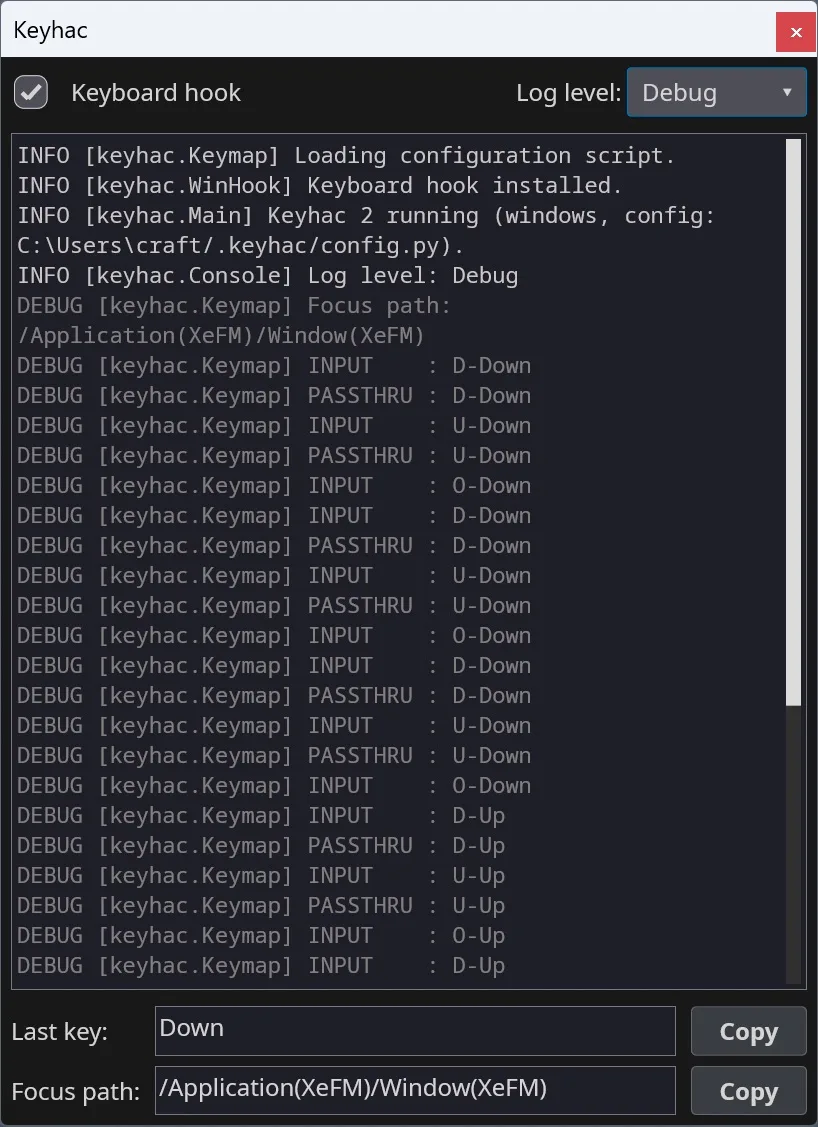
The Windows tray menu provides Edit Config and Reload Config for changing ~/.keyhac/config.py. The console shows key events, the last key and the focused application's path, helping you identify what a binding should match. Clipboard history, keyboard macros and window-control commands extend the workflow beyond simple key replacement.
This download is the Keyhac 2.7.0 ZIP for Windows 10 or 11 on x64. Extract the archive and run Keyhac.exe; the publisher also offers a separate Microsoft Store installation. Keyhac keeps running when you close its console. Turn off Keyboard Hook to pass keys through unchanged, or choose Quit Keyhac to exit.
Configuration requires Python editing, and existing Keyhac 1.x configurations need an API migration rather than an unchanged copy. Windows also prevents Keyhac from remapping input in administrator windows unless Keyhac itself is elevated. Clipboard-history text and file paths can persist on disk, so consider that before using it with sensitive clipboard content.
What it offers
- Bind keys to other keys, key sequences or Python functions.
- Define per-application key tables and multi-stroke shortcuts.
- Use a searchable clipboard-history chooser, fixed snippets and clipboard transforms.
- Control windows and applications or record and replay keyboard macros.
- Inspect live key events, the last key and focus paths in the Windows console.
Good to know
- Configuration is a Python script; Keyhac 1.x configurations need an API migration for Keyhac 2.
- The selected ZIP is for Windows 10/11 x64, not a 32-bit Windows package.
- Bindings cannot affect elevated administrator windows unless Keyhac itself runs elevated.
- Clipboard-history text and copied file paths can be saved to disk; closing the console does not stop Keyhac.
Product images
Sources
References used for this listing. Retrieval dates do not indicate hands-on testing.
More in utilities
View category ↗
1.1.1.1 with WARP 2026.8.2115.0
Encrypt traffic from your Mac to Cloudflare’s network with WARP, or use DNS-only mode for encrypted DNS queries to the 1.1.1.1 resolver.
1.1.1.1 with WARP 2026.8.2115.0
Encrypt traffic between your Windows PC and Cloudflare, or use encrypted DNS only, with the free 1.1.1.1 with WARP app.


3uTools 9.12.005
Manage iPhone and iPad photos, music, apps and backups from Windows with 3uTools, a free utility that also includes device checks and firmware flashing tools.