
Utilities Windows
KeyNote NF
Organize rich-text notes in nested trees with KeyNote NF, a free Windows notebook with tags, search, images and optional encrypted content.
- Operating system
- Windows; exact minimum version not established from the inspected publisher sources
- Architecture
- x64
- Download package
- EXE installer
The official release also lists separate x86 installers and x64/x86 ZIP packages. No installation or runtime compatibility test was performed.
Link checked · Download guidance
What is KeyNote NF?
KeyNote NF groups separate notes in a tabbed notebook, with nested nodes for organizing material by topic. It suits a project notebook, reference collection or structured set of personal notes when a flat text document becomes difficult to navigate. Rich-text formatting, images and internal links let related material stay together without reducing every entry to plain text.
Tags can identify notes or individual text fragments. Find All and tree filtering help narrow a notebook to relevant content, while text folding hides detail until it is needed. The publisher also documents clipboard capture, linked nodes that share note content, alarms and export options. Optional encryption can protect selected notes and images within an otherwise unencrypted notebook.
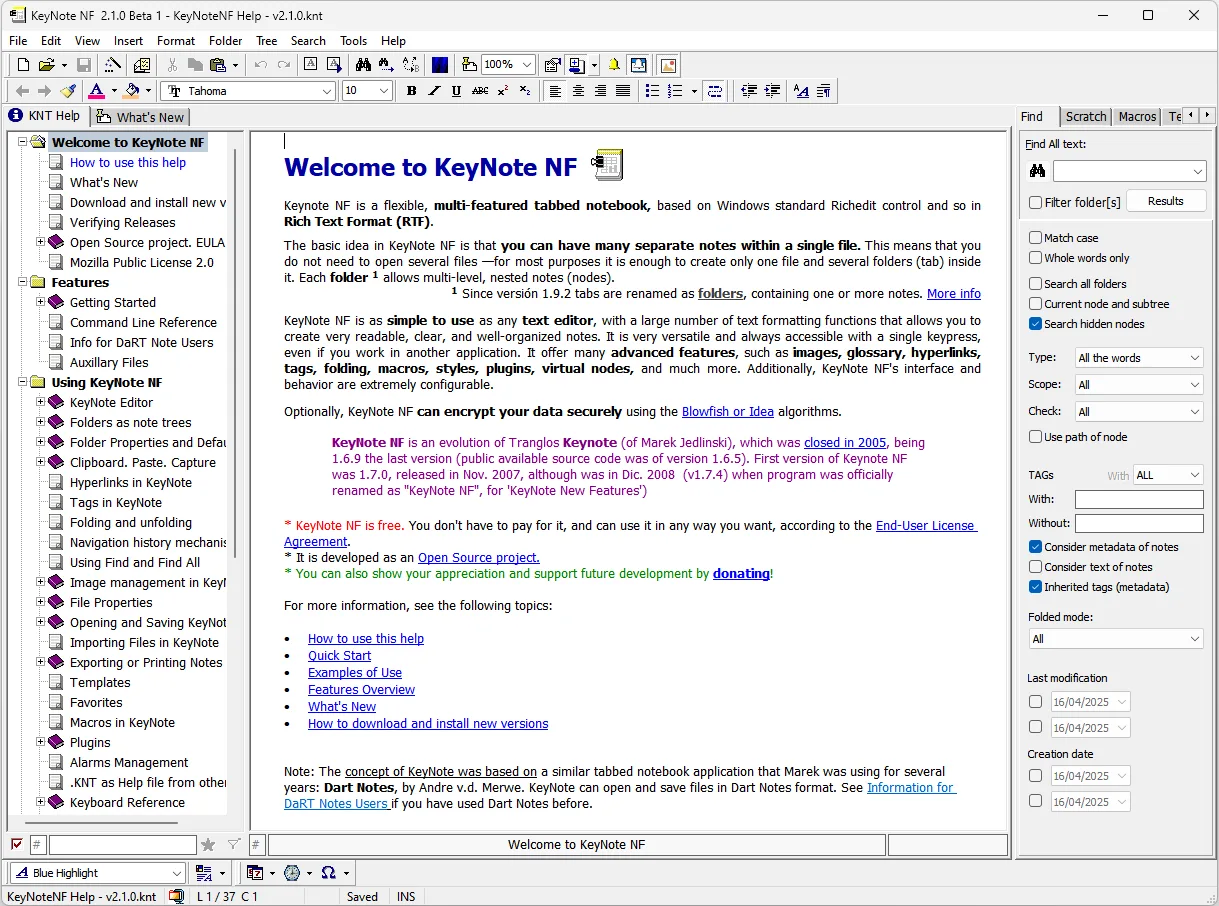
Keep independent copies of important .knt files. The publisher warns that cyclic save-time backups can become too recent to recover an earlier mistake; saving newer files in the original KeyNote 1.6.5 can also lose alarm and checked-node information. The linked package is the Windows x64 EXE installer, not the separate x86 or ZIP build. The screenshot comes from the official repository and shows an older 2.1.0 Beta 1 help notebook, not a hands-on session with version 2.1.7.1.
What it offers
- Arrange rich-text notes as nested nodes within a tabbed notebook.
- Add images, internal links and tags to organize reference material.
- Search with Find All and filter the note tree by search criteria.
- Fold text blocks and use linked nodes to share note content.
- Encrypt selected notes and images within an otherwise unencrypted notebook.
- Export notes with heading and indentation options, including a printer target for PDF output.
Good to know
- Cyclic save-time backups retain only recent copies; keep independent backups of important notebooks.
- Saving a newer notebook in original KeyNote 1.6.5 can discard alarms and checked-node information.
Product images
Sources
References used for this listing. Retrieval dates do not indicate hands-on testing.
More in utilities
View category ↗
1.1.1.1 with WARP 2026.8.2115.0
Encrypt traffic from your Mac to Cloudflare’s network with WARP, or use DNS-only mode for encrypted DNS queries to the 1.1.1.1 resolver.
1.1.1.1 with WARP 2026.8.2115.0
Encrypt traffic between your Windows PC and Cloudflare, or use encrypted DNS only, with the free 1.1.1.1 with WARP app.


3uTools 9.12.005
Manage iPhone and iPad photos, music, apps and backups from Windows with 3uTools, a free utility that also includes device checks and firmware flashing tools.