

Development macOS
KiCad for macOS
Design electronic schematics and printed circuit boards with KiCad, a free, open-source suite with a PCB layout editor, SPICE simulation and 3D board previews.
- Operating system
- macOS 12 or newer (publisher download baseline)
- Architecture
- Universal (publisher package designation)
- Download package
- DMG disk image
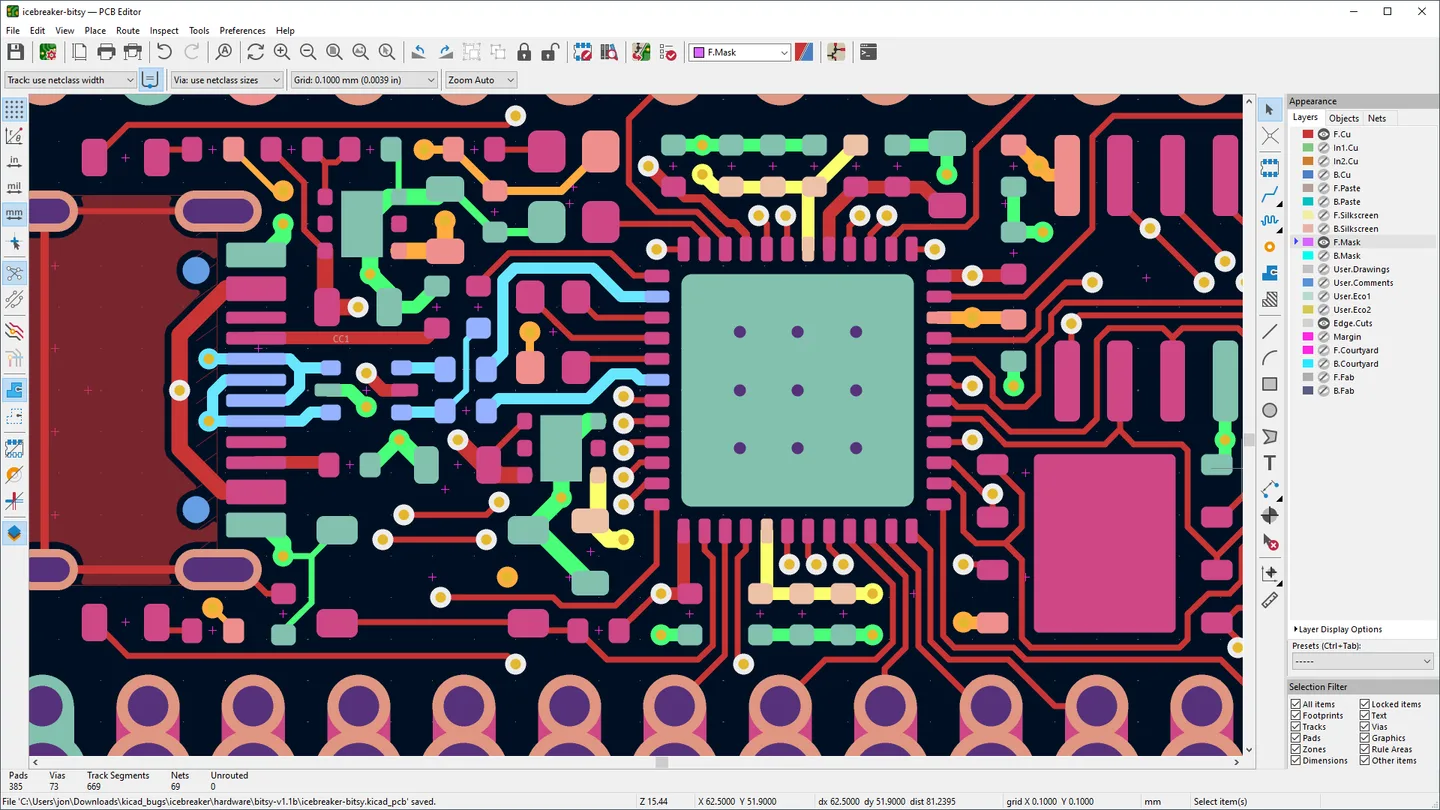
Official support follows Apple's supported macOS releases; package availability on an older release does not guarantee support. Screenshot is the publisher's cross-platform editor illustration, not a Mac-build capture.
Link checked · Download guidance
What is KiCad?
KiCad brings schematic capture, PCB layout and 3D board inspection into one electronics design suite. Its schematic editor supports hierarchical designs with multiple sheets, custom symbols and the official component library. Integrated electrical rules checking and SPICE simulation help examine a circuit before moving to board layout.
The PCB Editor provides an interactive router for laying out connections. The 3D Viewer lets you inspect a board for mechanical fit and preview the finished design, with raytraced rendering and adjustable lighting. These tools suit circuit and PCB work rather than general-purpose mechanical CAD.
This entry links to the publisher-listed KiCad 10.0.7 universal DMG for macOS. The download page specifies macOS 12 or newer as the package baseline, but the project's support policy is narrower: macOS issues must be reproduced on an officially supported release before the team will address them. Check that policy if you use an older Mac. The screenshot illustrates the shared PCB Editor and shows Windows window controls, not a capture of the Mac build.
What it offers
- Create hierarchical schematics with multiple sheets and custom or library symbols.
- Check circuits with integrated SPICE simulation and electrical rules checking.
- Lay out printed circuit boards with an interactive router.
- Inspect boards in a 3D Viewer with raytraced rendering and customizable lighting.
Good to know
- The macOS package baseline is macOS 12+, but older macOS releases are not necessarily supported or tested; reported bugs must be reproduced on an officially supported version.
- KiCad requires an OpenGL 2.1-or-newer graphics card with hardware shader support. At lower screen resolutions some toolbar buttons may be hidden.
Product images
Sources
References used for this listing. Retrieval dates do not indicate hands-on testing.
- KiCad for Mac - Download ↗Retrieved
- macOS Downloads | KiCad ↗Retrieved
- KiCad — schematic capture, PCB layout and 3D viewer ↗Retrieved
- Licenses | KiCad ↗Retrieved
- System Requirements | KiCad ↗Retrieved
More in development
View category ↗
010 Editor 17.0
Inspect and edit binary files on Mac with 010 Editor, a paid text and hex editor with Binary Templates, file comparison and a 30-day trial.
010 Editor 17.0
Inspect and edit binary files with 010 Editor for Windows, a text and hex editor with Binary Templates, file comparison and scripting. Includes a 30-day trial.
10x Editor
Edit and navigate C++ projects on Windows with a built-in parser, workspace search and Visual Studio project support. A paid license is required after the 30-day trial.