

Utilities Windows
Kindle Comic Converter for Windows
Convert comics and manga into fixed-layout ebooks for Kindle, Kobo and other e-ink readers with Kindle Comic Converter, a free, open-source Windows application.
Version 12.1.3 · Direct publisher file
Link checked · Download guidance
What is Kindle Comic Converter?
Kindle Comic Converter (KCC) prepares image-based comics and manga for e-ink reading. Add image folders, comic archives or supported PDFs, choose a device profile and export a book sized for that reader. Output options include MOBI/AZW3, EPUB, KEPUB, CBZ and PDF, as well as image folders. Selecting a Kobo profile with EPUB output produces KEPUB.
KCC is a reader's conversion tool, not Amazon's Kindle Comic Creator, and the project states that it is not endorsed by Amazon. Its device profiles and page-processing controls help adapt existing comics rather than author a comic for publication. The project recommends copying finished books directly to the reader by USB; modifying fixed-layout output in Calibre can break formatting and page numbers.
Some conversion paths need extra tools. MOBI conversion uses KindleGen, which KCC can detect from Kindle Previewer on Windows. Certain archive files and advanced features also require 7-Zip. The publisher warns that MOBI output on Kindle Scribe 2025 can contain blank pages and recommends PDF instead.
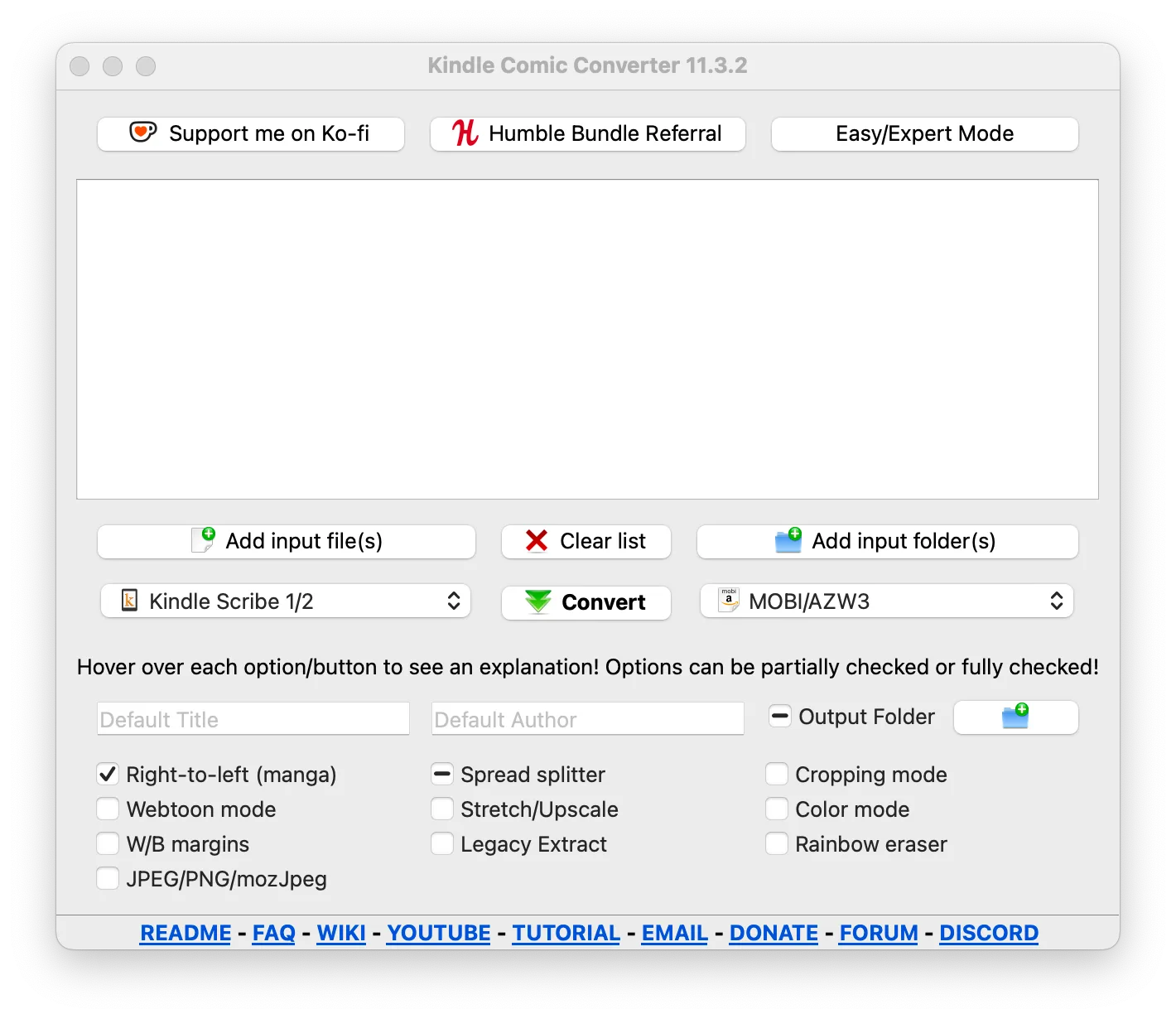
The download is the publisher's standard Windows EXE for version 12.1.3; ARM64 and Windows 7 legacy builds are separate release assets. The screenshot is the publisher's macOS interface example from version 11.3.2, illustrating the shared conversion controls rather than the exact appearance of the current Windows build.
What it offers
- Convert image folders, comic archives and supported PDFs for e-ink readers.
- Export MOBI/AZW3, EPUB, KEPUB, CBZ, PDF or image folders.
- Choose reader profiles for devices including Kindle, Kobo and ReMarkable.
- Adjust page processing with manga right-to-left, webtoon, spread-splitting and cropping controls.
- Add individual input files or entire folders through the graphical interface.
Good to know
- MOBI conversion depends on KindleGen, detected from Kindle Previewer on Windows; certain files and advanced features require 7-Zip.
- The publisher reports limited MOBI support on Kindle Scribe 2025, including blank pages, and recommends PDF output instead.
- Editing KCC's fixed-layout output in Calibre can break formatting and page numbers; the publisher recommends direct USB transfer.
Product images
Sources
References used for this listing. Retrieval dates do not indicate hands-on testing.
More in utilities
View category ↗
1.1.1.1 with WARP 2026.8.2115.0
Encrypt traffic from your Mac to Cloudflare’s network with WARP, or use DNS-only mode for encrypted DNS queries to the 1.1.1.1 resolver.
1.1.1.1 with WARP 2026.8.2115.0
Encrypt traffic between your Windows PC and Cloudflare, or use encrypted DNS only, with the free 1.1.1.1 with WARP app.


3uTools 9.12.005
Manage iPhone and iPad photos, music, apps and backups from Windows with 3uTools, a free utility that also includes device checks and firmware flashing tools.