
Utilities Windows
Kindle Previewer
Preview an ebook’s layout across Kindle device types, orientations and font sizes with Amazon’s free Kindle Previewer for 64-bit Windows 10 and above.
- Operating system
- Windows 10 and above
- Architecture
- 64-bit
- Download package
- EXE installer
Publisher guidance: 1.2 GHz processor or faster, at least 4 GB RAM (8 GB recommended), 1.5 GB disk space and 1024 × 768 display. Exact installer build was not inspected.
Link checked · Download guidance
What is Kindle Previewer?
Kindle Previewer helps authors and publishers inspect how an ebook will appear before publication. Open a supported manuscript on your Windows PC, choose a tablet, phone or Kindle e-reader preview, and compare portrait and landscape layouts with different fonts and text sizes. For reflowable ebooks, it also previews Enhanced Typesetting.
The desktop application can focus your inspection on elements such as images, lists and tables rather than making you page through the whole book manually. Auto-Advance View offers an end-to-end pass with adjustable speed and pause controls. The available element filters depend on the book’s content and Enhanced Typesetting support.
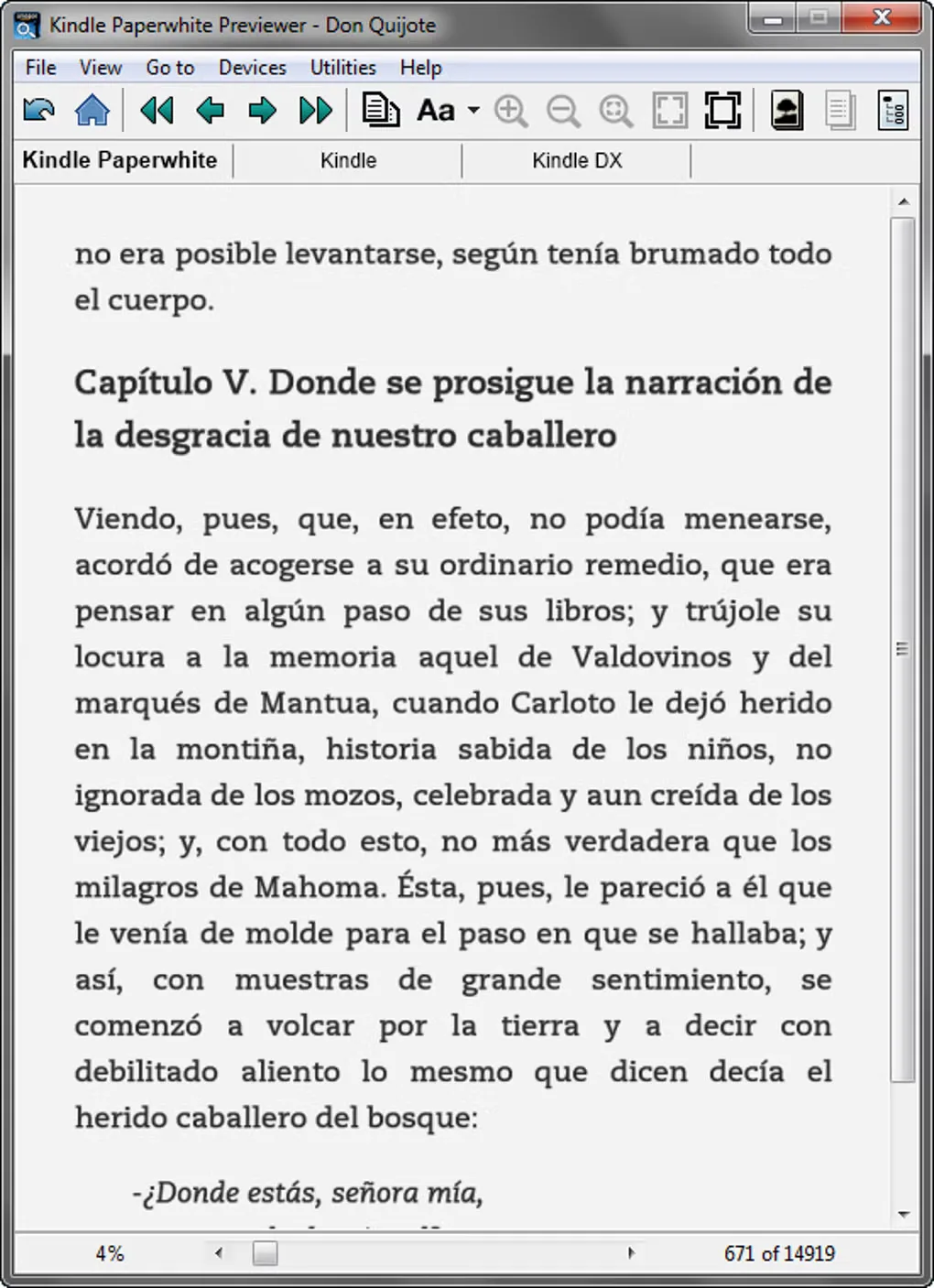
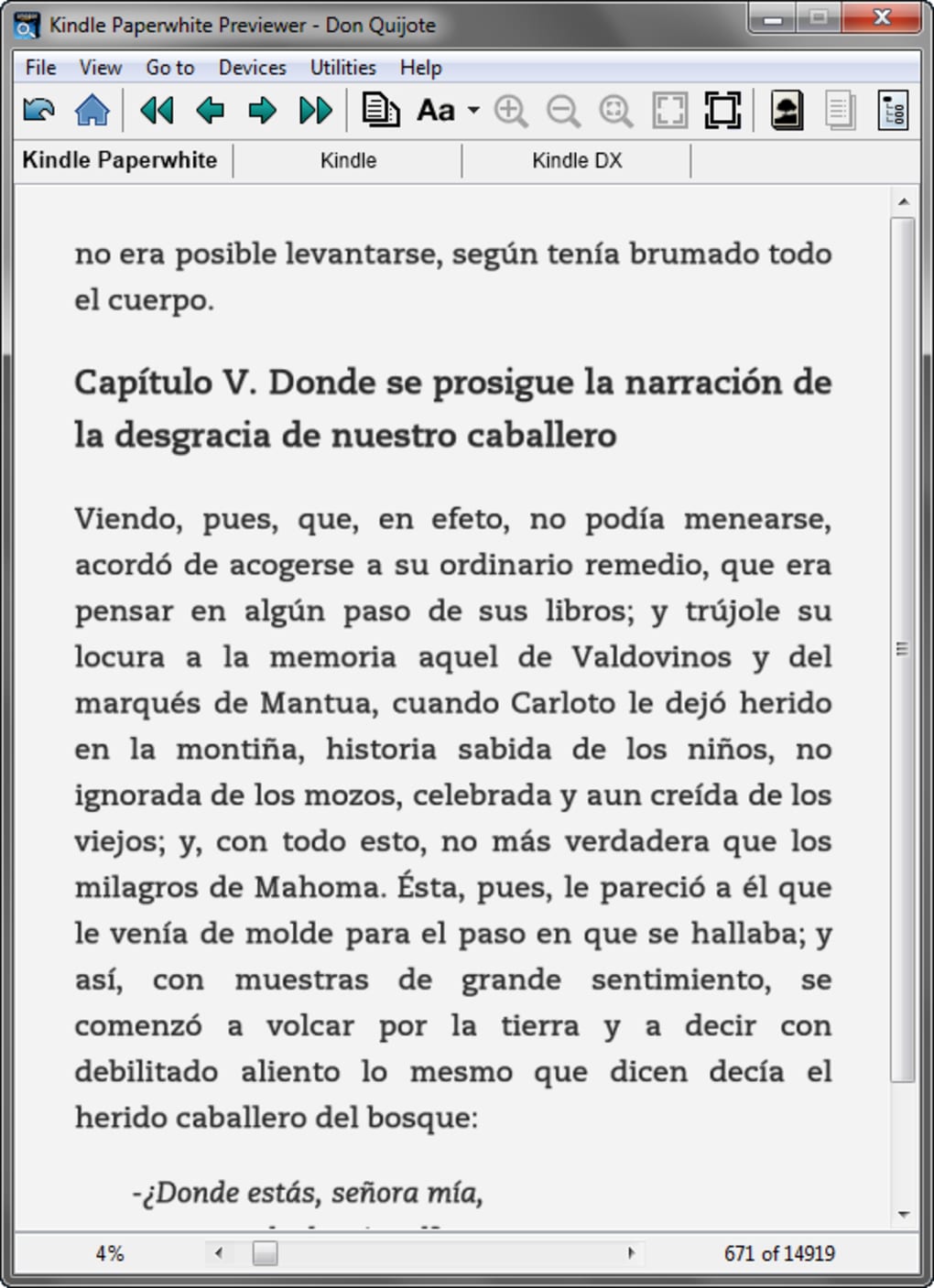
Amazon’s publisher page describes Kindle Previewer 4 and requires 64-bit Windows 10 or above. It accepts EPUB, HTML-family files, OPF, KPF and Word documents, but DOC and DOCX content must be in English. Enhanced Typesetting preview for fixed-layout ebooks is not yet supported according to the same documentation. The screenshot here illustrates an older Windows interface from Softonic’s gallery, not the modernized Previewer 4 interface.
For a basic check within a KDP publishing workflow, Amazon also offers its Online Previewer. It supports device type, orientation and font-size previews, but has fewer filters and display options than the desktop application.
What it offers
- Compare tablet, phone and Kindle e-reader previews in portrait or landscape orientation.
- Change font type and size while inspecting ebook layout.
- Filter by images, lists and tables where the book and Enhanced Typesetting support those navigation options.
- Use Auto-Advance View for an automatic page-by-page preview with pause and speed controls.
- Open EPUB, HTM, HTML, XHTML, OPF, KPF, DOC and DOCX files; Word input is limited to English content.
Good to know
- The Windows application requires Windows 10 or above with a 64-bit system.
- DOC and DOCX preview supports English-language content only.
- Amazon lists Enhanced Typesetting preview for fixed-layout ebooks as a future update, not an available feature.
- Reflowable text can occupy different locations on devices with different screen or font sizes; a preview location does not guarantee identical visible text on every device.
Product images
Sources
References used for this listing. Retrieval dates do not indicate hands-on testing.
More in utilities
View category ↗
1.1.1.1 with WARP 2026.8.2115.0
Encrypt traffic from your Mac to Cloudflare’s network with WARP, or use DNS-only mode for encrypted DNS queries to the 1.1.1.1 resolver.
1.1.1.1 with WARP 2026.8.2115.0
Encrypt traffic between your Windows PC and Cloudflare, or use encrypted DNS only, with the free 1.1.1.1 with WARP app.

3uTools 9.12.005
Manage iPhone and iPad photos, music, apps and backups from Windows with 3uTools, a free utility that also includes device checks and firmware flashing tools.