

Utilities Windows
Kiwix JS Electron for Windows
Read Wikipedia and other archived websites offline with Kiwix JS Electron for Windows. Choose ZIM archives for a searchable local reference library.
- Operating system
- Windows 10 and Windows 11
- Architecture
- x86 (32-bit)
- Download package
- EXE installer
Selected publisher link is labeled Windows 10/11 x86. Windows 7/8/8.1, x64 APPX and portable packages are separate downloads.
Link checked · Download guidance
What is Kiwix JS Electron?
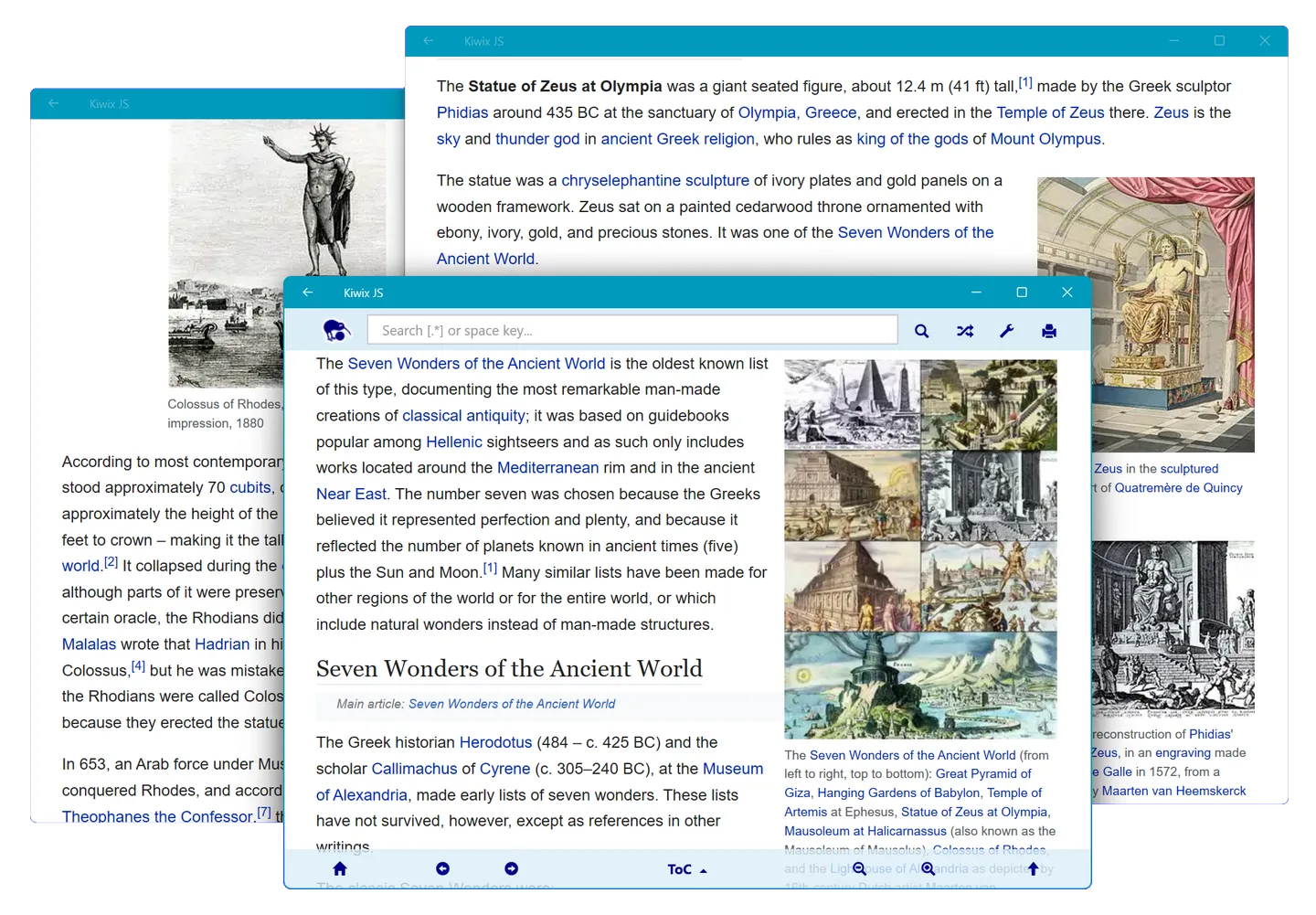
Kiwix JS Electron opens ZIM archives: offline collections of articles and other website content. It suits keeping reference material available when an Internet connection is limited or absent, from themed Wikipedia collections to books from Project Gutenberg and travel information from Wikivoyage. Select an archive on your computer or use the in-app library to find content in your preferred language.
The Electron edition supports full-text search, dark display modes for supported archives and printing. This entry links to the publisher's Windows 10/11 x86 EXE installer, rather than the separate Kiwix Desktop application, Microsoft Store edition or legacy Windows packages.
Plan your archive collection before going offline: the reader needs at least one ZIM archive, and content must already be available locally. The publisher also documents a folder-picker issue with protected locations such as the Documents folder itself. Keep archives in a subfolder such as Documents/ZIMs, or select an individual archive. Electron printing has no preview; the publisher suggests printing to PDF first.
What it offers
- Read locally stored ZIM archives from Wikipedia, Project Gutenberg, Wikivoyage and other sources without an Internet connection.
- Browse and filter the in-app ZIM catalogue to choose archives and languages.
- Search archive content with full-text search in the Electron edition.
- Use supported dark display modes and print articles.
Good to know
- Requires at least one ZIM archive; obtain the content you need before going offline.
- Selecting a protected folder such as Documents itself can stop the Electron file pickers until restart; use an archive subfolder or select an individual file.
- The Electron edition has no print preview; the publisher recommends printing to PDF first.
Product images
Sources
References used for this listing. Retrieval dates do not indicate hands-on testing.
More in utilities
View category ↗
1.1.1.1 with WARP 2026.8.2115.0
Encrypt traffic from your Mac to Cloudflare’s network with WARP, or use DNS-only mode for encrypted DNS queries to the 1.1.1.1 resolver.
1.1.1.1 with WARP 2026.8.2115.0
Encrypt traffic between your Windows PC and Cloudflare, or use encrypted DNS only, with the free 1.1.1.1 with WARP app.


3uTools 9.12.005
Manage iPhone and iPad photos, music, apps and backups from Windows with 3uTools, a free utility that also includes device checks and firmware flashing tools.