

Utilities Windows
KMyMoney for Windows
Track accounts, categorize transactions and plan recurring payments with KMyMoney, a free, open-source personal finance manager for Windows.
- Operating system
- Windows; publisher does not specify a minimum Windows version on the package instructions page
- Architecture
- x86_64 (64-bit)
- Download package
- EXE installer (MSVC 2022)
Stable 5.2 branch CI build, not the master/development branch. AqBanking support is not included.
Link checked · Download guidance
What is KMyMoney?
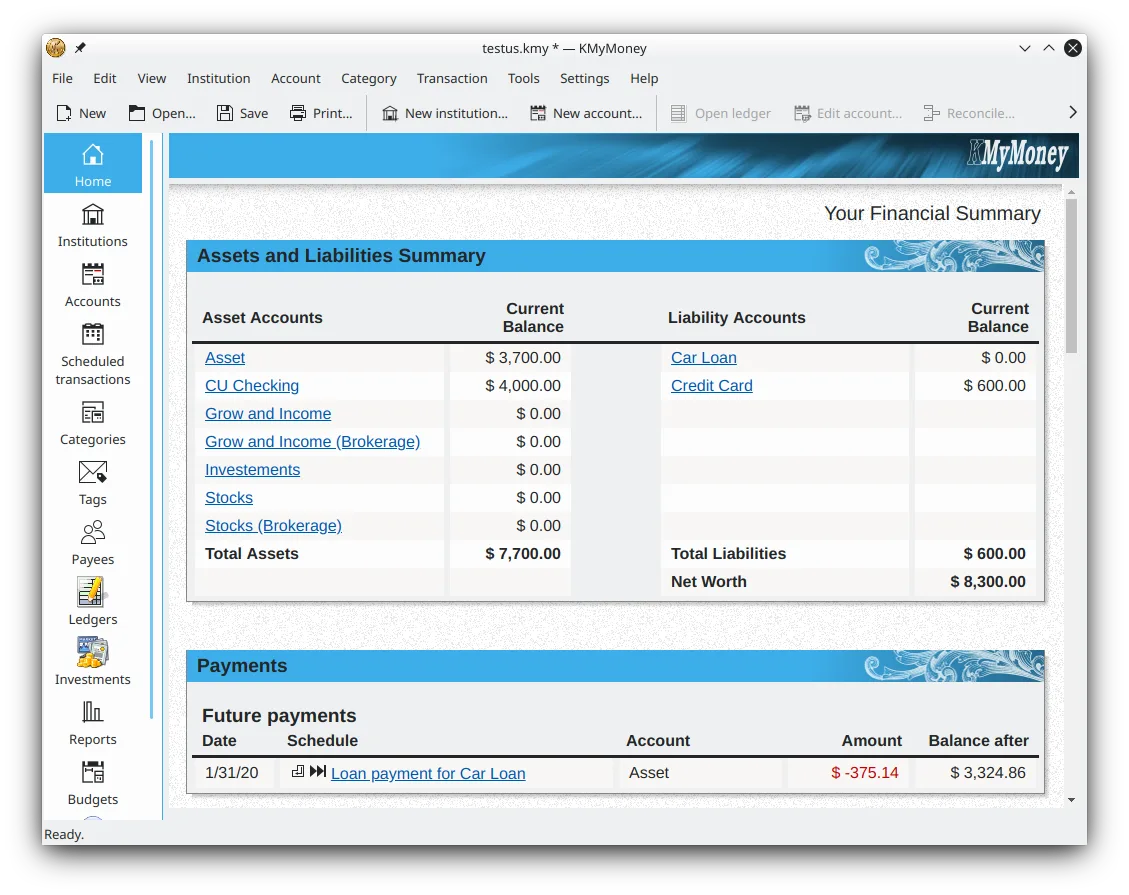
KMyMoney brings account balances, transactions and upcoming payments into one desktop personal finance manager. Its financial summary shows assets and liabilities, while account, category and payee views help organize where money comes from and where it goes. Double-entry accounting underpins its records.
Use scheduled transactions for recurring bills, deposits or transfers, track basic investments such as stocks and bonds, and build reports with charts. QIF and OFX imports provide ways to bring in financial records without entering every transaction manually.
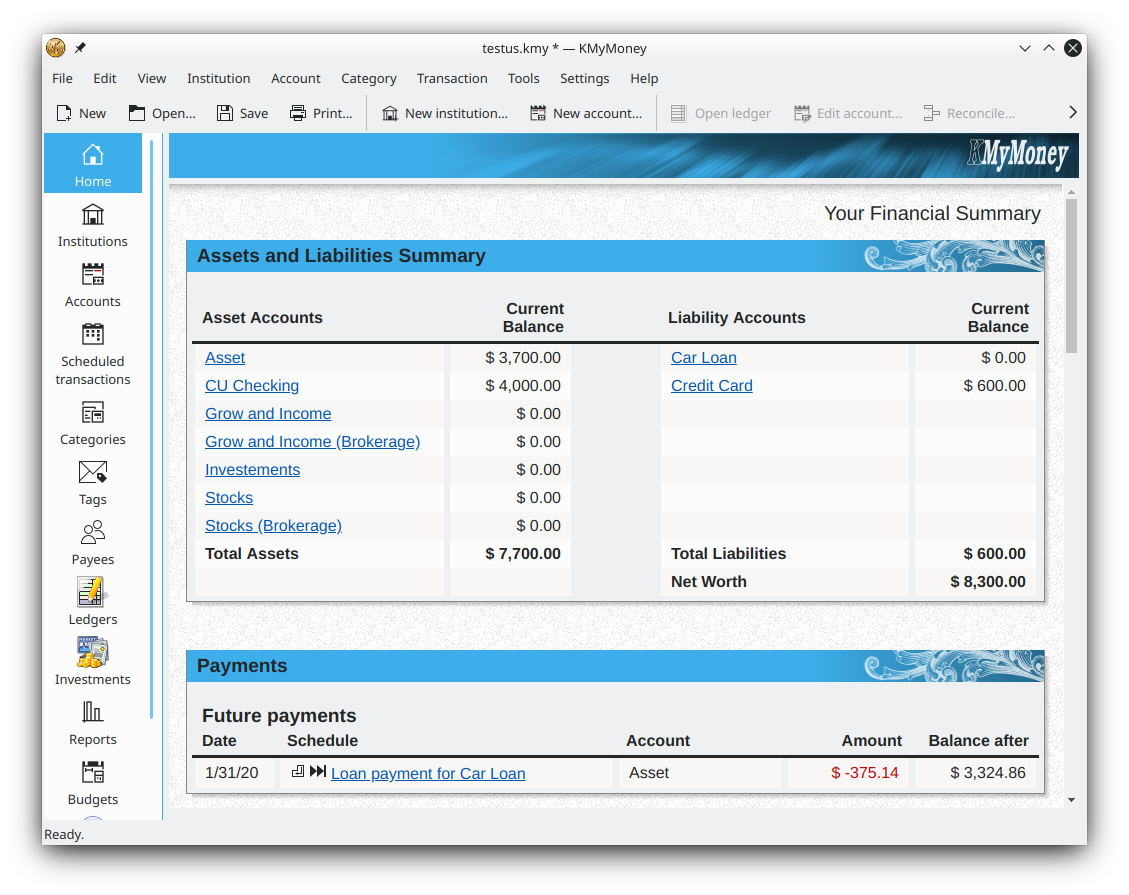
This download is the Windows x64 MSVC installer from the publisher's stable 5.2 branch, build 6092. These Windows builds do not include AqBanking support, so do not choose this package expecting that integration. KDE's CI system retains only the last successful build; its exact installer URL can change when a replacement is generated. The publisher screenshot illustrates the financial-summary interface with non-Windows window decorations, not a verified capture of this Windows build.
What it offers
- View account balances, assets, liabilities and upcoming scheduled transactions in a financial summary.
- Organize transactions with categories, tags and payees.
- Schedule recurring bills, deposits and transfers, with optional automatic ledger entry.
- Track basic investments including stocks, bonds and mutual funds.
- Create configurable reports with charts and import QIF or OFX financial records.
Good to know
- The publisher's MSVC Windows builds do not provide AqBanking support.
- Only the last successful CI build remains available, so the numbered installer link can be replaced.
Product images
Sources
References used for this listing. Retrieval dates do not indicate hands-on testing.
- KMyMoney - Download ↗Retrieved
- KMyMoney — official personal finance manager overview ↗Retrieved
- Screenshots | KMyMoney ↗Retrieved
- Download and use the Windows version | KMyMoney ↗Retrieved
- Download | KMyMoney ↗Retrieved
- Index of /ci-builds/office/kmymoney/5.2/windows ↗Retrieved
More in utilities
View category ↗
1.1.1.1 with WARP 2026.8.2115.0
Encrypt traffic from your Mac to Cloudflare’s network with WARP, or use DNS-only mode for encrypted DNS queries to the 1.1.1.1 resolver.
1.1.1.1 with WARP 2026.8.2115.0
Encrypt traffic between your Windows PC and Cloudflare, or use encrypted DNS only, with the free 1.1.1.1 with WARP app.

3uTools 9.12.005
Manage iPhone and iPad photos, music, apps and backups from Windows with 3uTools, a free utility that also includes device checks and firmware flashing tools.