

Utilities macOS
KnockKnock for macOS
Inspect software that starts automatically on your Mac with KnockKnock, an open-source persistence scanner from Objective-See.
Version 4.1.0 · Direct publisher file
Link checked · Download guidance
What is KnockKnock?
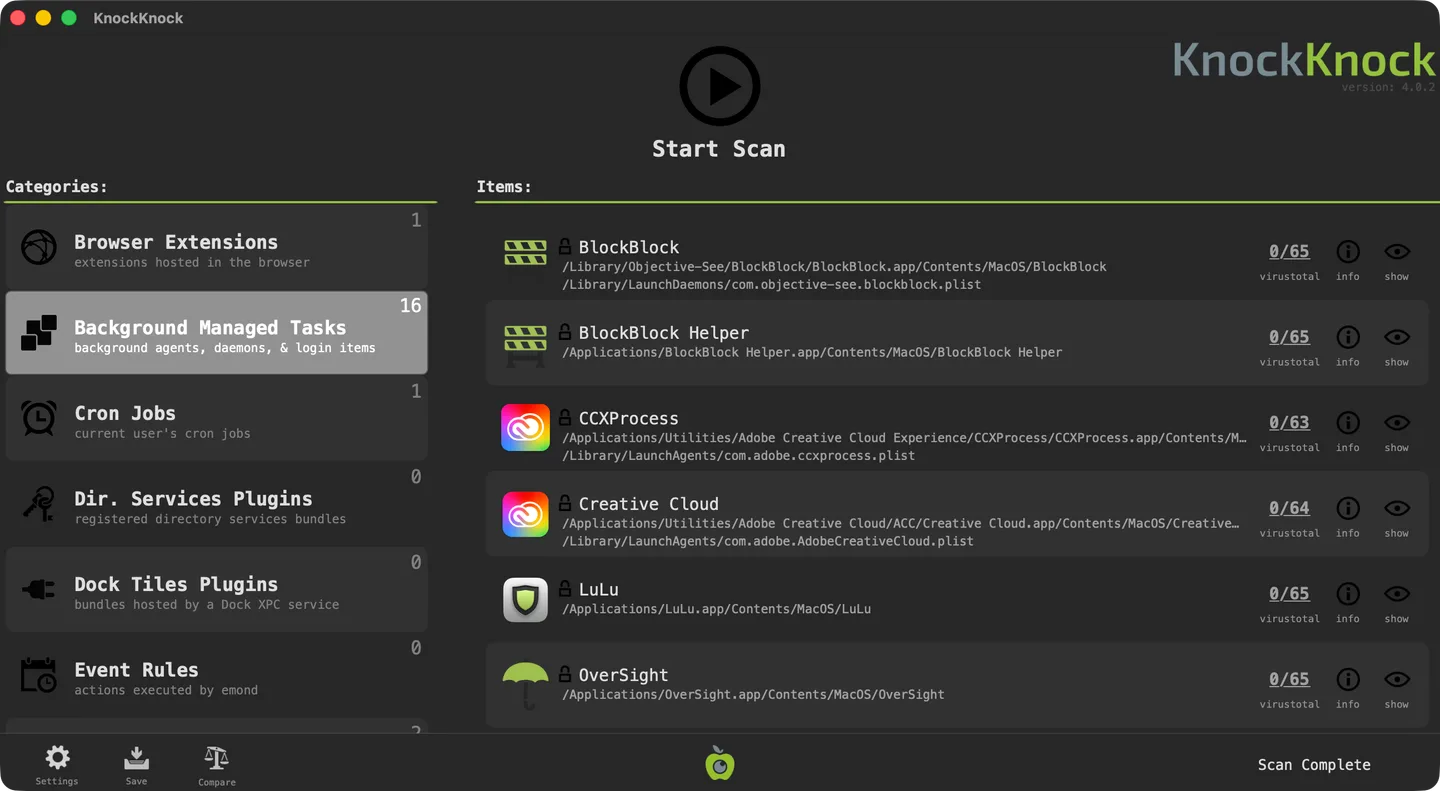
KnockKnock lists persistently installed software on macOS so you can inspect what runs at startup, login or when another application launches. It groups findings into categories such as browser extensions, background managed tasks, cron jobs and launch items. Each entry can show its path, signing information and file details, with a control to reveal it in Finder.
The application can query VirusTotal using file hashes when its integration is configured with an API key. You can save scan results as JSON and compare a completed scan with an earlier one to identify added, removed or modified items. A command-line interface also supports scans and JSON output.
A listed item is not automatically malware: legitimate third-party software appears too. Apart from flagging known malware through VirusTotal, KnockKnock does not classify every finding as malicious or benign. Its findings require interpretation, and Full Disk Access may be needed for a more complete scan. The publisher supplies the app in a ZIP archive for macOS 10.15 or later. The screenshot illustrates the publisher's older 4.0.2 interface; the linked package is version 4.1.0.
What it offers
- Inspect persistence categories including background managed tasks, launch items, browser extensions and cron jobs.
- Review item paths, signing status and file details, or reveal an item in Finder.
- Use optional VirusTotal integration with an API key to look up file hashes and submit unknown items for analysis.
- Save findings as JSON and compare completed scans for added, removed or modified items.
- Run scans through the application bundle's command-line interface.
Good to know
- Legitimate third-party software is included in findings; an item being listed does not establish that it is malware.
- VirusTotal integration requires configuration with an API key; an unknown result is not a verdict about a file's safety.
- Full Disk Access may be required to scan the entire computer.
Product images
Sources
References used for this listing. Retrieval dates do not indicate hands-on testing.
More in utilities
View category ↗
1.1.1.1 with WARP 2026.8.2115.0
Encrypt traffic from your Mac to Cloudflare’s network with WARP, or use DNS-only mode for encrypted DNS queries to the 1.1.1.1 resolver.
1.1.1.1 with WARP 2026.8.2115.0
Encrypt traffic between your Windows PC and Cloudflare, or use encrypted DNS only, with the free 1.1.1.1 with WARP app.

3uTools 9.12.005
Manage iPhone and iPad photos, music, apps and backups from Windows with 3uTools, a free utility that also includes device checks and firmware flashing tools.