

Utilities macOS
Ksnip for macOS
Capture a screen region or full display on macOS, then add arrows, text, numbered markers or blur with Ksnip, an open-source screenshot editor.
Version 1.10.1 · Direct publisher file
Link checked · Download guidance
What is Ksnip?
Ksnip combines screen capture with an annotation editor. On macOS, its documented capture modes include a rectangular area, the last selected area, the current screen and all screens. A capture delay helps when preparing a menu or another temporary screen state. You can also open an existing image or paste one from the clipboard instead of taking a new screenshot.
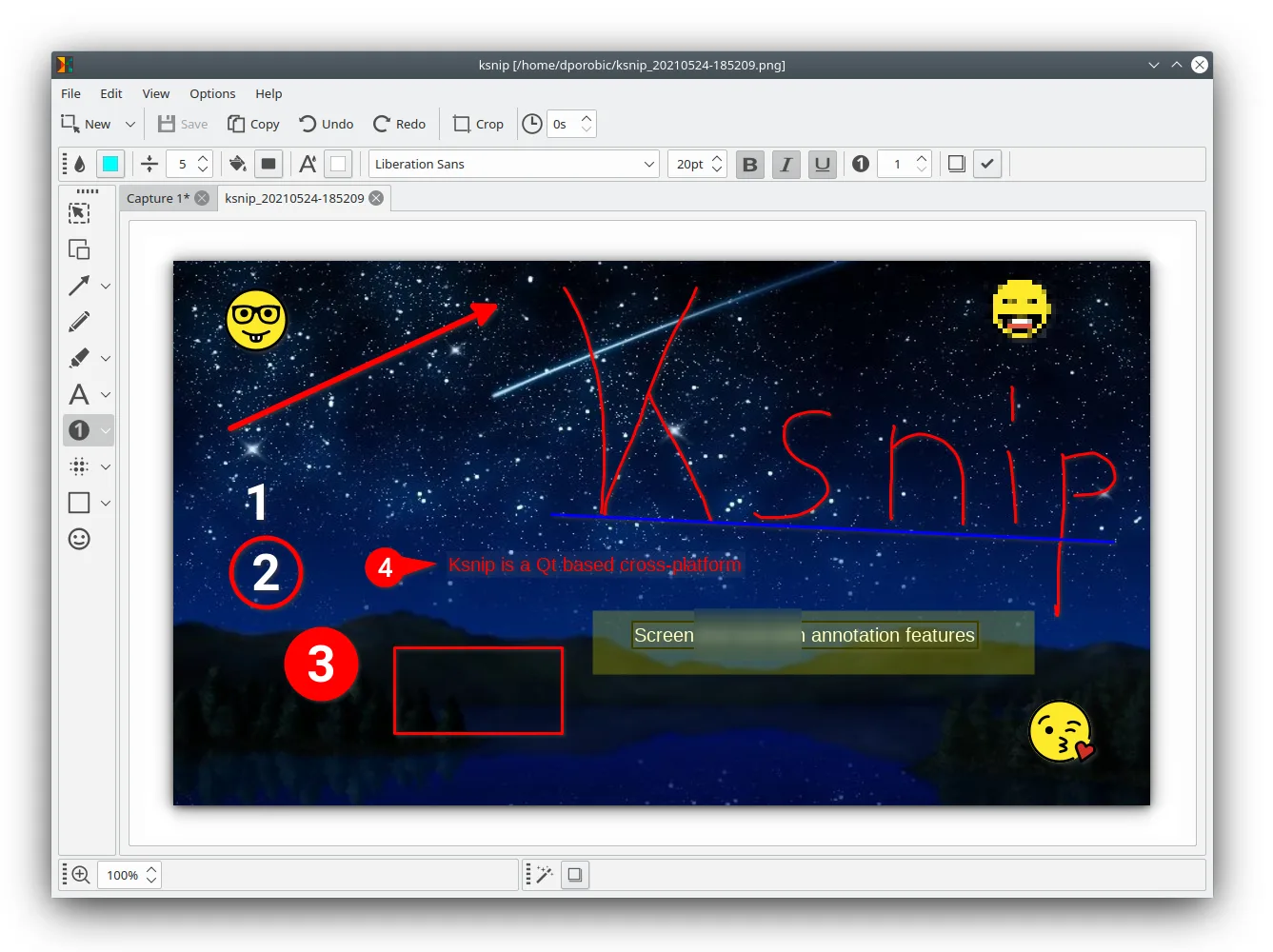
The editor provides pen and marker tools, shapes, text, numbered annotations and stickers. Crop an image to the relevant detail, or use blur and pixelation to obscure an area before sharing. Tabs keep multiple screenshots and images available in the same window.
This download is the publisher's version 1.10.1 macOS app in a DMG, released on March 15, 2023. The project's current development README displays 1.11.0; that is not the version of the linked package. The publisher's macOS capture table does not list active-window capture or capture without the mouse cursor, and global capture hotkeys are documented only for Windows and X11. Check the older release's suitability for your Mac: the cited package listing does not establish a minimum macOS version or Apple Silicon support.
The screenshot is the publisher's cross-platform editor example, shown with Linux window decoration. It illustrates the annotation tools, not the appearance of a tested macOS installation.
What it offers
- Capture a rectangular area, reuse the last selected area, or capture the current screen or all screens on macOS.
- Set a capture delay before taking a screenshot.
- Annotate images with arrows, pen strokes, shapes, text, numbered markers and stickers.
- Crop images and obscure selected regions with blur or pixelation.
- Open existing images, paste from the clipboard and work with multiple image tabs.
Good to know
- The macOS capture table does not list active-window capture or capture without the mouse cursor; the tagged README says the cursor is always captured on macOS.
- Global screenshot hotkeys are documented for Windows and X11, not macOS.
- The linked 1.10.1 DMG dates from March 2023. Minimum macOS version and Apple Silicon compatibility are not established by the cited release listing.
Product images
Sources
References used for this listing. Retrieval dates do not indicate hands-on testing.
- Ksnip v1.10.1 — publisher README, features and macOS limitations ↗Retrieved
- Ksnip release v1.10.1 — publisher release timestamp ↗Retrieved
- Ksnip v1.10.1 — explicit publisher asset catalogue ↗Retrieved
- Ksnip v1.10.1 — GNU GPL version 3 license ↗Retrieved
- Ksnip — current publisher README and annotation screenshot ↗Retrieved
More in utilities
View category ↗
1.1.1.1 with WARP 2026.8.2115.0
Encrypt traffic from your Mac to Cloudflare’s network with WARP, or use DNS-only mode for encrypted DNS queries to the 1.1.1.1 resolver.
1.1.1.1 with WARP 2026.8.2115.0
Encrypt traffic between your Windows PC and Cloudflare, or use encrypted DNS only, with the free 1.1.1.1 with WARP app.

3uTools 9.12.005
Manage iPhone and iPad photos, music, apps and backups from Windows with 3uTools, a free utility that also includes device checks and firmware flashing tools.