
Development Windows
kubefwd
Forward Kubernetes services to your Windows workstation by service name with kubefwd, an open-source command-line tool with an interactive terminal interface.
- Operating system
- Windows; minimum version not specified in the cited installation guide
- Architecture
- x64 (x86-64)
- Download package
- ZIP archive
Selected publisher asset: kubefwd_Windows_x86_64.zip. A separate i386 archive is listed. Requires cluster access and an Administrator terminal.
Link checked · Download guidance
What is kubefwd?
kubefwd brings services from a Kubernetes cluster onto your local workstation for development. It can forward a namespace's services together, assign each service a separate loopback IP and add service-name entries to the hosts file. Local code can then connect to a cluster database or API using its service name and original port rather than maintaining a separate port mapping for every dependency.
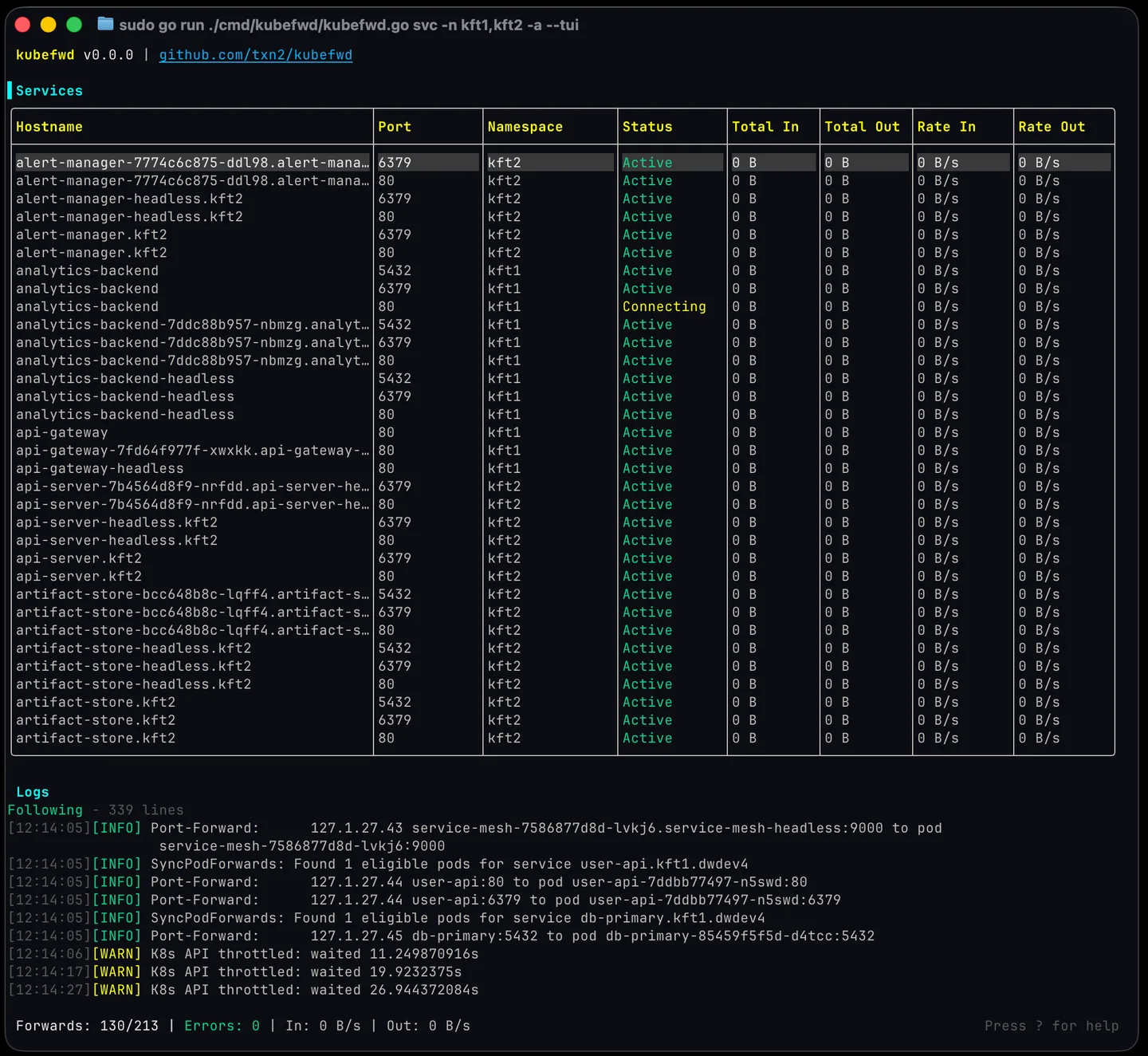
Use the interactive terminal interface to browse services and monitor forwarding status, traffic and pod logs, or select namespaces and labels from the command line. Automatic reconnection handles interrupted connections and pod restarts. A REST API is available for programmatic control.
This is a developer tool, not a standalone local Kubernetes environment. You need a kubeconfig with access to an existing cluster, and Windows requires an Administrator terminal so kubefwd can modify the hosts file. The linked download is the publisher's Windows x64 ZIP for version 1.25.18; the publisher also documents winget and Scoop installation. The screenshot is the publisher's cross-platform TUI example captured in a macOS terminal, not a Windows capture or a demonstration of this exact release.
What it offers
- Forward services from one or more Kubernetes namespaces in a single command.
- Use a unique loopback IP per service and connect by service name on its original port.
- Browse services and monitor status, traffic and pod logs in an interactive terminal interface.
- Filter services by Kubernetes labels and reconnect after interrupted connections or pod restarts.
- Control forwarding programmatically through an optional REST API.
Good to know
- Requires a kubeconfig with access to a Kubernetes cluster; it does not create a cluster or run the remote services locally.
- Windows use requires an Administrator terminal to modify the hosts file.
Product images
Sources
References used for this listing. Retrieval dates do not indicate hands-on testing.
More in development
View category ↗

010 Editor 17.0
Inspect and edit binary files on Mac with 010 Editor, a paid text and hex editor with Binary Templates, file comparison and a 30-day trial.
010 Editor 17.0
Inspect and edit binary files with 010 Editor for Windows, a text and hex editor with Binary Templates, file comparison and scripting. Includes a 30-day trial.
10x Editor
Edit and navigate C++ projects on Windows with a built-in parser, workspace search and Visual Studio project support. A paid license is required after the 30-day trial.