
Development Windows
Kubescape
Scan Kubernetes clusters and configuration files for security misconfigurations with Kubescape, an open-source command-line tool available for Windows x64.
- Operating system
- Windows; minimum version not specified by publisher
- Architecture
- x64 (AMD64)
- Download package
- Standalone EXE command-line executable
This link selects x64, not the separate ARM64 asset. PowerShell 5.0+ is required for the optional installation script, not stated as a requirement for the standalone binary.
Link checked · Download guidance
What is Kubescape?
Kubescape helps Kubernetes administrators and developers check cluster configuration before deciding what to fix. Its command-line client scans running clusters, local YAML manifests and Helm charts against security frameworks such as NSA-CISA and MITRE ATT&CK. Use a framework scan to review failed controls, their severity and the affected resources; verbose output adds resource-level detail and remediation suggestions.
The Windows download here is the standalone x64 CLI executable from release 4.0.17, not a graphical installer or the in-cluster operator. The publisher also documents PowerShell, Chocolatey and Scoop installation routes. The PowerShell installation script requires version 5.0 or newer; the community-maintained Chocolatey and Scoop packages can lag the project's releases. The documentation confirms Windows x64 support without specifying a minimum Windows edition or build.
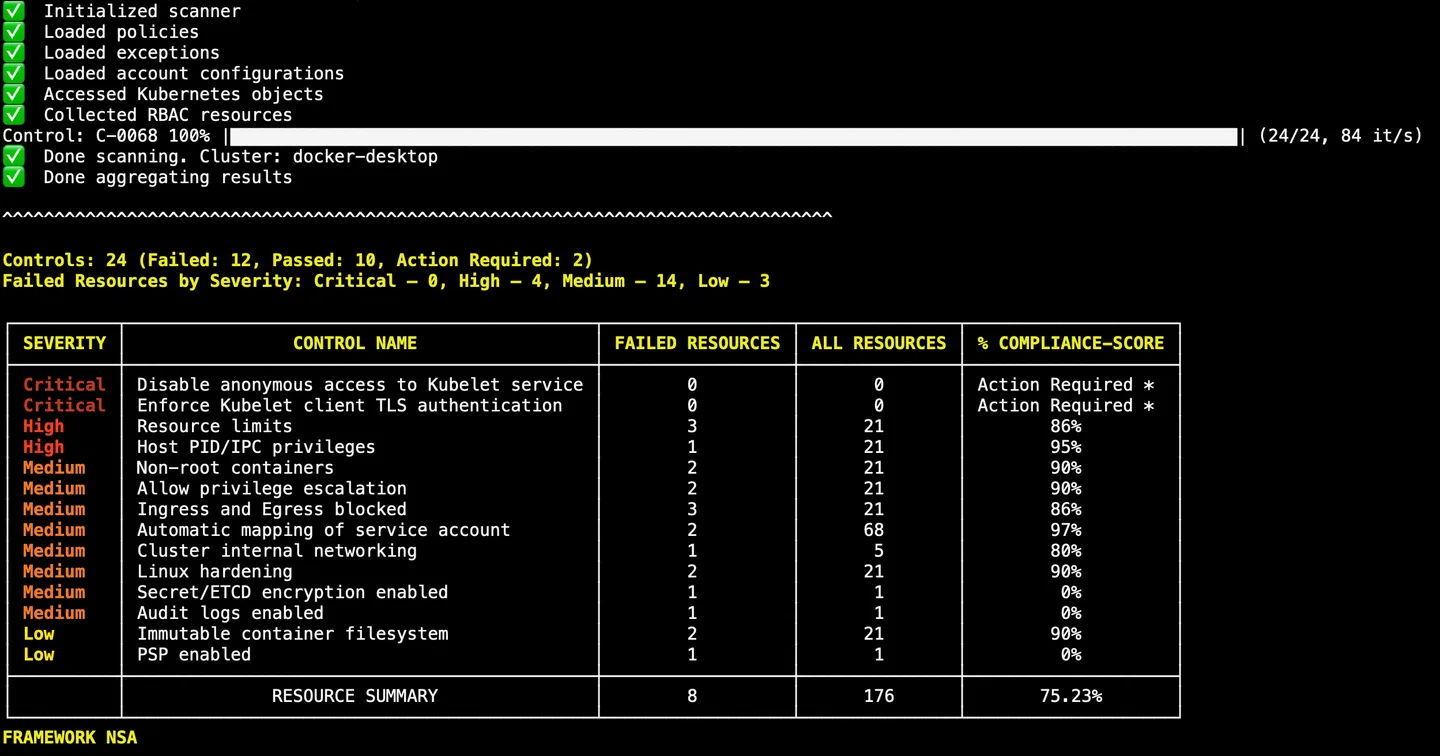
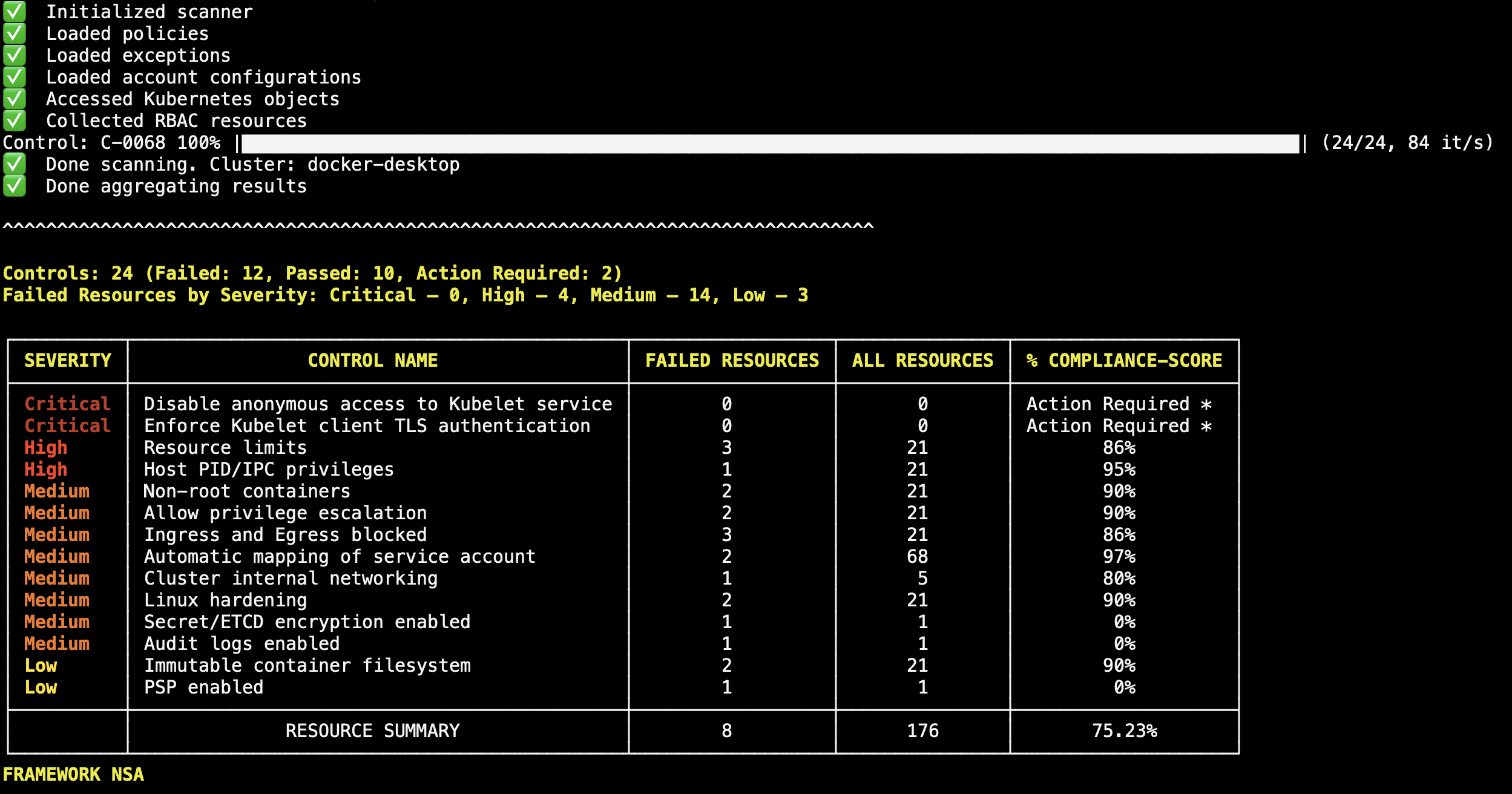
For an isolated environment, prepare the required framework, control and configuration artifacts on a connected machine before scanning offline. Helm scans use dependencies already present in the chart and do not fetch missing dependencies automatically. The screenshot is the publisher's illustrative NSA scan output, not a scan performed for this entry or proof of results on your cluster.
What it offers
- Check running Kubernetes clusters, YAML files and Helm charts for security misconfigurations.
- Select security frameworks including NSA-CISA and MITRE ATT&CK.
- Inspect failed controls, severity, affected-resource counts and compliance results in terminal output.
- Prepare artifacts for offline scans and use verbose output to investigate individual failing resources.
Good to know
- Offline scans require framework, control and configuration artifacts to be prepared beforehand.
- Helm scans use vendored chart dependencies only; missing dependencies can prevent a chart from rendering.
- This is a command-line client. The publisher documents Windows x64 support but does not specify a minimum Windows version on the installation page.
Product images
Sources
References used for this listing. Retrieval dates do not indicate hands-on testing.
More in development
View category ↗
010 Editor 17.0
Inspect and edit binary files on Mac with 010 Editor, a paid text and hex editor with Binary Templates, file comparison and a 30-day trial.
010 Editor 17.0
Inspect and edit binary files with 010 Editor for Windows, a text and hex editor with Binary Templates, file comparison and scripting. Includes a 30-day trial.
10x Editor
Edit and navigate C++ projects on Windows with a built-in parser, workspace search and Visual Studio project support. A paid license is required after the 30-day trial.