

Development Windows
LibrePCB for Windows
Draw electronic schematics and design printed circuit boards with LibrePCB, a free, open-source EDA suite for Windows with electrical and design rule checks.
- Operating system
- 64-bit Windows 10 or later
- Architecture
- x86_64 (x64)
- Download package
- EXE installer
The publisher also offers a separate portable ZIP. This link is the Windows x64 installer, not a 32-bit build.
Link checked · Download guidance
What is LibrePCB?
LibrePCB brings schematic capture and PCB layout into one electronics design suite. Draw circuits, assign parts and footprints, and lay out a board while the schematic and board editors stay synchronized. It suits makers, students and electronics developers who want to work locally without an online account.
The schematic editor supports multi-page designs, electrical rule checks and assembly variants with alternative manufacturer part numbers. The board editor adds multi-layer layouts, design rule checks and a live 3D preview. Projects can be used offline; online library installation and fabrication services are optional.
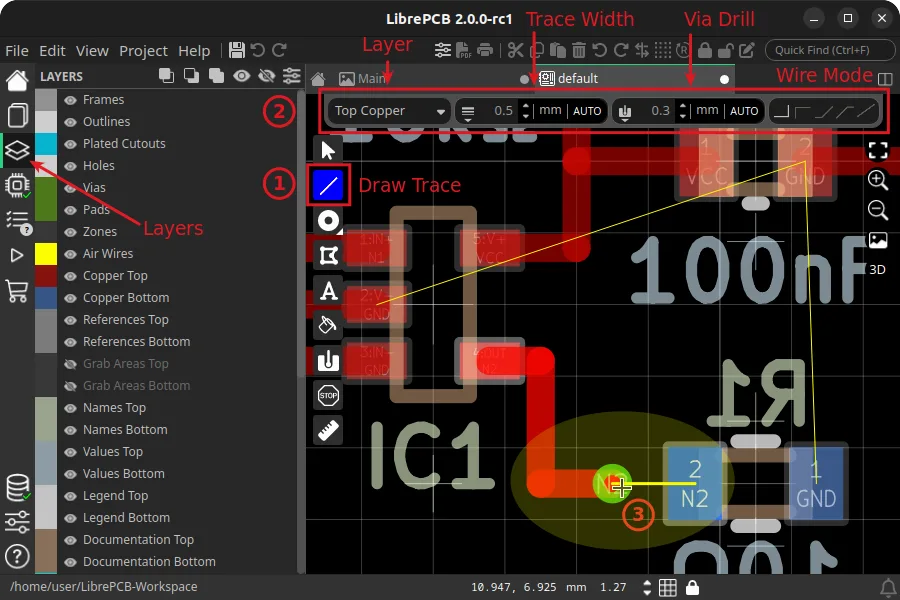
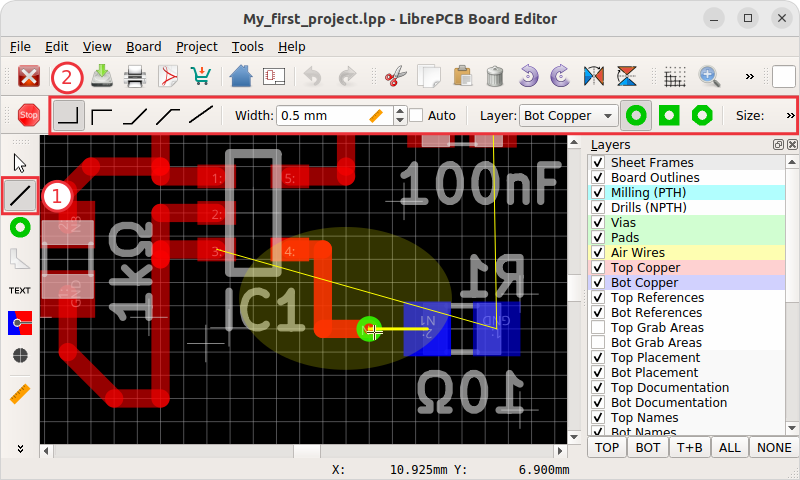
Multi-page schematics use a flat hierarchy rather than hierarchical sheets. The 3D preview also depends on available component models, so not every assembled part will appear. This entry links to the publisher's Windows x64 EXE installer for version 2.1.1, requiring Windows 10 or later. The illustrated board editor is a publisher tutorial capture from 2.0.0-rc1 on Linux, not a capture of the current Windows release.
What it offers
- Draw multi-page schematics with live electrical rule checking and synchronization to the board editor.
- Design multi-layer PCBs with design rule checks and a live 3D preview.
- Manage assembly variants and alternative manufacturer part numbers.
- Work offline without an online account; use the integrated library manager when needed.
Good to know
- Multi-page schematics use a flat hierarchy.
- The 3D preview shows assembled parts only where suitable 3D models are available.
Product images
Sources
References used for this listing. Retrieval dates do not indicate hands-on testing.
- LibrePCB - Download — normal browser observation ↗Retrieved
- Download | LibrePCB ↗Retrieved
- Create electronics the easy way | LibrePCB ↗Retrieved
- License | LibrePCB ↗Retrieved
- Schematic Editor | LibrePCB ↗Retrieved
- Board Editor | LibrePCB ↗Retrieved
- LibrePCB 2.1.1 Released | LibrePCB Blog ↗Retrieved
- Create Board | LibrePCB Documentation ↗Retrieved
More in development
View category ↗
010 Editor 17.0
Inspect and edit binary files on Mac with 010 Editor, a paid text and hex editor with Binary Templates, file comparison and a 30-day trial.
010 Editor 17.0
Inspect and edit binary files with 010 Editor for Windows, a text and hex editor with Binary Templates, file comparison and scripting. Includes a 30-day trial.
10x Editor
Edit and navigate C++ projects on Windows with a built-in parser, workspace search and Visual Studio project support. A paid license is required after the 30-day trial.