

Utilities Windows
LightBulb for Windows
Adjust screen color temperature and brightness through the day with LightBulb, a free, open-source Windows gamma utility with sunrise schedules and application exceptions.
- Operating system
- Windows; Softonic lists Windows 11
- Architecture
- x64
- Download package
- EXE installer
The selected publisher asset is win-x64. Separate x86 and ARM64 installers are listed; minimum supported Windows version was not established.
Link checked · Download guidance
What is LightBulb?
LightBulb changes your display's gamma to move between daytime and nighttime color settings. Set the color temperature and brightness you want, then use location-based sunrise and sunset times or a manual schedule to control the transition. It is useful when you want a warmer screen in the evening without changing the settings by hand each day.
Global hotkeys let you make adjustments without opening the main window, while an application whitelist provides exceptions for color-sensitive work. The publisher also lists offline operation and smooth gamma transitions.
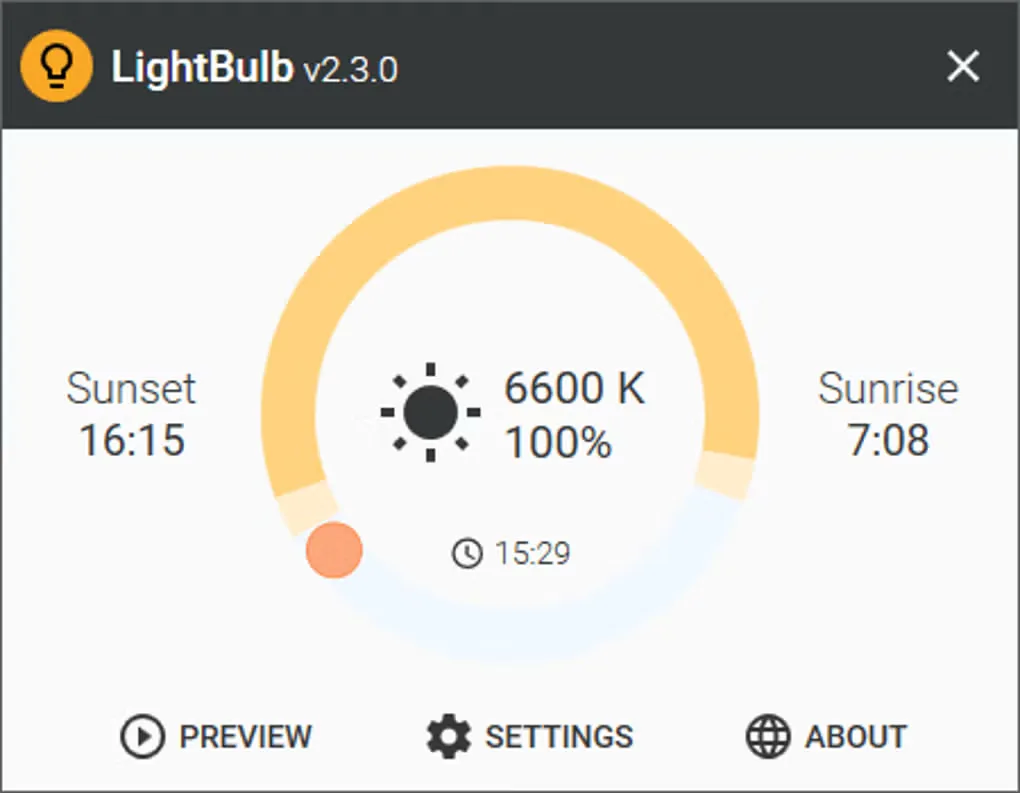
Gamma adjustment depends on your display setup. The publisher documents problems with some display drivers and conflicts with games or other applications that also change gamma; competing adjustments can cause flicker or prevent the intended colors from appearing. The project is marked as being in maintenance. This entry links to the Windows x64 EXE installer for version 2.7.2; the gallery screenshot depicts the older 2.3.0 interface.
What it offers
- Schedule gamma changes using location-based sunrise and sunset times or manually chosen times.
- Configure daytime and nighttime color temperature and brightness with smooth transitions.
- Exclude color-sensitive applications using an application whitelist.
- Use global hotkeys to adjust settings on the fly.
- Operate without an internet connection, as listed by the publisher.
Good to know
- Games and other applications that override gamma can conflict with LightBulb, causing flicker or preventing adjustments from appearing.
- Some display drivers do not support gamma changes; the publisher documents DisplayLink and TeamViewer display-driver limitations.
- The publisher marks the project as being in maintenance.
Product images
Sources
References used for this listing. Retrieval dates do not indicate hands-on testing.
- LightBulb - Download ↗Retrieved
- Tyrrrz/LightBulb — publisher README ↗Retrieved
- LightBulb publisher release feed ↗Retrieved
- LightBulb 2.7.2 — publisher release assets ↗Retrieved
- LightBulb MIT License ↗Retrieved
- LightBulb publisher troubleshooting guide ↗Retrieved
- How LightBulb works — publisher guide ↗Retrieved
More in utilities
View category ↗
1.1.1.1 with WARP 2026.8.2115.0
Encrypt traffic from your Mac to Cloudflare’s network with WARP, or use DNS-only mode for encrypted DNS queries to the 1.1.1.1 resolver.
1.1.1.1 with WARP 2026.8.2115.0
Encrypt traffic between your Windows PC and Cloudflare, or use encrypted DNS only, with the free 1.1.1.1 with WARP app.

3uTools 9.12.005
Manage iPhone and iPad photos, music, apps and backups from Windows with 3uTools, a free utility that also includes device checks and firmware flashing tools.