

Utilities Windows
LightBurn for Windows
Design artwork, set cutting and engraving parameters, and send jobs to compatible laser machines with LightBurn for Windows. A 30-day trial precedes a paid perpetual license.
- Operating system
- Windows 10 or Windows 11 (64-bit)
- Architecture
- 64-bit Windows; publisher also documents Windows on Arm compatibility
- Download package
- EXE installer
Requires a supported laser controller and the appropriate Core or Pro license. Publisher lists 4 GB RAM and 450 MB free installation space as minimums; Windows N requires the Media Feature Pack.
Link checked · Download guidance
What is LightBurn?
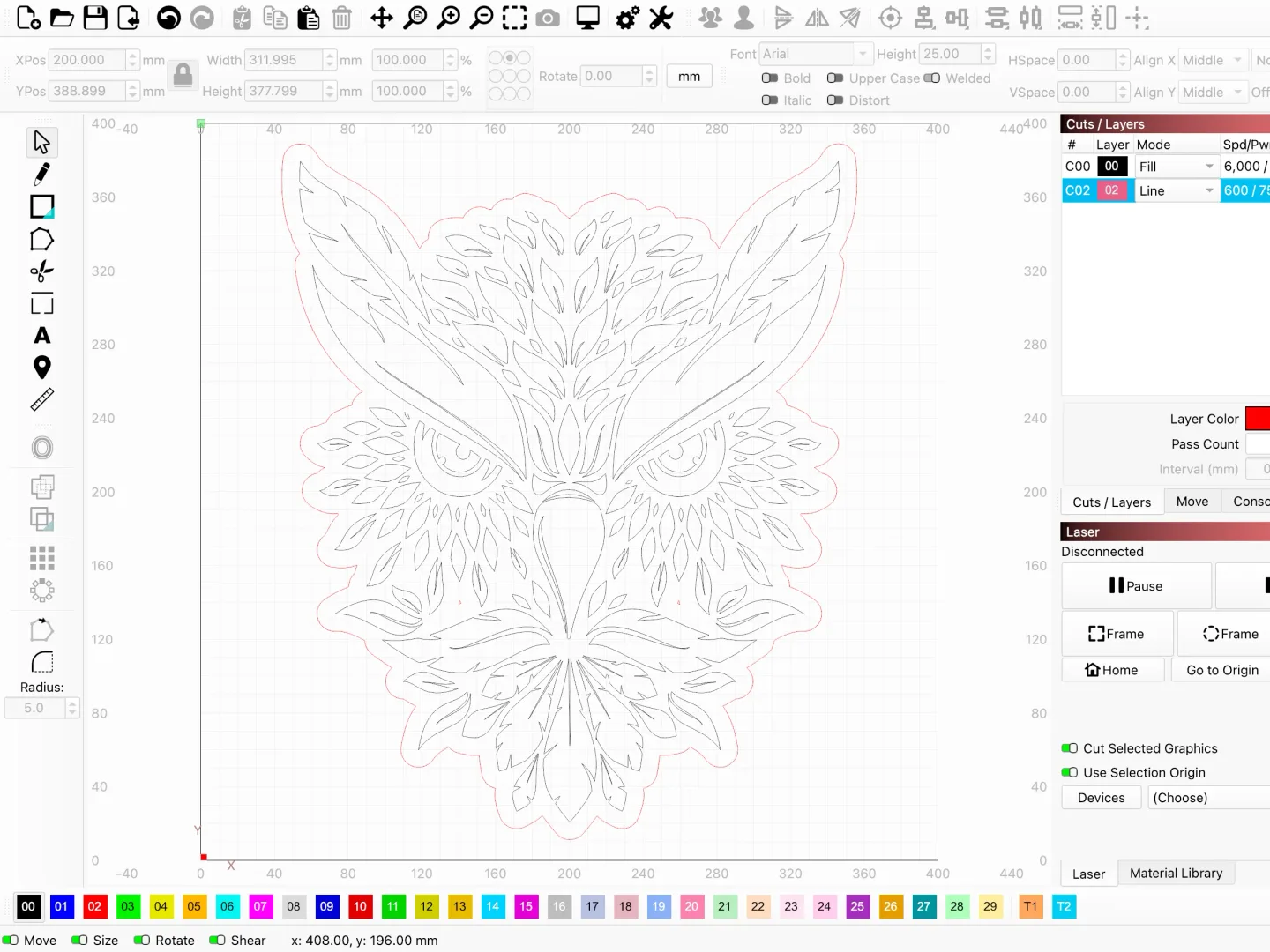
LightBurn combines artwork preparation with laser job control. Create shapes and text, edit vectors, trace images, or import SVG, DXF, AI and PDF designs. Arrange the artwork on the workspace, assign cut or engraving operations to layers, and adjust settings such as speed and power before sending a job to a supported laser.
The license tier depends on the machine controller. Core covers supported GCode-based lasers; Pro adds DSP and Galvo controller support and additional design tools. Check the publisher's hardware compatibility information and use the trial with your own machine before purchasing. A Windows-compatible computer alone does not establish laser compatibility.
The unrestricted trial lasts 30 days. A purchased license is perpetual and includes one year of updates; after that period, you can keep using your covered version or pay for another year of updates. This entry links to the publisher's 2.2.00 Windows EXE installer, not the older 32-bit package exposed in some website links.
What it offers
- Create and edit shapes, text and vectors, with image tracing and Boolean tools.
- Import artwork in SVG, DXF, AI, PDF and other supported formats.
- Arrange graphics using alignment, grouping and grid-array tools.
- Configure line, fill and image-engraving operations with power, speed, interval and DPI controls.
- Connect to compatible laser controllers to jog the machine and start, pause or stop jobs.
Good to know
- Continued use after the 30-day trial requires a paid license; updates beyond the included first year require renewal.
- Core does not include DSP or Galvo controller support; these require Pro, and the laser itself must be supported.
- LightBurn 2.2 requires 64-bit Windows 10 or 11; it is not the legacy 32-bit Windows release.
Product images
Sources
References used for this listing. Retrieval dates do not indicate hands-on testing.
- LightBurn - Download — Windows discovery listing ↗Retrieved
- LightBurn Software — product and license information ↗Retrieved
- Which version of LightBurn is right for you? ↗Retrieved
- LightBurn Software - LightBurn Core License Key ↗Retrieved
- Download / Trial — LightBurn Software ↗Retrieved
- Index of /LightBurn/Release/LightBurn-v2.2.00/ ↗Retrieved
- Installing LightBurn - LightBurn User Guide ↗Retrieved
More in utilities
View category ↗
1.1.1.1 with WARP 2026.8.2115.0
Encrypt traffic from your Mac to Cloudflare’s network with WARP, or use DNS-only mode for encrypted DNS queries to the 1.1.1.1 resolver.
1.1.1.1 with WARP 2026.8.2115.0
Encrypt traffic between your Windows PC and Cloudflare, or use encrypted DNS only, with the free 1.1.1.1 with WARP app.


3uTools 9.12.005
Manage iPhone and iPad photos, music, apps and backups from Windows with 3uTools, a free utility that also includes device checks and firmware flashing tools.