
Utilities Windows
Lintalist
Search reusable text snippets, paste formatted responses and expand abbreviations with Lintalist, an open-source portable snippet manager for Windows.
- Operating system
- Windows 7, 8, 10 and 11, as listed by the publisher
- Architecture
- 64-bit Windows package (lintalist64.zip)
- Download package
- Portable ZIP archive with AutoHotkey source and runtime
Extract to a writable folder, not Program Files. Publisher lists XP SP3 and Vista as untested; no exact Windows build requirements are stated.
Link checked · Download guidance
What is Lintalist?
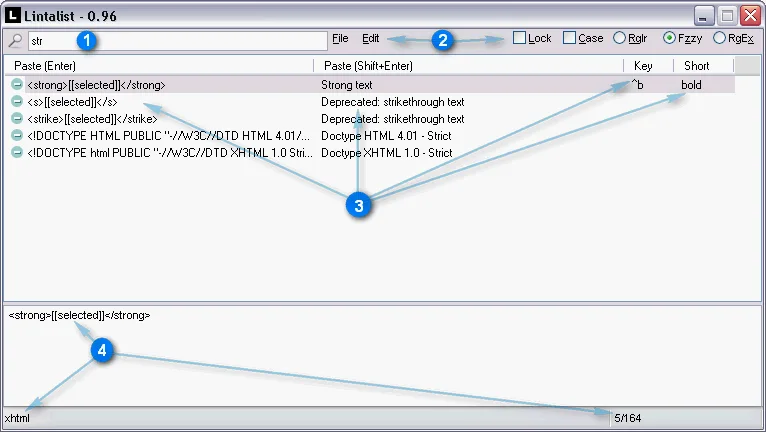
Lintalist keeps reusable text in searchable bundles and pastes a selected snippet into your active application. It suits recurring responses or markup fragments that you want to find by typing rather than memorizing a shortcut. Bundles can match the active window title, so different applications can use different collections of snippets.
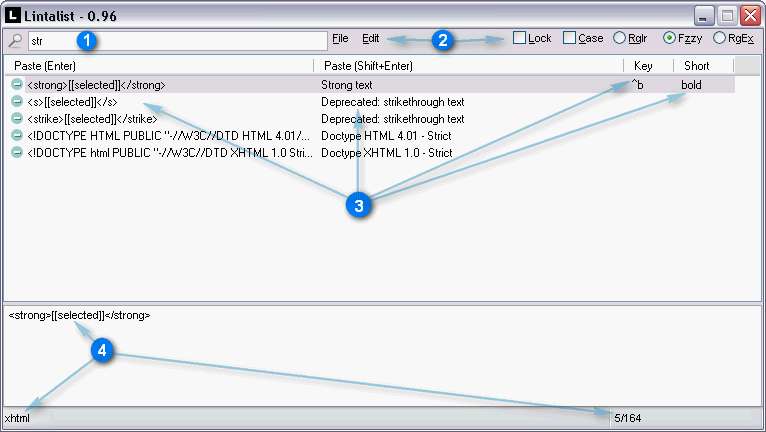
Open the search window with Caps Lock, the documented default hotkey, type to narrow the results and press Enter to paste the selected snippet. You can also assign keyboard shortcuts or shorthand abbreviations. Plugins add dates, prompts, clipboard content and other variable text; snippets can contain HTML, Markdown or RTF formatting, images, or AutoHotkey scripts.
The Windows download linked here is the 1.9.27 lintalist64.zip release archive, not an installer. Extract it to a writable folder and start lintalist.exe, which the publisher identifies as a renamed AutoHotkey runtime. Existing AutoHotkey users can run lintalist.ahk instead; the documentation recommends AutoHotkey v1.1.37.02. Settings and bundles remain in the program folder, so back up that folder to preserve your library. Lintalist supports abbreviations but is not intended to replace the full native AutoHotkey Hotstrings feature set.
What it offers
- Search and edit text snippets in bundles, including bundles matched to the active window title.
- Paste a selected snippet or trigger it with a keyboard shortcut or shorthand abbreviation.
- Use plugins for dates, user input, clipboard text, counters and snippet chaining.
- Store formatted snippets using HTML, Markdown, RTF and images.
- Keep settings and bundles in the portable program folder.
Good to know
- The program folder must be writable because Lintalist stores settings and bundles there; the publisher advises against extracting into Program Files.
- Abbreviation expansion is not intended to replicate or replace the full native AutoHotkey Hotstrings feature set.
Product images
Sources
References used for this listing. Retrieval dates do not indicate hands-on testing.
More in utilities
View category ↗
1.1.1.1 with WARP 2026.8.2115.0
Encrypt traffic from your Mac to Cloudflare’s network with WARP, or use DNS-only mode for encrypted DNS queries to the 1.1.1.1 resolver.
1.1.1.1 with WARP 2026.8.2115.0
Encrypt traffic between your Windows PC and Cloudflare, or use encrypted DNS only, with the free 1.1.1.1 with WARP app.

3uTools 9.12.005
Manage iPhone and iPad photos, music, apps and backups from Windows with 3uTools, a free utility that also includes device checks and firmware flashing tools.