

Development Windows
Lite XL for Windows
Edit code and text with multiple cursors, split panes and project search in Lite XL, a free, Lua-customizable editor for Windows.
- Operating system
- Windows 7 and above, according to the publisher repository
- Architecture
- x86_64 (64-bit)
- Download package
- EXE installer, addons package
This link is the 64-bit addons installer. Separate 32-bit installers and ZIP archives are offered; the setup page labels its minimum Windows 7 Service Pack 2.
Link checked · Download guidance
What is Lite XL?
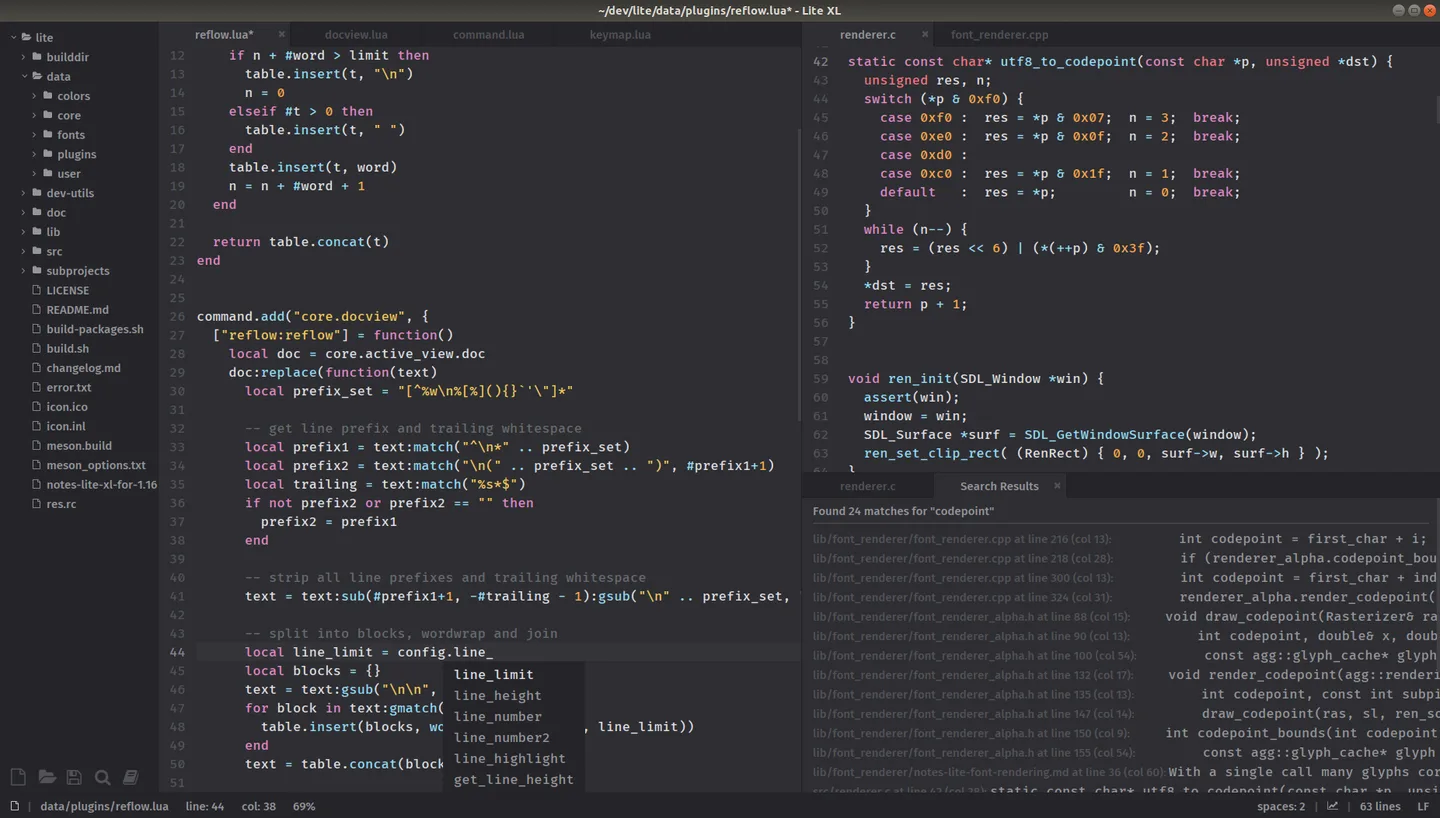
Lite XL is a text and code editor for working with individual files or a project folder. A file browser and fuzzy file finder help you navigate a project, while multiple cursors, split panes and autocomplete support everyday editing. Commands are available through a searchable command palette, and Lua configuration, plugins and color themes let you adapt the editor.
This entry links to the publisher's version 2.1.8 addons installer for 64-bit Windows. The addons package includes additional plugins and syntax-highlighting support; the publisher also offers a smaller base package and separate ZIP archives. A ZIP installation must be extracted before use because the editor needs the accompanying files.
Project search can find text across files, including regular-expression matches, but the documented editor does not support project-wide find and replace. The publisher's screenshot illustrates the shared editor interface on Linux, not a verified Windows 2.1.8 installation.
What it offers
- Navigate project files with the built-in file browser or fuzzy file finder.
- Edit multiple lines with multiple cursors and arrange documents in split panes.
- Use autocomplete and a fuzzy-searchable command palette.
- Find text across project files with optional case-sensitive or regular-expression search.
- Customize the editor with Lua configuration, plugins and color themes.
Good to know
- The publisher's user guide states that project-wide find and replace is not supported.
- ZIP installations must be extracted with their accompanying files; running the editor directly from the archive can cause errors.
Product images
Sources
References used for this listing. Retrieval dates do not indicate hands-on testing.
More in development
View category ↗
010 Editor 17.0
Inspect and edit binary files on Mac with 010 Editor, a paid text and hex editor with Binary Templates, file comparison and a 30-day trial.
010 Editor 17.0
Inspect and edit binary files with 010 Editor for Windows, a text and hex editor with Binary Templates, file comparison and scripting. Includes a 30-day trial.
10x Editor
Edit and navigate C++ projects on Windows with a built-in parser, workspace search and Visual Studio project support. A paid license is required after the 30-day trial.