

Utilities macOS
Little Snitch for macOS
See which apps connect to the internet and allow or block their connections with Little Snitch, a paid Mac application firewall with a time-limited demo.
Version 6.5 · Direct publisher file
Link checked · Download guidance
What is Little Snitch?
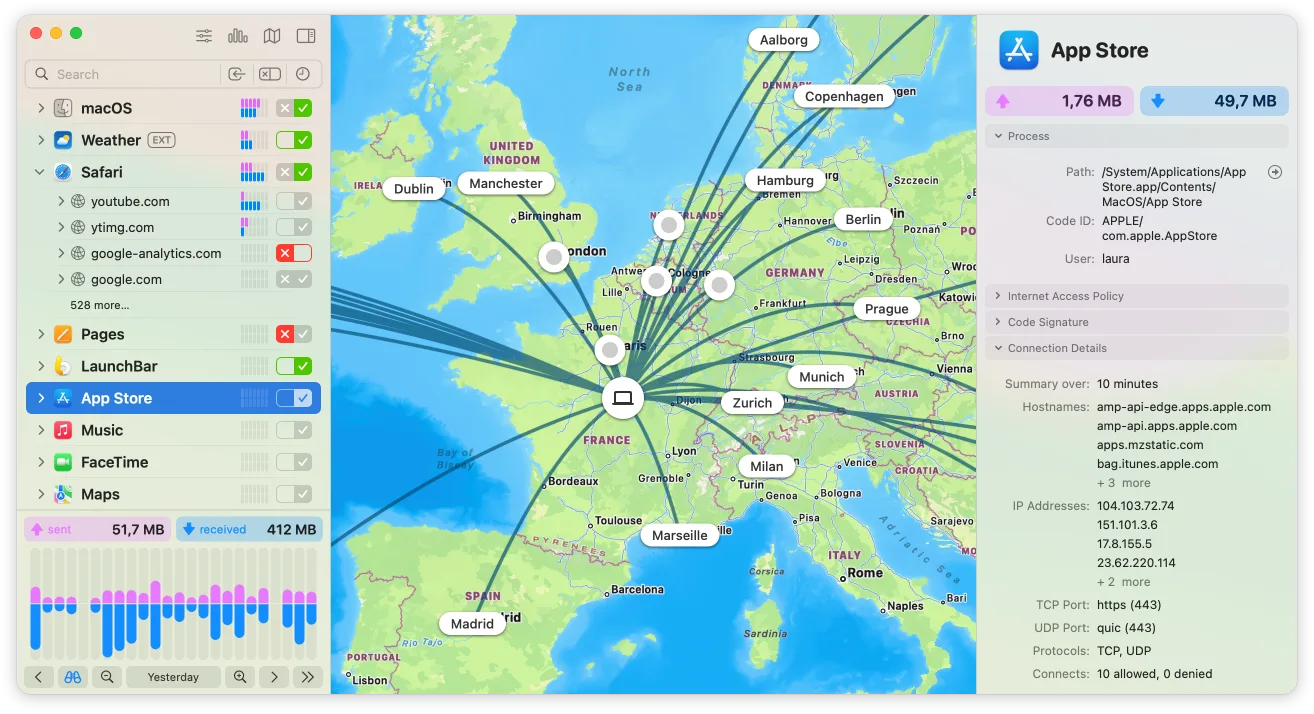
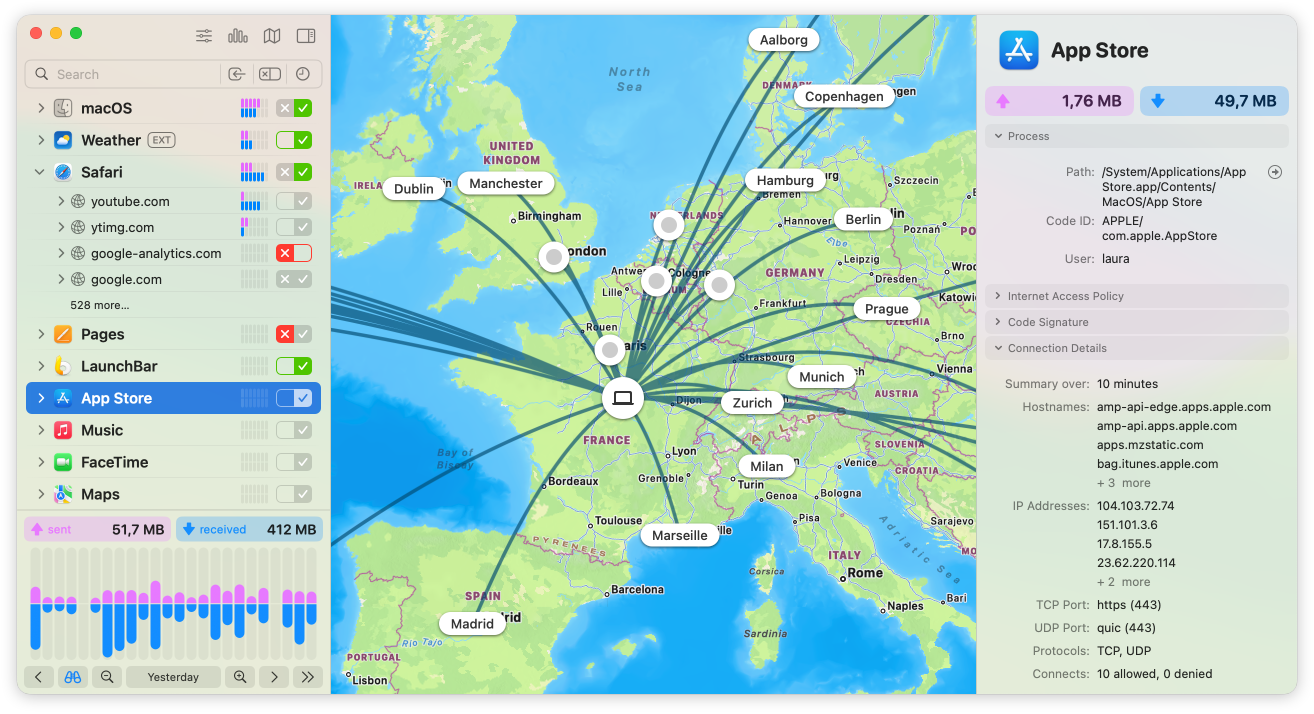
Little Snitch combines a network monitor with application-level connection rules for macOS. Use it to investigate where an app sends traffic, inspect connection details and decide which destinations it may reach. The monitor groups activity by app, domain or country and displays traffic volumes alongside a map of server locations.
Connection alerts let you allow or deny new connections as they happen. If interruptions are unwelcome, Silent Mode initially allows new connections so you can review them later. Rules can target servers, domains, ports or protocols, while profiles and rule groups organize different network policies. Blocklists and encrypted DNS are also available.
The linked DMG is Little Snitch 6.5, not the separately advertised Little Snitch 7 beta. A download does not include an unrestricted license: without a license key, the demo runs for three hours at a time and can be restarted, while Network Monitor expires after 30 days. Older Macs running macOS 13 Ventura or earlier need a compatible legacy version rather than this download.
What it offers
- Inspect app connections, traffic volumes, server locations, ports and protocols in Network Monitor.
- Allow or deny connections through alerts or rules scoped to destinations and network protocols.
- Review new connections later with Silent Mode, which initially allows them.
- Organize policies with profiles and rule groups, and use blocklists to filter destinations.
- Encrypt DNS requests using supported DoH, DoT or DoQ services.
Good to know
- A paid license is required for unrestricted use. The unlicensed demo runs for three hours per session; Network Monitor expires after 30 days.
- The selected version targets macOS Sonoma, Sequoia, Tahoe and Golden Gate; macOS 13 Ventura or earlier requires a legacy download.
- Silent Mode initially allows new connections; it does not require an immediate approval for each one.
Product images
Sources
References used for this listing. Retrieval dates do not indicate hands-on testing.
More in utilities
View category ↗
1.1.1.1 with WARP 2026.8.2115.0
Encrypt traffic from your Mac to Cloudflare’s network with WARP, or use DNS-only mode for encrypted DNS queries to the 1.1.1.1 resolver.
1.1.1.1 with WARP 2026.8.2115.0
Encrypt traffic between your Windows PC and Cloudflare, or use encrypted DNS only, with the free 1.1.1.1 with WARP app.

3uTools 9.12.005
Manage iPhone and iPad photos, music, apps and backups from Windows with 3uTools, a free utility that also includes device checks and firmware flashing tools.