

Utilities Windows
LiveTcpUdpWatch for Windows
See live TCP and UDP activity by process on Windows, including addresses, ports, traffic counters and connection times, with NirSoft’s portable freeware utility.
- Operating system
- Windows XP through Windows 11, according to the publisher
- Architecture
- x64 (selected download); separate 32-bit package available
- Download package
- ZIP archive; portable executable
No installation process or additional DLL files required. Run as administrator on Windows Vista and later.
Link checked · Download guidance
What is LiveTcpUdpWatch?
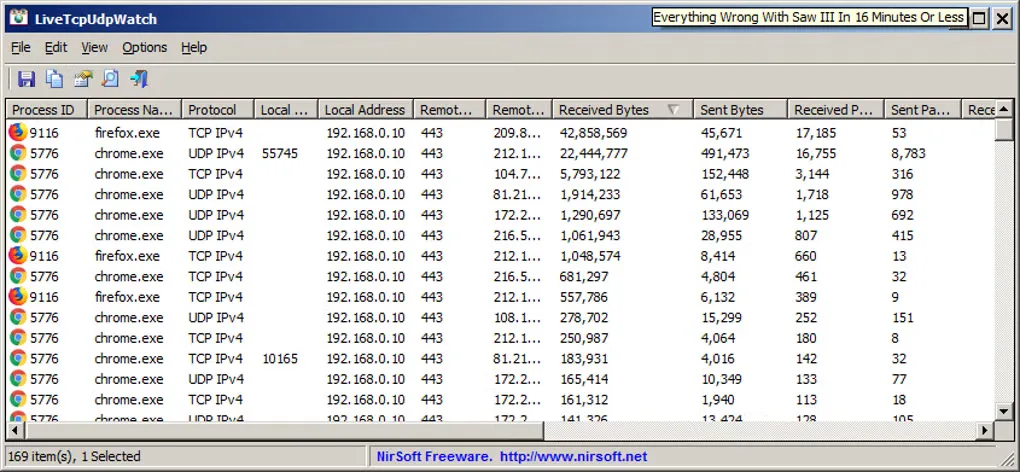
LiveTcpUdpWatch shows which Windows processes are sending and receiving TCP or UDP traffic. Its live table brings together process IDs and paths, local and remote addresses, ports, byte counts and packet counts. It uses Windows event tracing rather than requiring you to configure a network sniffer. Use it to examine an application’s network activity, filter by process or port, or save a report for later inspection.
The utility runs without installation, but portability does not remove its permission requirement: Windows Vista and later require administrator elevation. The linked ZIP is the publisher’s 64-bit package; a separate 32-bit package is available on the publisher page. Country, city and ASN details require additional IP-location files. Connect and disconnect times apply to TCP, not UDP.
What it offers
- View per-process TCP and UDP activity over IPv4 and IPv6, with local and remote addresses and ports.
- Compare sent and received bytes and packets, with TCP connection and disconnection times.
- Filter capture by process name or specified TCP/UDP ports through Advanced Options.
- Export reports as CSV, text, HTML, XML or JSON, including command-line capture options.
- Inspect process details, including process path, command line and process user.
Good to know
- Administrator elevation is required on Windows Vista and later.
- Country, city and ASN information requires separate IP-location files; these details are not supplied by the utility alone.
- Connection and disconnection timestamps are TCP-only.
Product images
Sources
References used for this listing. Retrieval dates do not indicate hands-on testing.
More in utilities
View category ↗
1.1.1.1 with WARP 2026.8.2115.0
Encrypt traffic from your Mac to Cloudflare’s network with WARP, or use DNS-only mode for encrypted DNS queries to the 1.1.1.1 resolver.
1.1.1.1 with WARP 2026.8.2115.0
Encrypt traffic between your Windows PC and Cloudflare, or use encrypted DNS only, with the free 1.1.1.1 with WARP app.

3uTools 9.12.005
Manage iPhone and iPad photos, music, apps and backups from Windows with 3uTools, a free utility that also includes device checks and firmware flashing tools.