
Utilities Windows
LockHunter
Identify the processes blocking a file or folder, then unlock, rename or delete it with LockHunter, a Windows utility free for personal use.
- Operating system
- Windows 11, 10, 8.1 and 7, as listed by the publisher
- Architecture
- 32-bit and 64-bit Windows listed by the publisher
- Download package
- EXE installer
The linked deployment catalog lists this setup as 64-bit; the publisher advertises both 32-bit and 64-bit support. Package contents and runtime compatibility were not tested.
Link checked · Download guidance
What is LockHunter?
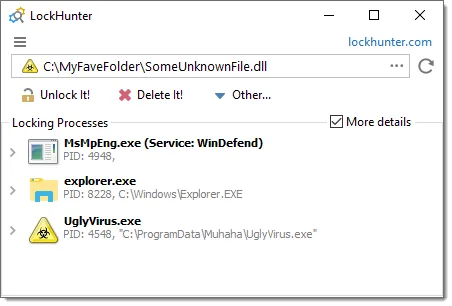
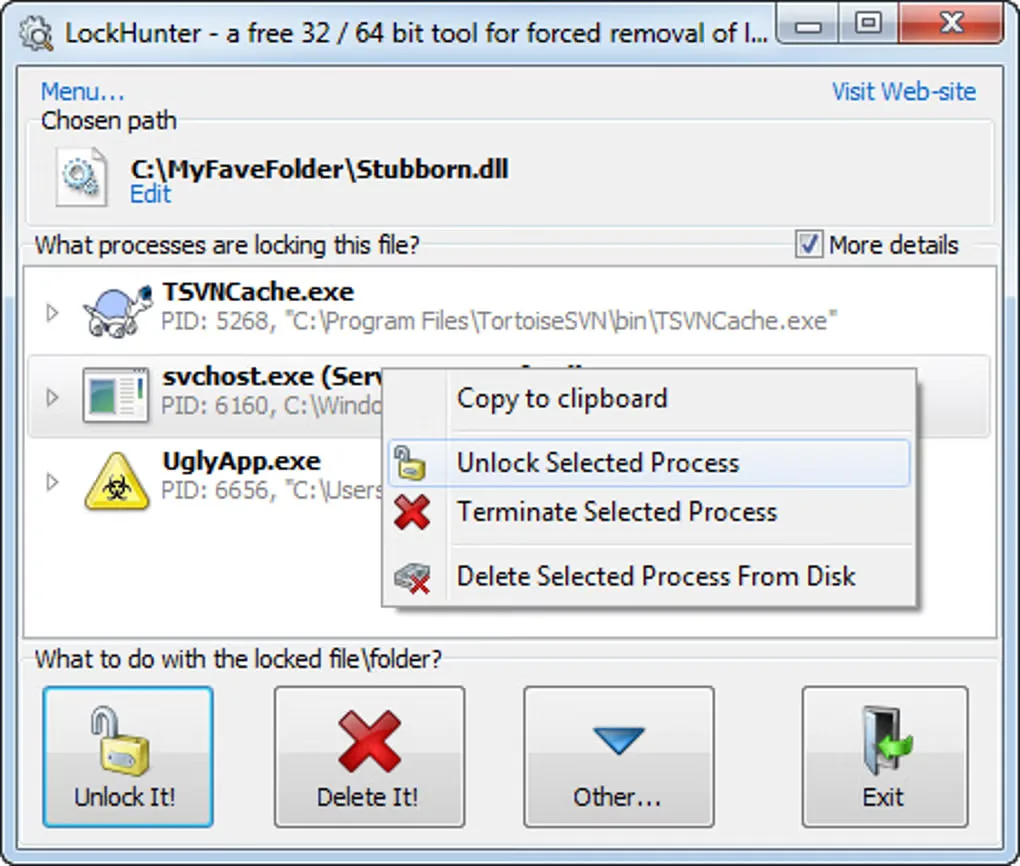
LockHunter shows which processes have a file or folder open when Windows will not let you change it. Inspect the locking process and its details before choosing whether to unlock the file, copy or rename it, or delete it. Explorer context-menu integration provides a starting point from the affected file, and deletion at the next Windows restart is available when immediate removal is not practical.
The publisher says normal deletion sends files to the Recycle Bin, but the command-line permanent-delete option bypasses it. Terminating a locking process can lose unsaved work. LockHunter also does not resolve every cause of a failed deletion: its manual distinguishes open-file locks from incorrect access rights, damaged file systems and other problems. Use the process information to understand the lock rather than treating every blocked file as something to remove.
What it offers
- Identify processes locking a selected file or folder and display additional process details.
- Unlock, delete, copy or rename locked files; schedule deletion at the next Windows restart.
- Open LockHunter through the Windows Explorer context menu in the installable edition.
- Use command-line options for unlocking, deleting and terminating processes, including silent operation.
Good to know
- Unlocking addresses files held open by processes; it does not fix every deletion failure, including incorrect access rights or a damaged file system.
- Forcibly terminating a process can lose unsaved information; the permanent-delete command-line option bypasses the Recycle Bin.
Product images
Sources
References used for this listing. Retrieval dates do not indicate hands-on testing.
- LockHunter — publisher features and Windows support ↗Retrieved
- Download LockHunter 64/32 bit For Free ↗Retrieved
- LockHunter user manual ↗Retrieved
- Crystal Rich Ltd | About Us ↗Retrieved
- Silent Installation of LockHunter (3.4.3.146) : ManageEngine Endpoint Central ↗Retrieved
- LockHunter - Download — passive browser observation ↗Retrieved
- LockHunter Screenshot Guide ↗Retrieved
More in utilities
View category ↗
1.1.1.1 with WARP 2026.8.2115.0
Encrypt traffic from your Mac to Cloudflare’s network with WARP, or use DNS-only mode for encrypted DNS queries to the 1.1.1.1 resolver.
1.1.1.1 with WARP 2026.8.2115.0
Encrypt traffic between your Windows PC and Cloudflare, or use encrypted DNS only, with the free 1.1.1.1 with WARP app.


3uTools 9.12.005
Manage iPhone and iPad photos, music, apps and backups from Windows with 3uTools, a free utility that also includes device checks and firmware flashing tools.