
Development macOS
macFUSE
Add support for third-party FUSE file systems on macOS, or build user-space file systems with macFUSE libraries and APIs. File systems must be installed separately.
- Operating system
- macOS 12 or later
- Architecture
- Apple Silicon and Intel
- Download package
- DMG disk image
Publisher stable release 5.4.0. FSKit backend is for supported file systems on macOS 26; other file systems may require the kernel backend.
Link checked · Download guidance
What is macFUSE?
macFUSE supplies the runtime and developer interfaces that let third-party FUSE file systems work on macOS. It forwards file operations to a user-space process, whose data can come from local storage, network resources or memory. For users, it is a supporting component for a separate FUSE file system rather than a file manager or a complete collection of file-system drivers.
Developers can use libfuse2, libfuse3 or the Swift and Objective-C interfaces in macFUSE.framework. The package includes libraries, tools and runtime components, but no FUSE file systems. Those must be obtained separately. Supported file systems can use the FSKit backend on macOS 26 to run entirely in user space; this does not mean every FUSE file system supports that backend.
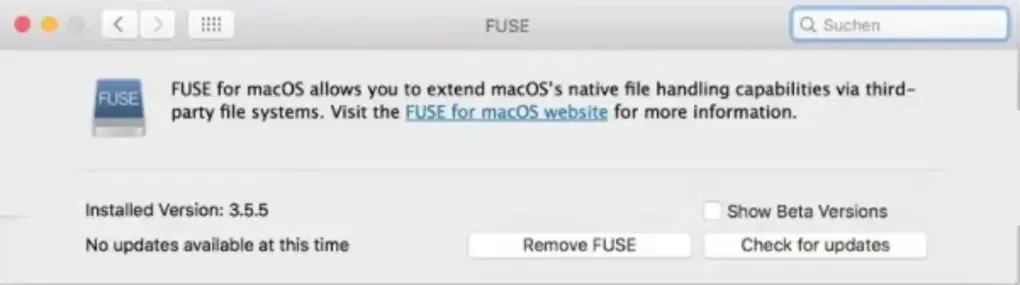
This entry links to the publisher’s stable macFUSE 5.4.0 DMG for macOS 12 or later on Apple Silicon and Intel Macs, not the separately listed developer preview. The gallery image is historical: it shows the earlier FUSE for macOS 3.5.5 preferences pane, not the interface of version 5.4.0.
What it offers
- Enable separately installed third-party FUSE file systems on macOS.
- Develop user-space file systems backed by local storage, network resources or memory.
- Use the included libfuse2 and libfuse3 interfaces or macFUSE.framework for Swift and Objective-C development.
- Use the FSKit backend with supported file systems on macOS 26.
Good to know
- The package contains no FUSE file systems; install the required third-party file system separately.
- FSKit operation depends on a supported file system and macOS 26; it is not universal compatibility for every FUSE file system.
- Bundling the macFUSE binary with commercial software, including automated download or installation in that context, requires specific prior written permission under its license.
Product images
Sources
References used for this listing. Retrieval dates do not indicate hands-on testing.
- Home - macFUSE ↗Retrieved
- Announcing macFUSE 5.4.0 - macFUSE ↗Retrieved
- macFUSE License ↗Retrieved
- macFUSE for Mac - Download ↗Retrieved
More in development
View category ↗
010 Editor 17.0
Inspect and edit binary files on Mac with 010 Editor, a paid text and hex editor with Binary Templates, file comparison and a 30-day trial.
010 Editor 17.0
Inspect and edit binary files with 010 Editor for Windows, a text and hex editor with Binary Templates, file comparison and scripting. Includes a 30-day trial.
10x Editor
Edit and navigate C++ projects on Windows with a built-in parser, workspace search and Visual Studio project support. A paid license is required after the 30-day trial.