
Utilities Windows
MadPassExt
Extract your Microsoft account's DPAPI password from its Windows cache with MadPassExt, a free portable utility that requires your known account password.
Version 1.00 · Direct publisher file
Link checked · Download guidance
What is MadPassExt?
MadPassExt, also called Microsoft Account DPAPI Password Extractor, retrieves the secret DPAPI password associated with a Microsoft account used to sign in to Windows 10 or Windows 11. That value can be supplied to compatible recovery tools when working with DPAPI-encrypted passwords or data on an external drive protected by the same account. It is not a way to bypass a forgotten Microsoft account password.
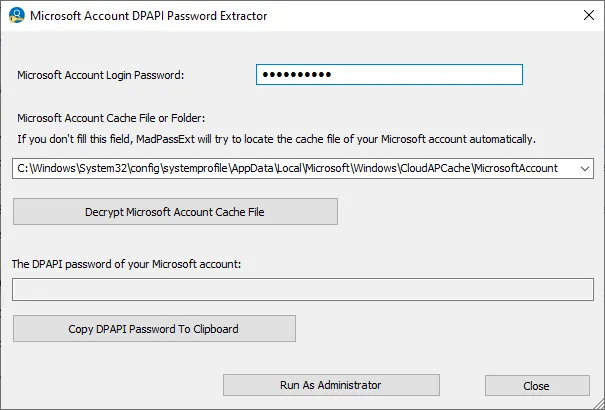
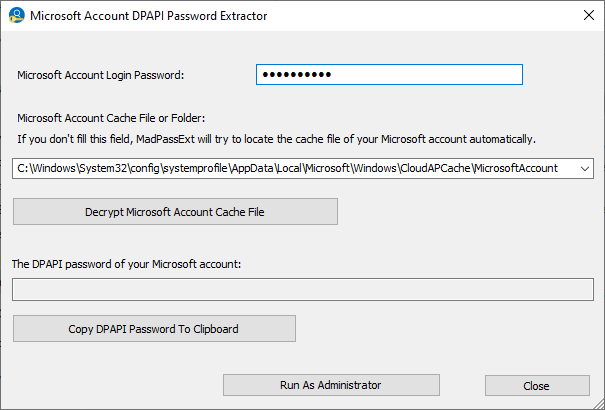
The publisher describes a portable workflow: run MadPassExt.exe, enter the known Microsoft account login password, and let the utility locate the account cache or specify its file or folder yourself. After successful decryption, the window provides a button to copy the DPAPI password to the clipboard. NirSoft lists ChromePass, ChromeCookiesView, CredentialsFileView and VaultPasswordView as tools that can use the extracted value for their respective external-drive recovery tasks.
You must be able to read the Microsoft account cache, which is created after signing in with that account on Windows 10 or Windows 11. Administrator access may be necessary if the cache cannot be read. Although the publisher says the utility can run on any Windows version given the required inputs, that does not remove the Windows 10/11 cache prerequisite. MadPassExt extracts the DPAPI password; the separate recovery tool handles the encrypted application data.
What it offers
- Extract the secret DPAPI password from a Microsoft account cache using the known account login password.
- Locate the current account cache automatically or accept a specified cache file or folder.
- Copy the extracted DPAPI password to the clipboard for use in a compatible recovery tool.
- Run MadPassExt.exe without an installation process or additional DLL files.
Good to know
- Requires the known Microsoft account login password; it does not bypass or reset a forgotten password.
- Requires read access to the account cache created after a Windows 10 or Windows 11 sign-in; administrator access may be needed.
- External-drive recovery applies to data encrypted under the same Microsoft account and requires a separate compatible recovery tool.
Product images
Sources
References used for this listing. Retrieval dates do not indicate hands-on testing.
More in utilities
View category ↗
1.1.1.1 with WARP 2026.8.2115.0
Encrypt traffic from your Mac to Cloudflare’s network with WARP, or use DNS-only mode for encrypted DNS queries to the 1.1.1.1 resolver.
1.1.1.1 with WARP 2026.8.2115.0
Encrypt traffic between your Windows PC and Cloudflare, or use encrypted DNS only, with the free 1.1.1.1 with WARP app.

3uTools 9.12.005
Manage iPhone and iPad photos, music, apps and backups from Windows with 3uTools, a free utility that also includes device checks and firmware flashing tools.