
Utilities Windows
Mail Attachment Downloader for Windows
Save email attachments from Gmail, Outlook.com, Microsoft 365 and IMAP mailboxes to a Windows folder. The Free edition is for personal use and handles one account and one rule.
- Operating system
- Windows 10 or later
- Architecture
- Not specified by the publisher on the product page
- Download package
- ZIP installer package
.NET Framework 4.8 required. This entry covers the Free edition; PRO and PRO Server have separate commercial capabilities.
Link checked · Download guidance
What is Mail Attachment Downloader?
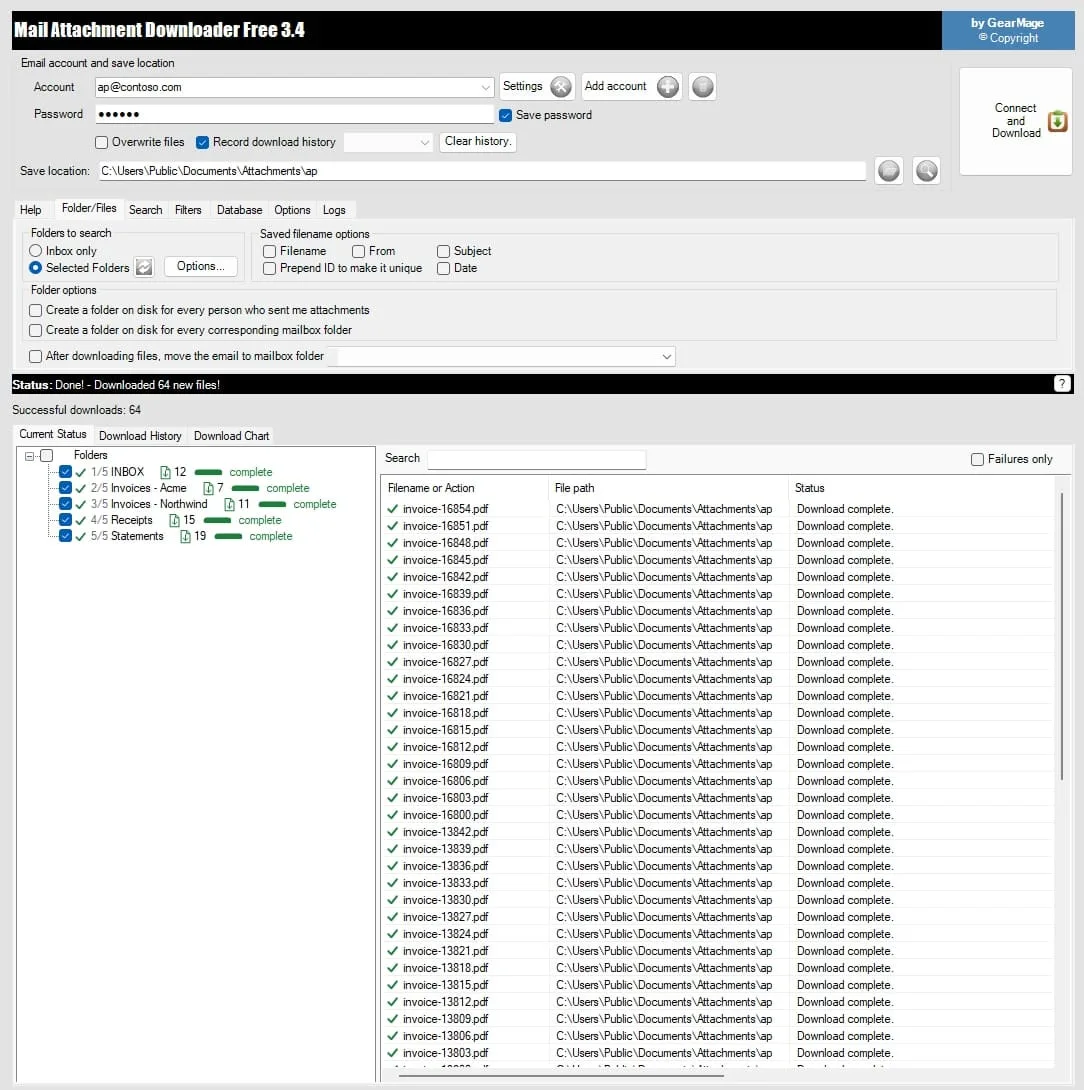
Mail Attachment Downloader connects to a mail server and saves attachments directly to your PC, without requiring Outlook or another desktop email client. Use it to collect invoices, documents or images from a mailbox instead of saving each attachment individually. Search filters can narrow the selection by sender, recipient, message body, file type, message size or date. The publisher says the Free edition leaves messages on the server without marking them as read.
The Free edition suits a single personal mailbox: it supports one email account, one rule and one destination folder, with fixed file names. Business use is a short trial; a PRO license is needed for ongoing commercial use. Multiple-account processing and flexible naming belong to PRO, while running as a Windows background service requires PRO Server.
Version 3.4 build 1041 requires Windows 10 or later and .NET Framework 4.8. The linked publisher package is a ZIP installer download. Mail-provider authentication still needs configuration: Gmail and Microsoft accounts use browser sign-in, while Yahoo requires an app password. Gmail download quotas can pause a large retrieval until a later run.
What it offers
- Save attachments locally from Gmail, Outlook.com, Microsoft 365, IMAP and older POP3 mailboxes.
- Filter messages and attachments by sender, recipient, body text, date, file type or message size.
- Choose the inbox or selected mail folders as the attachment source.
- Retrieve attachments without installing Outlook or another desktop email client.
- Leave messages on the server without marking them as read in the Free edition, according to the publisher.
Good to know
- The Free edition supports one account, one rule and one destination folder, with fixed file names.
- Free use is personal only; business use is a short trial and ongoing commercial use requires a PRO license.
- Background-service operation requires PRO Server; multiple-account processing and flexible naming require PRO.
- Mail-provider authentication and quotas still apply; Yahoo needs an app password and Gmail download limits can interrupt large runs.
Product images
Sources
References used for this listing. Retrieval dates do not indicate hands-on testing.
More in utilities
View category ↗
1.1.1.1 with WARP 2026.8.2115.0
Encrypt traffic from your Mac to Cloudflare’s network with WARP, or use DNS-only mode for encrypted DNS queries to the 1.1.1.1 resolver.
1.1.1.1 with WARP 2026.8.2115.0
Encrypt traffic between your Windows PC and Cloudflare, or use encrypted DNS only, with the free 1.1.1.1 with WARP app.

3uTools 9.12.005
Manage iPhone and iPad photos, music, apps and backups from Windows with 3uTools, a free utility that also includes device checks and firmware flashing tools.