

Utilities Windows
Mail Merge Toolkit for Windows
Personalize subject lines and send individual attachments from Word through Outlook with MAPILab's Windows mail-merge add-in, available as a paid subscription with a limited trial.
What is Mail Merge Toolkit?
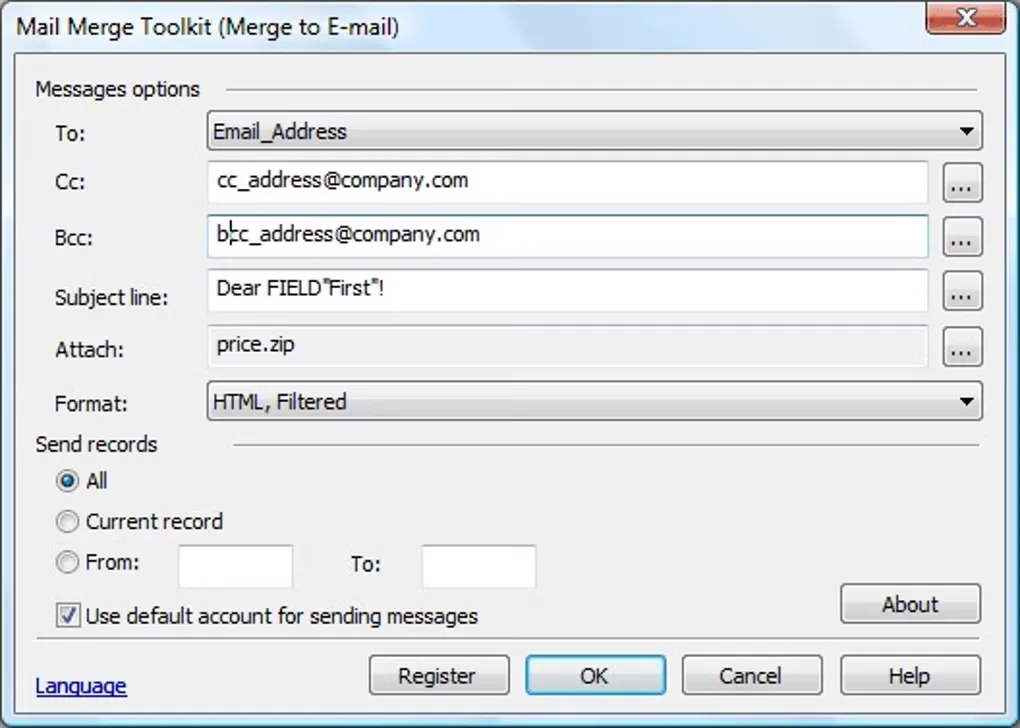
Mail Merge Toolkit extends Microsoft Office mail merge for people who prepare messages in Word and send them through Outlook. It adds merge fields to subject lines and lets you attach the same file to every message or choose a different attachment for each recipient using file paths in your data source. The publisher also describes integration with Microsoft Publisher.
Standard and Professional editions share subject personalization and attachment sending. Professional adds generated personalized PDF and DOCX attachments, password protection for those documents, and batch delivery controls. Choose an edition by the features you need rather than treating every advertised capability as part of Standard.
This is an Office add-in, not a standalone email client. The unregistered trial lasts 30 days and limits a mailing to 50 addresses. The publisher offers annual subscriptions after the trial. The linked publisher download is a ZIP package; no installer was downloaded or run for this entry.
What it offers
- Insert recipient data fields into email subject lines as well as message content.
- Attach shared files or individual files selected through paths in the recipient data source.
- Send merged messages in HTML, RTF or plain text through Outlook.
- Generate personalized PDF and DOCX attachments and password-protect them in the Professional edition.
Good to know
- Requires the Microsoft Office mail-merge workflow with Outlook; it is not a standalone email client.
- The unregistered trial is limited to 30 days and no more than 50 recipient addresses per mailing.
- Generated personalized PDF and DOCX attachments, document password protection and batch delivery require the Professional edition.
Product images
Sources
References used for this listing. Retrieval dates do not indicate hands-on testing.
More in utilities
View category ↗
1.1.1.1 with WARP 2026.8.2115.0
Encrypt traffic from your Mac to Cloudflare’s network with WARP, or use DNS-only mode for encrypted DNS queries to the 1.1.1.1 resolver.
1.1.1.1 with WARP 2026.8.2115.0
Encrypt traffic between your Windows PC and Cloudflare, or use encrypted DNS only, with the free 1.1.1.1 with WARP app.

3uTools 9.12.005
Manage iPhone and iPad photos, music, apps and backups from Windows with 3uTools, a free utility that also includes device checks and firmware flashing tools.