

Utilities Windows
ManicTime for Windows
Track time spent in Windows apps, websites and documents with ManicTime, then assign recorded activity to projects and turn it into timesheets.
- Operating system
- Windows 10 or later
- Architecture
- x64
- Download package
- EXE setup
Publisher also lists separate x86 setups, MSI packages and portable ZIP versions. Licenses purchased before June 1, 2025 are incompatible with this release.
Link checked · Download guidance
What is ManicTime?
ManicTime records computer activity in the background so you can review how a working day was spent instead of reconstructing it from memory. Assign recorded time to projects and clients, or use auto-tagging rules to categorize recurring activity. Timesheets and reports help turn that record into project and billing information.
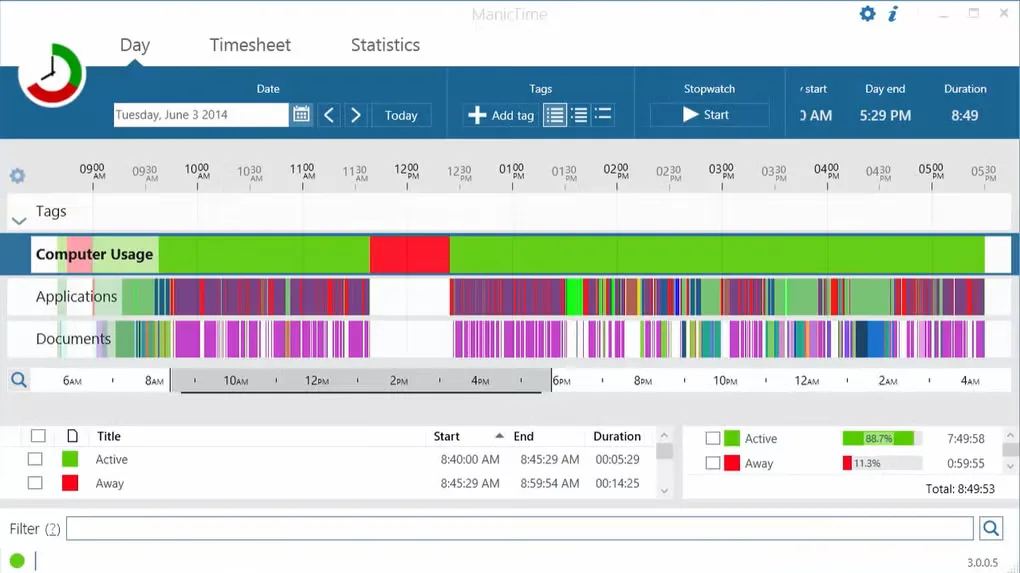
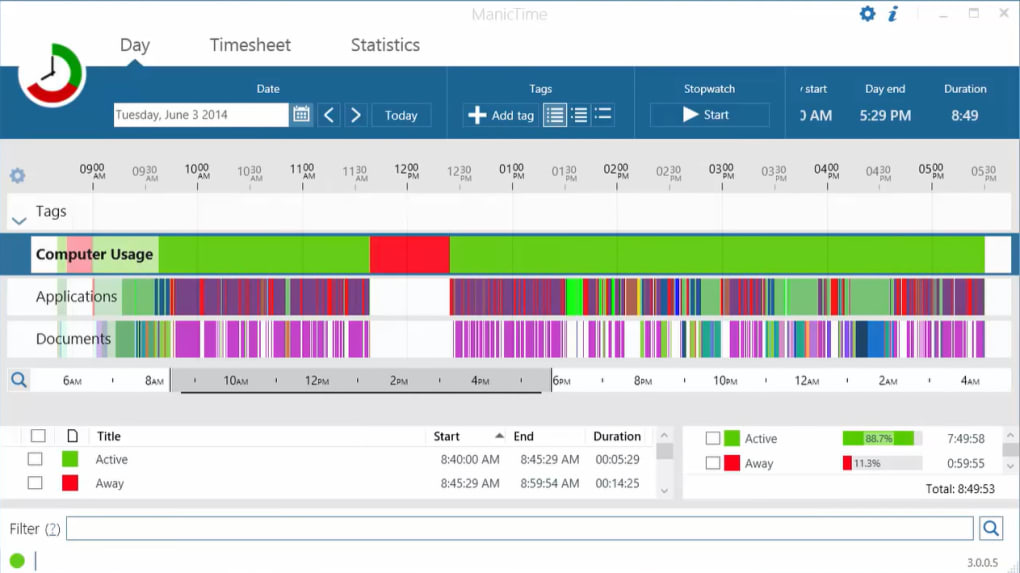
The linked download is the publisher's Windows x64 EXE setup for version 2026.2.4. It requires Windows 10 or later; the publisher also lists separate 32-bit and portable packages. A 30-day trial is offered, while ongoing paid features depend on the license or subscription. Licenses purchased before June 1, 2025 do not work with this release. The screenshot shows an older Windows interface from the source gallery, not a capture of the linked release.
What it offers
- Automatically record time spent using apps, websites and documents.
- Review recorded activity and assign time to projects, clients or tasks.
- Use auto-tagging rules to categorize recurring work.
- Create timesheets and reports from recorded time; feature availability depends on the chosen plan.
Good to know
- The free trial lasts 30 days; paid features depend on the selected license or subscription.
- Licenses purchased before June 1, 2025 do not work with version 2026.2.4.
- This linked setup is for Windows x64; 32-bit systems need the separate x86 package.
Product images
Sources
References used for this listing. Retrieval dates do not indicate hands-on testing.
More in utilities
View category ↗
1.1.1.1 with WARP 2026.8.2115.0
Encrypt traffic from your Mac to Cloudflare’s network with WARP, or use DNS-only mode for encrypted DNS queries to the 1.1.1.1 resolver.
1.1.1.1 with WARP 2026.8.2115.0
Encrypt traffic between your Windows PC and Cloudflare, or use encrypted DNS only, with the free 1.1.1.1 with WARP app.

3uTools 9.12.005
Manage iPhone and iPad photos, music, apps and backups from Windows with 3uTools, a free utility that also includes device checks and firmware flashing tools.