

Utilities Android
Markor for Android
Write Markdown notes, manage todo.txt lists and edit local text files offline with Markor, a free and open-source Android editor.
- Operating system
- Android 5.0 or newer (minimum SDK 21)
- Architecture
- Publisher describes one APK for all Android-supported architectures; no NDK dependency
- Download package
- APK (net.gsantner.markor), default release flavor
Version 2026.10.0, version code 164. Compatibility is based on publisher metadata; no installation or device testing was performed.
Link checked · Download guidance
What is Markor?
Markor keeps notes and task lists in ordinary text files on your Android device. Use Markdown for formatted notes, todo.txt for tasks, or plain text for quick writing. Its Notebook browses a folder of documents, while QuickNote and To-Do provide direct access to dedicated note and task files. Those files can also be opened in other compatible text editors.
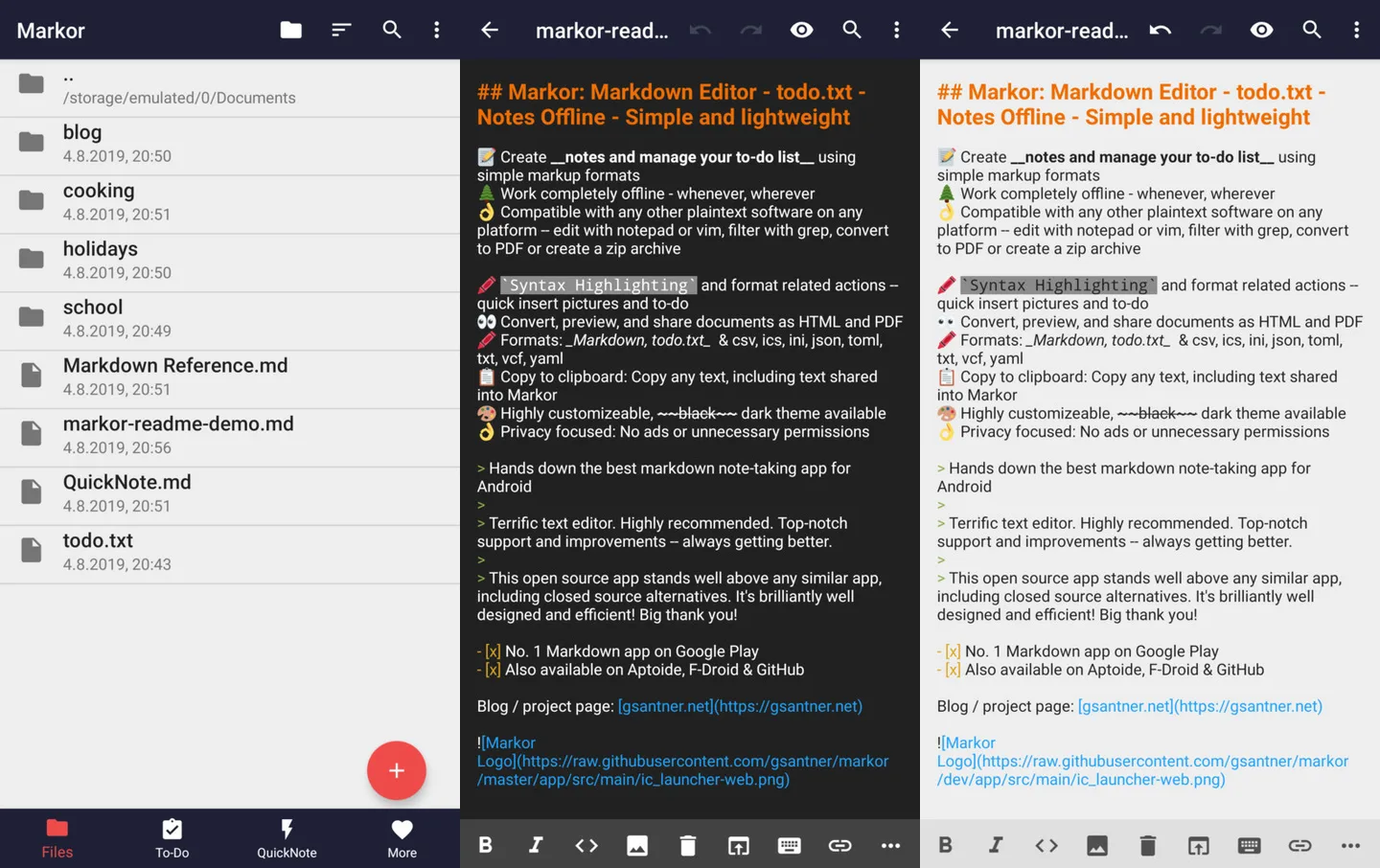
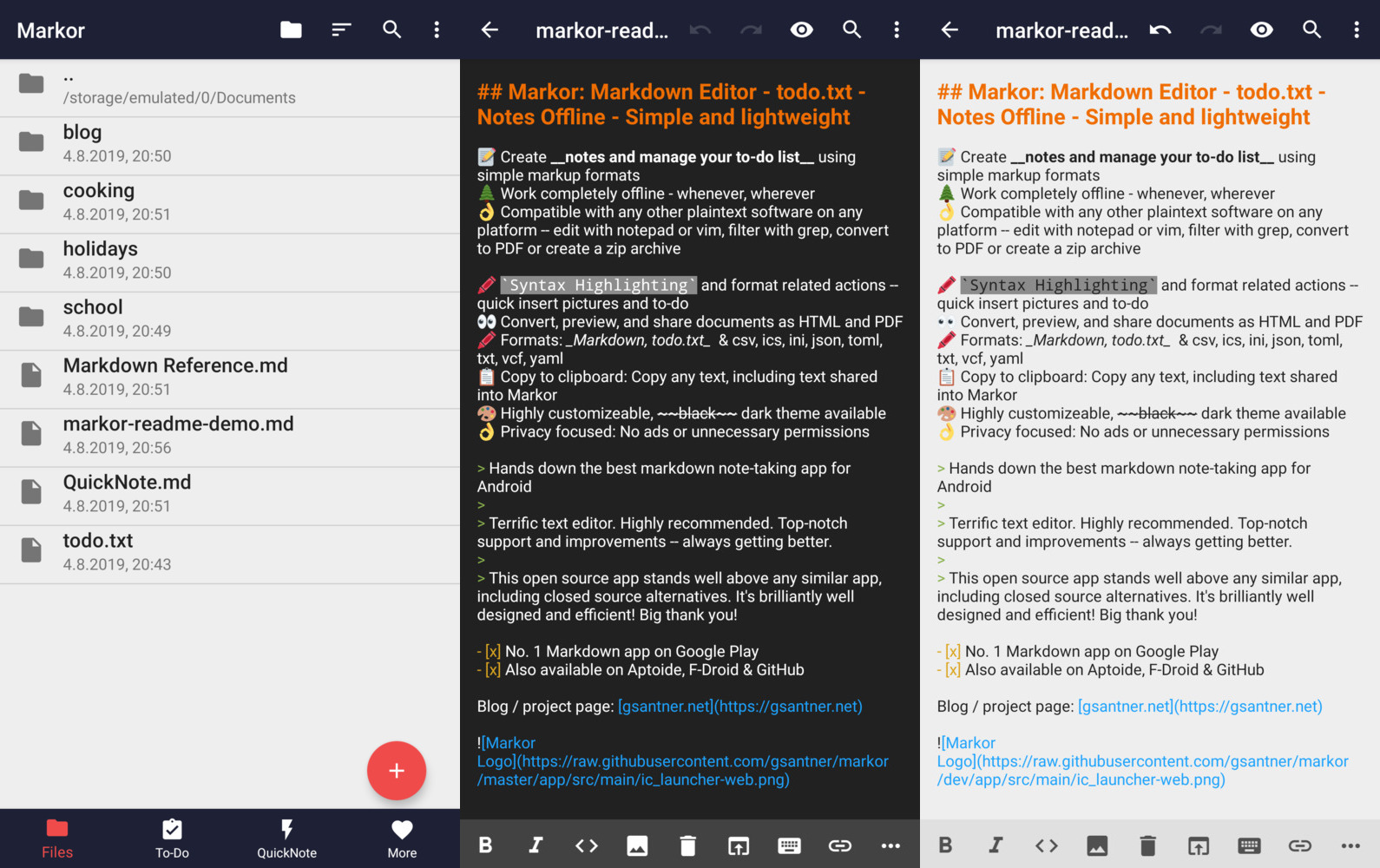
Syntax highlighting and format-specific editing actions help with markup, and document preview lets you inspect formatting before sharing as HTML or PDF. Auto-save, undo and redo, and a dark theme support longer editing sessions.
Markor focuses on local, offline work rather than providing its own cloud sync. To keep files aligned across devices, use a separate synchronization app. Notes that reference remote resources, such as images hosted on a website, can still use the internet. The publisher screenshot shows an earlier interface, not a verified capture of the linked release.
What it offers
- Edit Markdown, todo.txt and plain-text documents stored on your device.
- Browse a Notebook folder and open dedicated QuickNote and To-Do files.
- Use syntax highlighting and format-specific actions while editing markup.
- Preview documents and share them as HTML or PDF.
- Work with auto-save, undo and redo, and a configurable dark theme.
Good to know
- Cross-device synchronization requires a separate sync app; Markor does not perform that syncing itself.
- Offline editing does not make externally referenced images available offline; user-authored content can load remote resources.
Product images
More in utilities
View category ↗
1.1.1.1 with WARP 2026.8.2115.0
Encrypt traffic from your Mac to Cloudflare’s network with WARP, or use DNS-only mode for encrypted DNS queries to the 1.1.1.1 resolver.
1.1.1.1 with WARP 2026.8.2115.0
Encrypt traffic between your Windows PC and Cloudflare, or use encrypted DNS only, with the free 1.1.1.1 with WARP app.

3uTools 9.12.005
Manage iPhone and iPad photos, music, apps and backups from Windows with 3uTools, a free utility that also includes device checks and firmware flashing tools.