
Utilities Windows
Master Converter
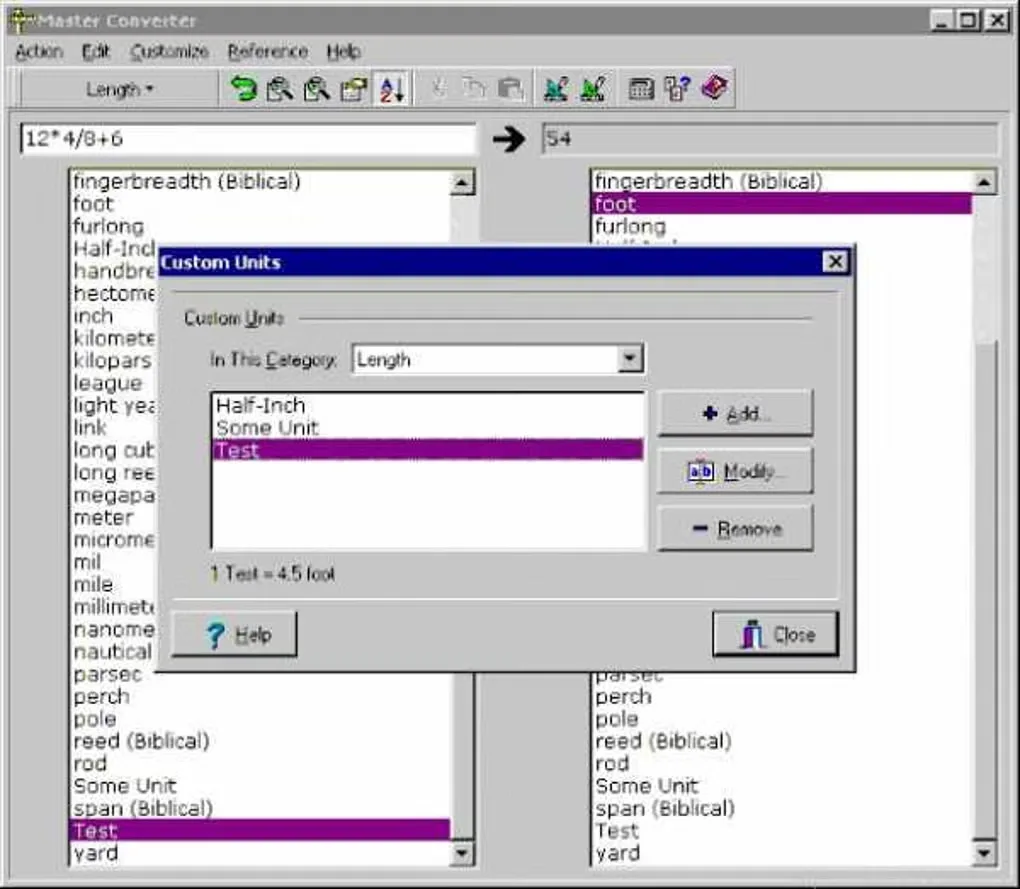
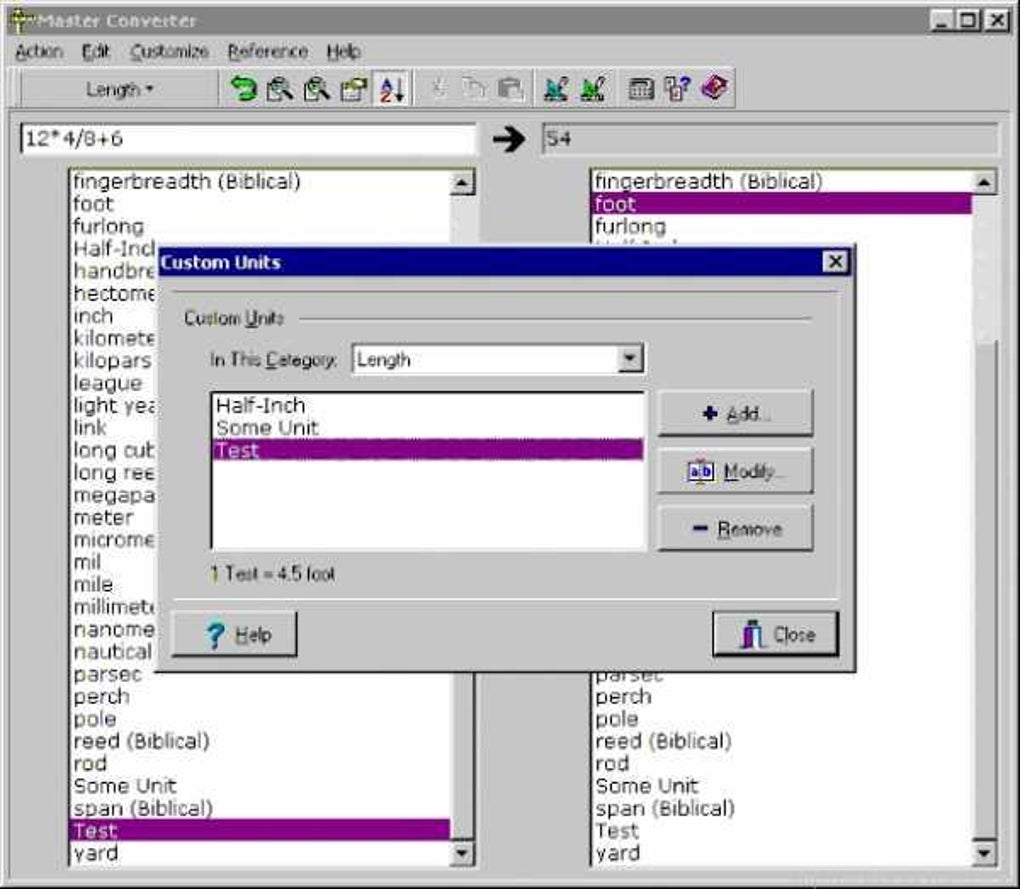
Convert measurement units, find units by search and add custom conversion factors with Master Converter, a shareware Windows utility from Savard Software.
- Operating system
- Windows; specific supported versions not established
- Architecture
- Not specified in the inspected publisher sources
- Download package
- EXE installer (mcsetup.exe)
Publisher catalog lists version 2.9 from 2011. No installer was downloaded or run; current Windows compatibility is unverified.
Link checked · Download guidance
What is Master Converter?
Master Converter converts units of measurement in a Windows desktop interface. The publisher lists more than 800 units across 42 categories, from length, area and temperature to data storage and electrical measurements. Search helps locate a unit, while clipboard copying lets you transfer a conversion into another program. You can also customize unit and category sorting, fonts and the result number format.
Its custom-unit support is useful when a needed unit is missing, but it is not a general formula editor: the publisher says a custom unit must be a simple multiple of another unit. Master Converter is shareware, not freeware; registration removes an opening wait screen. The publisher catalog lists version 2.9 with a May 27, 2011 release date. Compatibility with current Windows versions has not been established here.
What it offers
- Convert more than 800 units across 42 measurement categories, according to the publisher.
- Search for units and copy conversion results to the clipboard.
- Add custom units and categories using simple multiplicative conversion factors.
- Convert decimals to fractions and work with number bases from 2 to 36, plus Roman numerals.
- Adjust fonts, unit and category sorting, and result number formatting.
Good to know
- Custom units support simple multiples of an existing unit, not arbitrary conversion formulas.
- Unregistered shareware displays an opening wait screen; the publisher lists a $15 registration fee.
- The listed release dates to 2011; compatibility with Windows 10 or 11 and package architecture are unverified.
Product images
Sources
References used for this listing. Retrieval dates do not indicate hands-on testing.
More in utilities
View category ↗
1.1.1.1 with WARP 2026.8.2115.0
Encrypt traffic from your Mac to Cloudflare’s network with WARP, or use DNS-only mode for encrypted DNS queries to the 1.1.1.1 resolver.
1.1.1.1 with WARP 2026.8.2115.0
Encrypt traffic between your Windows PC and Cloudflare, or use encrypted DNS only, with the free 1.1.1.1 with WARP app.

3uTools 9.12.005
Manage iPhone and iPad photos, music, apps and backups from Windows with 3uTools, a free utility that also includes device checks and firmware flashing tools.