
Development Windows
MDB Viewer Plus
Open, edit and query Access MDB and ACCDB databases with a free portable Windows utility. MDB Viewer Plus supports table filtering, SQL SELECT queries and data export; database components are required.
What is MDB Viewer Plus?
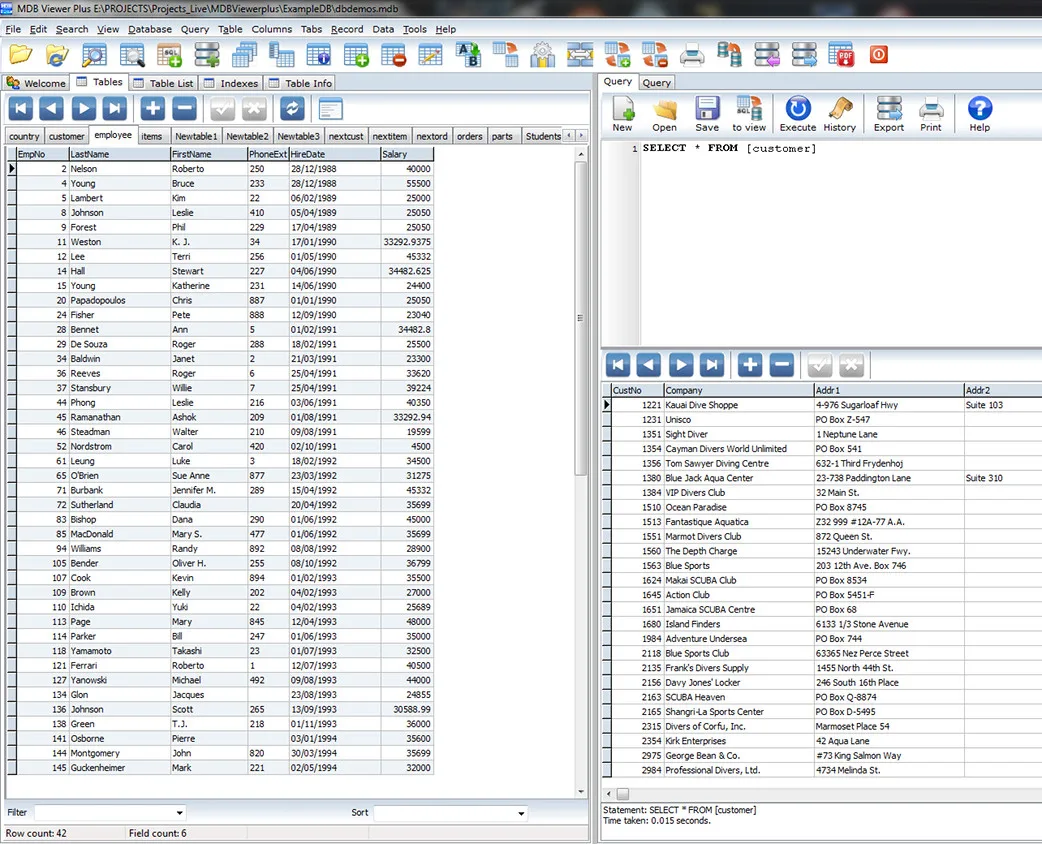
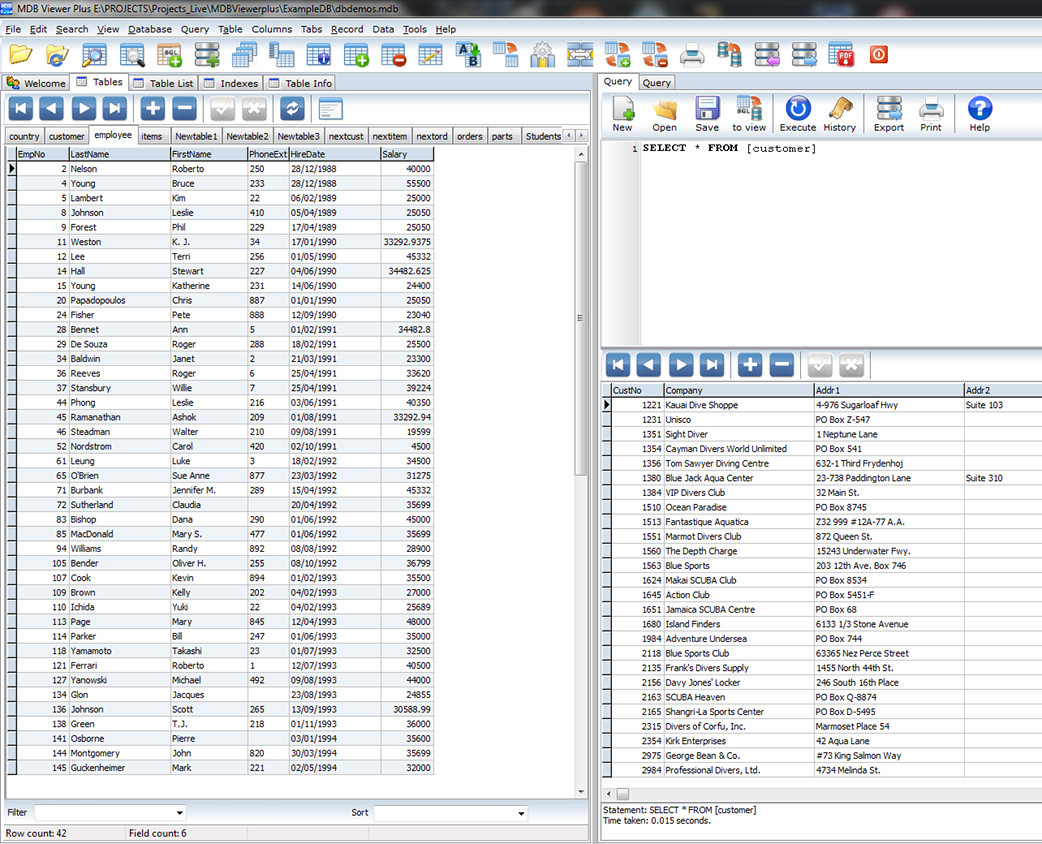
MDB Viewer Plus is a free Windows viewer and editor for Microsoft Access MDB and ACCDB database files. It is useful when you need to inspect tables, change individual records or search a database without opening Microsoft Access. A tabbed interface combines inline table editing with field-based filtering and sorting, a form-style record view and table information such as field types.
For extracting a subset of records, the query pane accepts standard SQL SELECT statements and can save statements to a file. The publisher lists table and query-result printing, CSV import, and exports including XLSX, PDF and SQLite. Workgroup files in MDW format can be specified in the open options.
The program itself does not require installation, but portable does not mean dependency-free: Microsoft Data Access Components (MDAC) must be present. ACCDB support also requires a suitable Access database engine when it is not supplied by an existing Access installation. The publisher's instructions refer to legacy Access 2007/2010 components and warn that a missing engine can produce a Provider can't be found error. Current engine availability, CPU architecture and compatibility with specific modern Windows builds have not been established here.
What it offers
- View MDB and ACCDB tables in tabs and edit records inline.
- Search records, filter and sort by field, or use a form-style record view.
- Run standard SQL SELECT queries and open or save SQL statements as files.
- Import CSV data and export to formats including XLSX, PDF and SQLite.
- Inspect field types, print tables or query results, and specify MDW workgroup files.
Good to know
- Requires Microsoft Data Access Components (MDAC), even though the application itself needs no installation.
- ACCDB files need an appropriate Access database engine; the publisher's prerequisite instructions cite legacy Access 2007/2010 components whose current availability was not verified.
- The inspected publisher HTML does not establish a current version, CPU architecture or support for specific modern Windows builds.
Product images
Sources
References used for this listing. Retrieval dates do not indicate hands-on testing.
More in development
View category ↗
010 Editor 17.0
Inspect and edit binary files on Mac with 010 Editor, a paid text and hex editor with Binary Templates, file comparison and a 30-day trial.
010 Editor 17.0
Inspect and edit binary files with 010 Editor for Windows, a text and hex editor with Binary Templates, file comparison and scripting. Includes a 30-day trial.
10x Editor
Edit and navigate C++ projects on Windows with a built-in parser, workspace search and Visual Studio project support. A paid license is required after the 30-day trial.