
Utilities Windows
Media Preview
Generate thumbnail previews for video, audio and image files in Windows Explorer with Media Preview, a legacy shell extension from BabelSoft.
- Operating system
- Publisher lists Windows XP SP2, Vista, 7 and Windows 8 or later
- Architecture
- 32-bit and 64-bit Windows
- Download package
- EXE installer
Publisher requirements: 1 GHz processor, 512 MB RAM and 12 MB available disk space. The listed release is from 2014; current Windows 10/11 build compatibility has not been verified.
Link checked · Download guidance
What is Media Preview?
Media Preview adds media-file thumbnails to Windows Explorer so you can identify files visually without opening each one. It is aimed at folders where generic icons, black frames or repeated opening sequences make videos difficult to tell apart. BabelSoft describes support for video, audio and common image formats, on both 32-bit and 64-bit Windows.
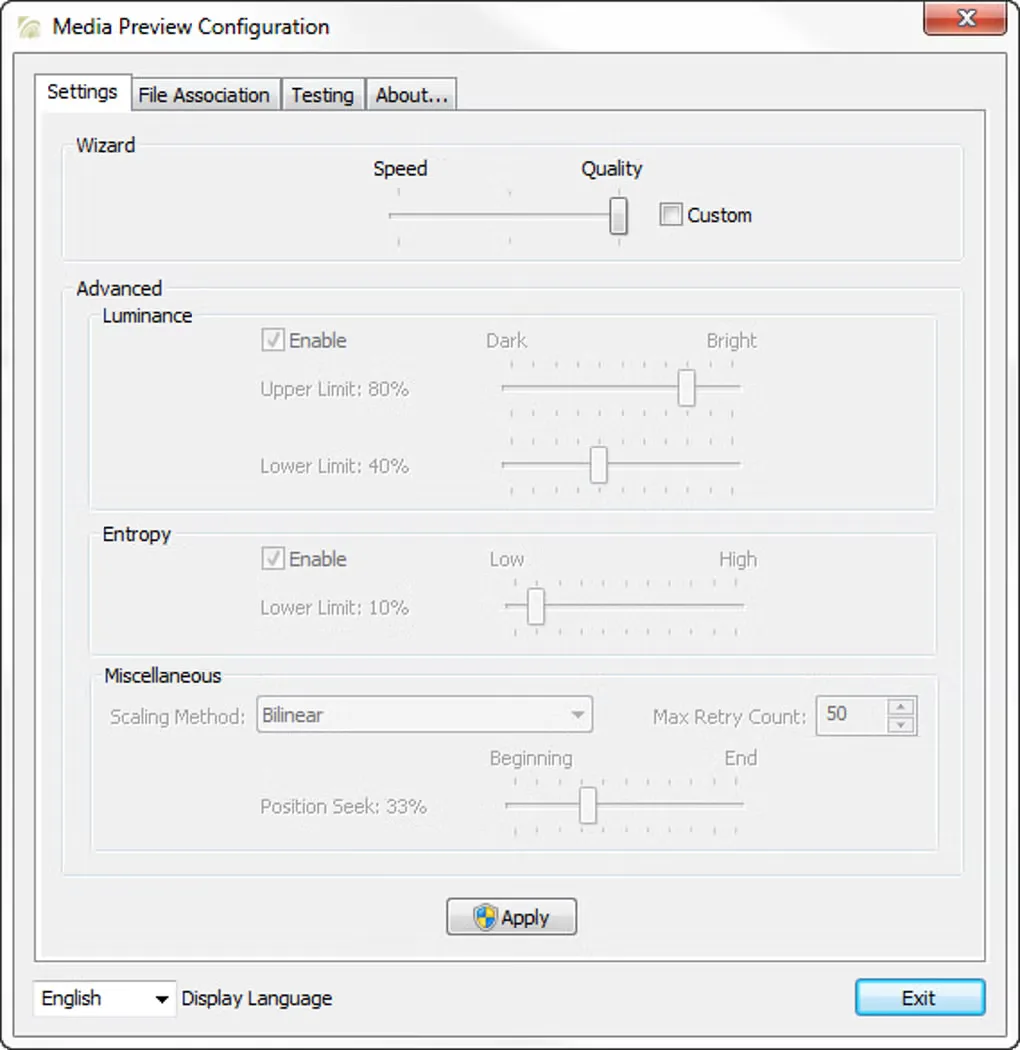
The thumbnail engine looks for a representative scene rather than always taking the first frame. It considers image detail and brightness, and uses a heuristic starting position to avoid familiar opening sequences. The configuration window includes a speed-versus-quality control and advanced thumbnail settings. This is a thumbnailing extension, not a replacement for a media player's playback engine.
BabelSoft lists version 1.4.3.429 with an April 13, 2014 release date. Its requirements name Windows XP SP2, Vista, 7 and 'Windows 8 or later'; this does not establish compatibility with current Windows 10 or 11 builds. Thumbnail selection is not guaranteed: the publisher says it examines only one or two scenes and may still choose a dark or unrepresentative frame. Personal, non-profit and non-commercial use is free; commercial use requires a purchased license.
What it offers
- Add Windows Explorer thumbnails for video, audio and common image file formats.
- Seek beyond repeated opening sequences using a heuristic thumbnail position.
- Evaluate image detail and brightness when choosing a video thumbnail.
- Adjust the speed-versus-quality balance and advanced thumbnail settings in the configuration window.
Good to know
- The publisher dates version 1.4.3.429 to April 13, 2014; compatibility with current Windows 10 and 11 builds is not verified here.
- Selection examines only one or two scenes, so a dark or unrepresentative thumbnail is still possible; heuristic seeking may not suit unusual video structures.
- Free use is limited to personal, non-profit and non-commercial purposes; commercial use requires a purchased license.
Product images
Sources
References used for this listing. Retrieval dates do not indicate hands-on testing.
More in utilities
View category ↗
1.1.1.1 with WARP 2026.8.2115.0
Encrypt traffic from your Mac to Cloudflare’s network with WARP, or use DNS-only mode for encrypted DNS queries to the 1.1.1.1 resolver.
1.1.1.1 with WARP 2026.8.2115.0
Encrypt traffic between your Windows PC and Cloudflare, or use encrypted DNS only, with the free 1.1.1.1 with WARP app.

3uTools 9.12.005
Manage iPhone and iPad photos, music, apps and backups from Windows with 3uTools, a free utility that also includes device checks and firmware flashing tools.