
Utilities Windows
Mednafen
Emulate classic consoles on Windows with Mednafen, a command-line emulator with remappable controls, save states and game rewinding.
- Operating system
- Windows; exact OS-version compatibility not independently tested
- Architecture
- x64 (selected download); separate 32-bit build available
- Download package
- ZIP archive
Sega Saturn emulation is 64-bit only. Firmware requirements depend on the emulated system. No installer was downloaded or executed.
Link checked · Download guidance
What is Mednafen?
Mednafen runs games for multiple classic systems through one command-line-driven emulator. Its supported systems include Game Boy, Game Boy Advance, NES, SNES, PC Engine, PlayStation and Sega Saturn. The selected download is the publisher's Windows 64-bit ZIP for version 1.32.1; a separate 32-bit package is available, but Saturn emulation is 64-bit only.
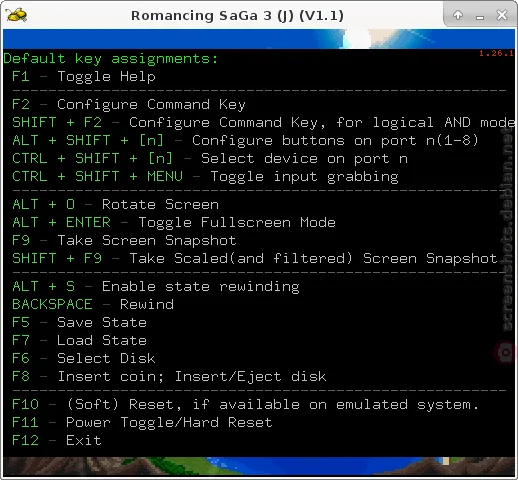
Its useful controls are inside the running emulator rather than a graphical game-library launcher. You can map keyboard or gamepad buttons, save and restore progress with save states, enable rewinding, capture PNG screenshots and record audiovisual output. The publisher documents F1 for quick help, F5 to save a state and F7 to load one.
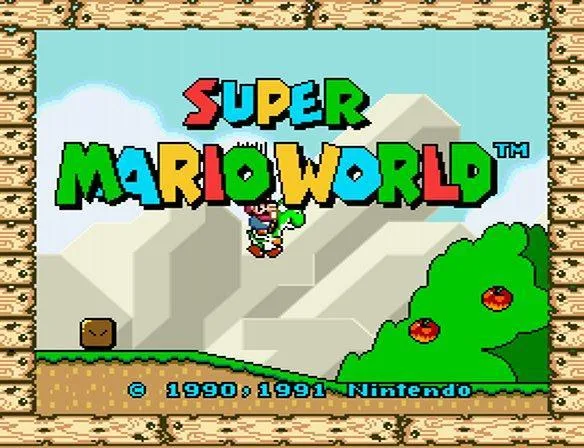
Plan around the system you want to emulate: some modules require separate firmware or BIOS images. CD games use supported disc-image files, not physical discs. The publisher also warns against loading untrusted save states. These are documented capabilities and limits, not results of an installation or compatibility test. The Windows display image is historical; the help-screen example comes from a Linux build and is not a capture of the selected Windows release.
What it offers
- Emulate multiple systems, including NES, SNES, Game Boy, PC Engine and PlayStation; Sega Saturn requires a 64-bit build.
- Remap virtual controls and hotkeys to a keyboard, joystick or gamepad.
- Use save states and optional real-time game rewinding.
- Capture PNG screenshots and record audiovisual output in QuickTime format.
- Load supported CD images and use M3U playlists for multi-disc games.
Good to know
- Command-line-driven operation is not a graphical game-library launcher; expect hotkeys and configuration settings.
- Some emulation modules need separate firmware or BIOS images; check the relevant system documentation before starting.
- Physical CD support was removed; CD games must be loaded from supported disc-image files.
- The publisher advises against loading save states from untrusted parties because they can cause hangs or pose security risks.
Product images
Sources
References used for this listing. Retrieval dates do not indicate hands-on testing.
- Mednafen - Multi-system Emulator ↗Retrieved
- Mednafen General Documentation ↗Retrieved
- Mednafen - Download ↗Retrieved
- Mednafen Download - Softpedia ↗Retrieved
- Mednafen legacy help-screen screenshot from Debian Screenshots ↗Retrieved
More in utilities
View category ↗
1.1.1.1 with WARP 2026.8.2115.0
Encrypt traffic from your Mac to Cloudflare’s network with WARP, or use DNS-only mode for encrypted DNS queries to the 1.1.1.1 resolver.
1.1.1.1 with WARP 2026.8.2115.0
Encrypt traffic between your Windows PC and Cloudflare, or use encrypted DNS only, with the free 1.1.1.1 with WARP app.

3uTools 9.12.005
Manage iPhone and iPad photos, music, apps and backups from Windows with 3uTools, a free utility that also includes device checks and firmware flashing tools.