

Development Windows
Meld for Windows
Compare files and folders, review code changes and resolve merge conflicts with Meld, a free and open-source visual diff tool available for Windows.
Version 3.24.1 · Direct publisher file
Link checked · Download guidance
What is Meld?
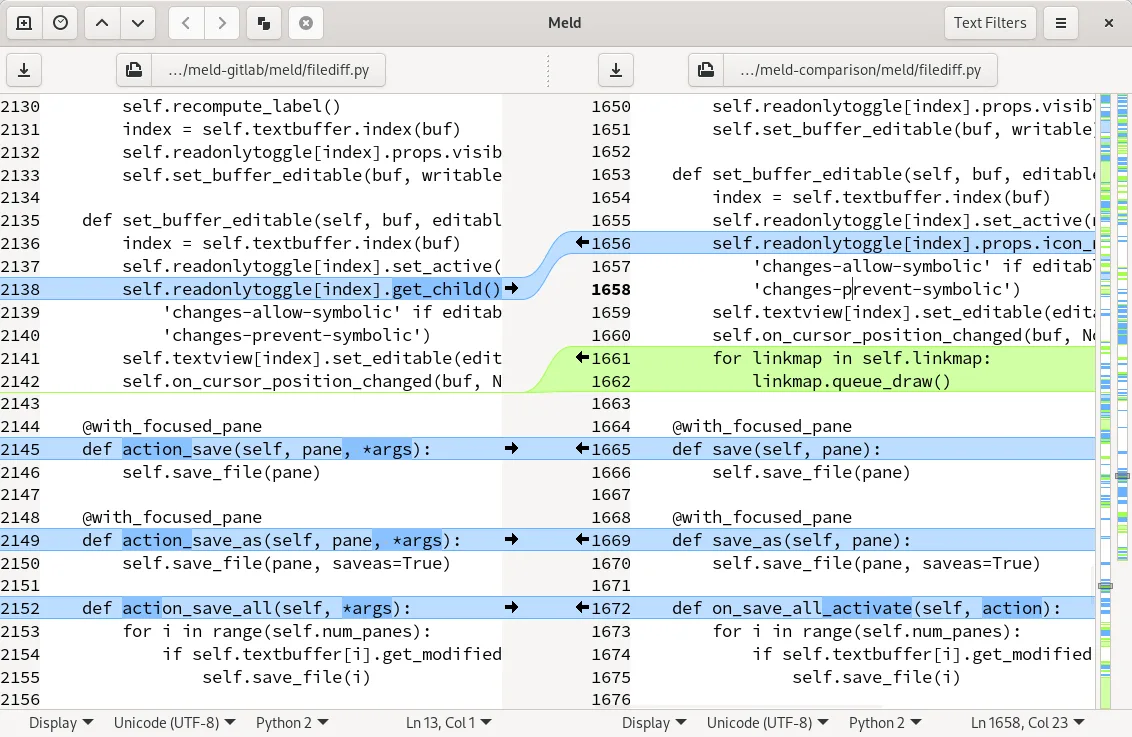
Meld puts two or three files side by side so you can see differences, edit text and move changes between versions. Comparisons update as you edit, while change-block navigation and text filters help you focus on the differences that matter. Three-way merge assistance includes conflict handling and a base-version display.
Folder comparisons identify missing or modified files and let you open a detailed file comparison from the results. Meld also works with version-controlled projects, including Git, Mercurial, Bazaar and Subversion, and can be integrated with git mergetool.
This entry links to the publisher's Windows installer for version 3.24.1. Meld does not support automatic updates or portable installs, so it is not a portable tool you can run directly from a removable drive. The screenshot is the publisher's illustrative file-comparison view with Linux-style window decoration; it is not a capture of the current Windows release.
What it offers
- Compare two or three files or folders in one visual workspace.
- Edit and merge files with live comparison updates and change-block navigation.
- Use text filters to ignore irrelevant differences and exclude selected files or folders from folder comparisons.
- Review three-way merges with conflict handling and a base-version display.
- Work with Git, Mercurial, Bazaar and Subversion projects, including integration with git mergetool.
Good to know
- Automatic updates are not supported.
- Portable installs are not supported; the publisher provides a Windows installer.
Product images
Sources
References used for this listing. Retrieval dates do not indicate hands-on testing.
More in development
View category ↗

010 Editor 17.0
Inspect and edit binary files on Mac with 010 Editor, a paid text and hex editor with Binary Templates, file comparison and a 30-day trial.
010 Editor 17.0
Inspect and edit binary files with 010 Editor for Windows, a text and hex editor with Binary Templates, file comparison and scripting. Includes a 30-day trial.
10x Editor
Edit and navigate C++ projects on Windows with a built-in parser, workspace search and Visual Studio project support. A paid license is required after the 30-day trial.