
Utilities macOS
Memtrove
Find files and browser bookmarks on your Mac by name, text or meaning. Memtrove keeps a local search index and offers optional Claude integration.
- Operating system
- macOS 13 or later
- Architecture
- Apple silicon (ARM64; M-series Macs)
- Download package
- DMG disk image
Intel Macs are not supported. The publisher-linked package is Memtrove_1.0.2_aarch64.dmg.
Link checked · Download guidance
What is Memtrove?
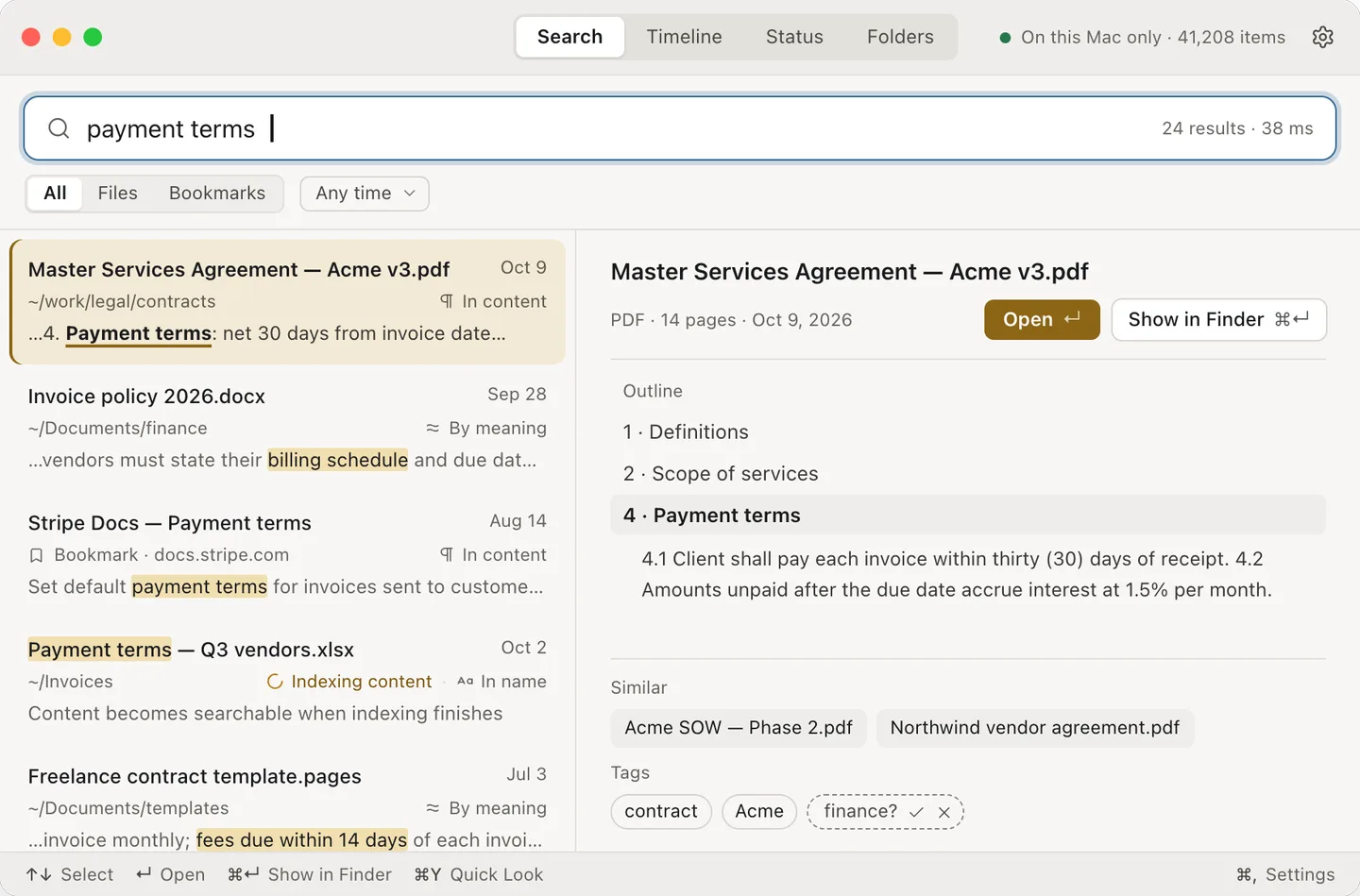
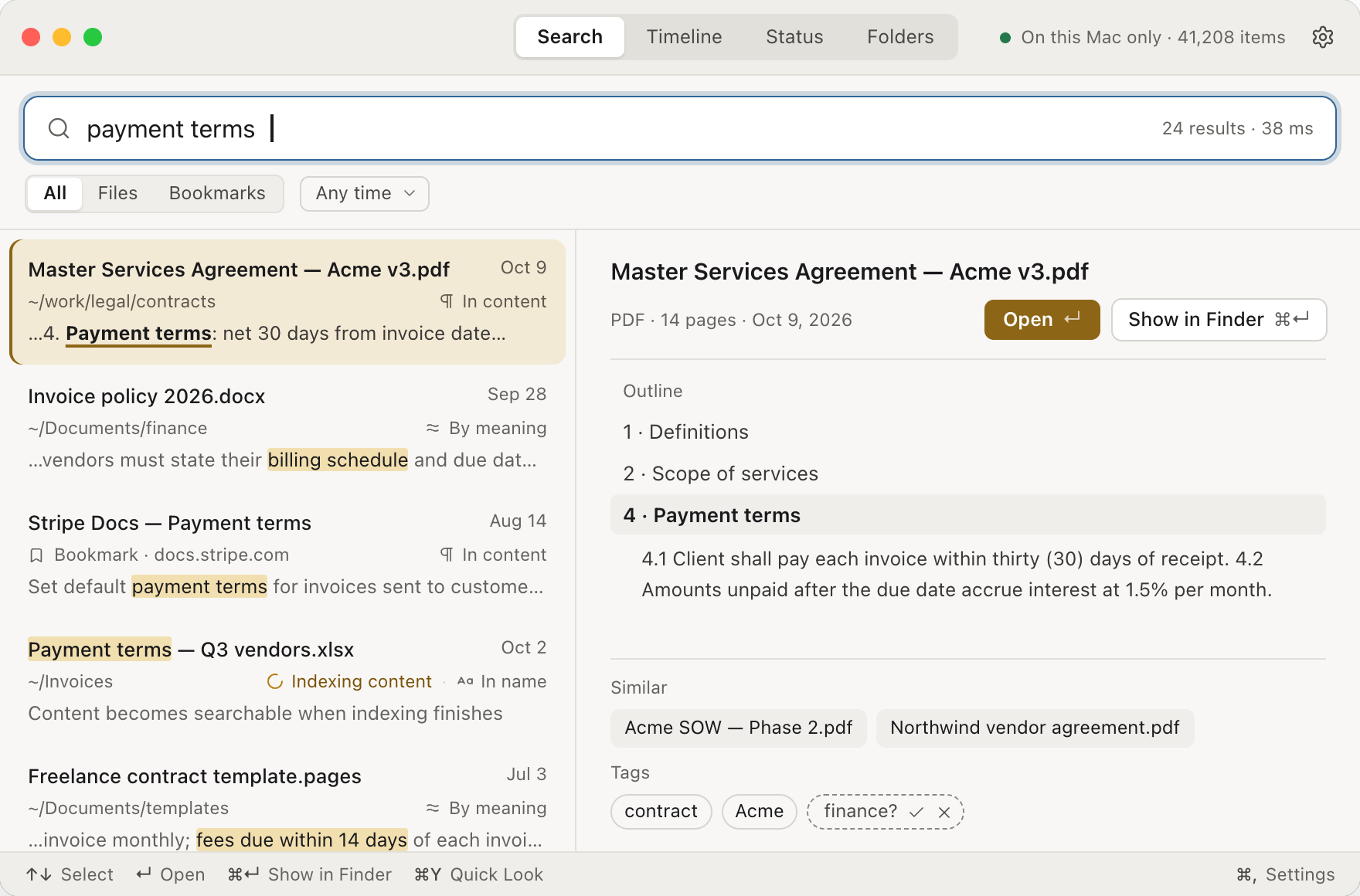
Memtrove searches files and browser bookmarks together, so you can find a document from a phrase or its subject rather than its exact name. It combines file-name, content and meaning-based matches, labels why each result appeared, and previews a document outline with the relevant section. Natural-language date and folder filters help narrow a search; Option-Space opens a Quick Search panel over another app.
The publisher says the index and meaning model run locally, and searching works offline after the model is downloaded. Bookmarks from Safari, Chrome and Edge can appear alongside files. Optional Claude integration lets Claude Desktop or Claude Code search the index and read selected document sections. That integration changes the privacy boundary: the results and sections Claude reads are sent to Anthropic under Claude's terms. Folder controls can restrict what Claude sees.
Memtrove requires Apple silicon and macOS 13 or later; Intel Macs are not supported. The 14-day trial includes every feature without an account. After it expires, search is limited to file names until a license is activated, while the index and settings are retained. A one-time license covers up to three Macs and includes 1.x updates; the next major version is a separate paid upgrade.
What it offers
- Search file names, document text and meaning-based matches in a local index.
- Find Safari, Chrome and Edge bookmarks alongside files.
- Narrow searches with time and folder filters or quoted exact phrases.
- Preview document outlines and matching sections, or open Quick Search with Option-Space.
- Optionally connect Claude Desktop or Claude Code through MCP, with folder-level access restrictions.
Good to know
- Requires Apple silicon and macOS 13 or later; there is no Intel Mac version.
- After the 14-day full-feature trial, unlicensed search matches file names only. A paid license restores the other features.
- Optional Claude integration sends the search results and document sections Claude reads to Anthropic under Claude's terms.
- The meaning model requires an initial download. License activation, update checks and optional bookmarked-page fetching also use the internet.
Product images
Sources
References used for this listing. Retrieval dates do not indicate hands-on testing.
More in utilities
View category ↗
1.1.1.1 with WARP 2026.8.2115.0
Encrypt traffic from your Mac to Cloudflare’s network with WARP, or use DNS-only mode for encrypted DNS queries to the 1.1.1.1 resolver.
1.1.1.1 with WARP 2026.8.2115.0
Encrypt traffic between your Windows PC and Cloudflare, or use encrypted DNS only, with the free 1.1.1.1 with WARP app.

3uTools 9.12.005
Manage iPhone and iPad photos, music, apps and backups from Windows with 3uTools, a free utility that also includes device checks and firmware flashing tools.