
Utilities Windows
menuApp
Turn folders into popup menus for launching programs, documents, music and websites with menuApp, a free Windows application launcher.
- Operating system
- Windows; publisher release notes mention a Windows 11 fix
- Architecture
- Not specified on the publisher product page
- Download package
- ZIP archive
Publisher notes dated 2 January 2025 report rebuilding on Windows 11. No independent installation or compatibility test; Softonic's older Windows NT listing does not establish current package requirements.
Link checked · Download guidance
What is menuApp?
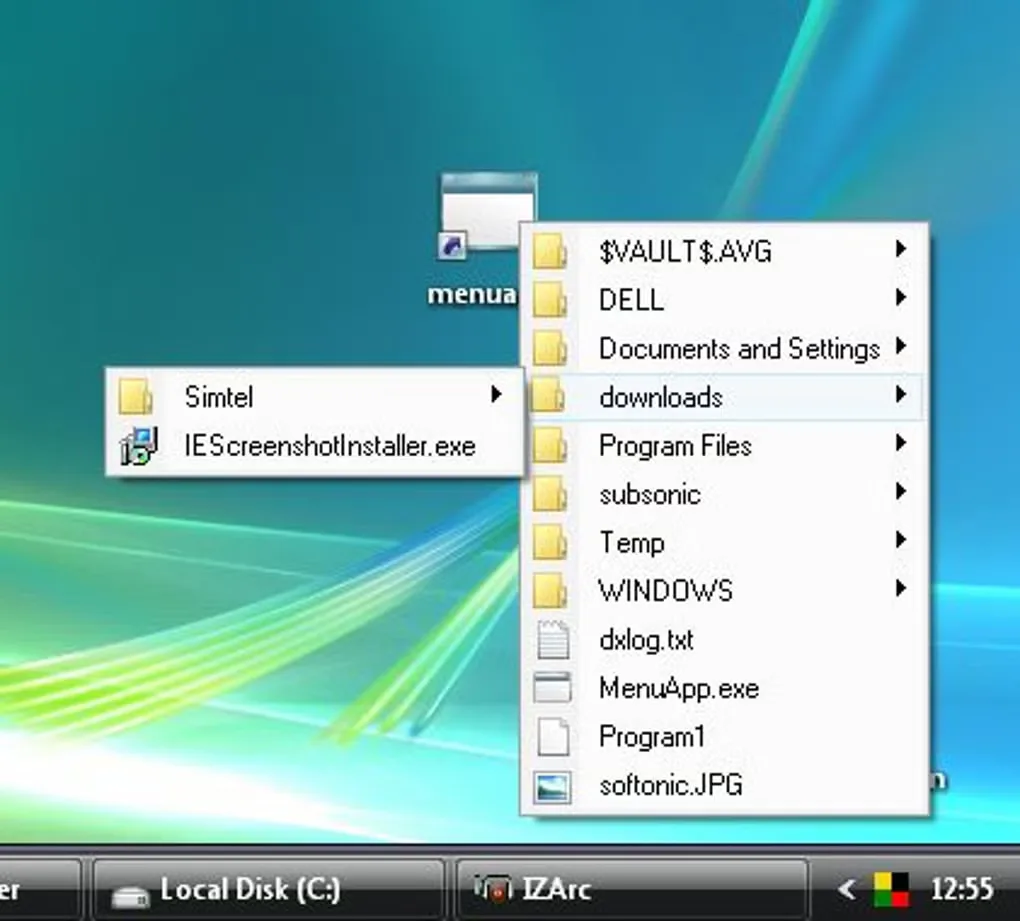
menuApp gives you a menu-based route to the files and programs you use repeatedly. Point it at a folder and its contents become menu entries, with subfolders appearing as submenus. Selecting an entry opens it as it would from Windows Explorer. This makes it useful for a folder of documents, music files or shortcuts to favourite applications.
Menus can be opened from a shortcut, a hotkey, a desktop double-click or the system tray icon. The configuration editor, opened with Ctrl+Alt+A, lets you change the supplied starter setup. A Tasks menu can also list running programs so you can switch to one.
The publisher distributes menuApp as a ZIP and records a Windows 11 fix dated 2 January 2025. That is publisher release-note evidence, not a compatibility test. Softonic's older version 1.04 listing and the historical screenshot should not be taken as the version or appearance of the current publisher package.
What it offers
- Turn a folder's contents into a popup menu, with subfolders shown as submenus.
- Launch programs, documents, music files and websites from custom menus.
- Open menus through shortcuts, hotkeys, a desktop double-click or the system tray icon.
- Configure menus with the editor opened by Ctrl+Alt+A; use Windows special folders such as Desktop and QuickLaunch.
- List running programs in a Tasks menu and select one to switch to it.
Good to know
- Custom menus need configuration; the publisher supplies a starter setup and a separate configuration editor.
- The publisher mentions a Windows 11 fix but does not specify a complete supported-Windows or processor-architecture matrix on the product page. Compatibility was not independently tested.
- The screenshot shows a historical interface from Softonic's gallery, not a verified view of the current publisher ZIP.
Product images
Sources
References used for this listing. Retrieval dates do not indicate hands-on testing.
More in utilities
View category ↗
1.1.1.1 with WARP 2026.8.2115.0
Encrypt traffic from your Mac to Cloudflare’s network with WARP, or use DNS-only mode for encrypted DNS queries to the 1.1.1.1 resolver.
1.1.1.1 with WARP 2026.8.2115.0
Encrypt traffic between your Windows PC and Cloudflare, or use encrypted DNS only, with the free 1.1.1.1 with WARP app.

3uTools 9.12.005
Manage iPhone and iPad photos, music, apps and backups from Windows with 3uTools, a free utility that also includes device checks and firmware flashing tools.