
Utilities Windows
Metadata++
View, edit and search metadata in photos, audio, videos and documents with Metadata++, a free metadata manager for 64-bit Windows 11.
- Operating system
- Windows 11
- Architecture
- x64 (64-bit)
- Download package
- EXE installer
Current publisher download lists Windows 11, 64-bit. Older pages list Windows 10 for older releases; that support is not assumed for 3.00.5.
Link checked · Download guidance
What is Metadata++?
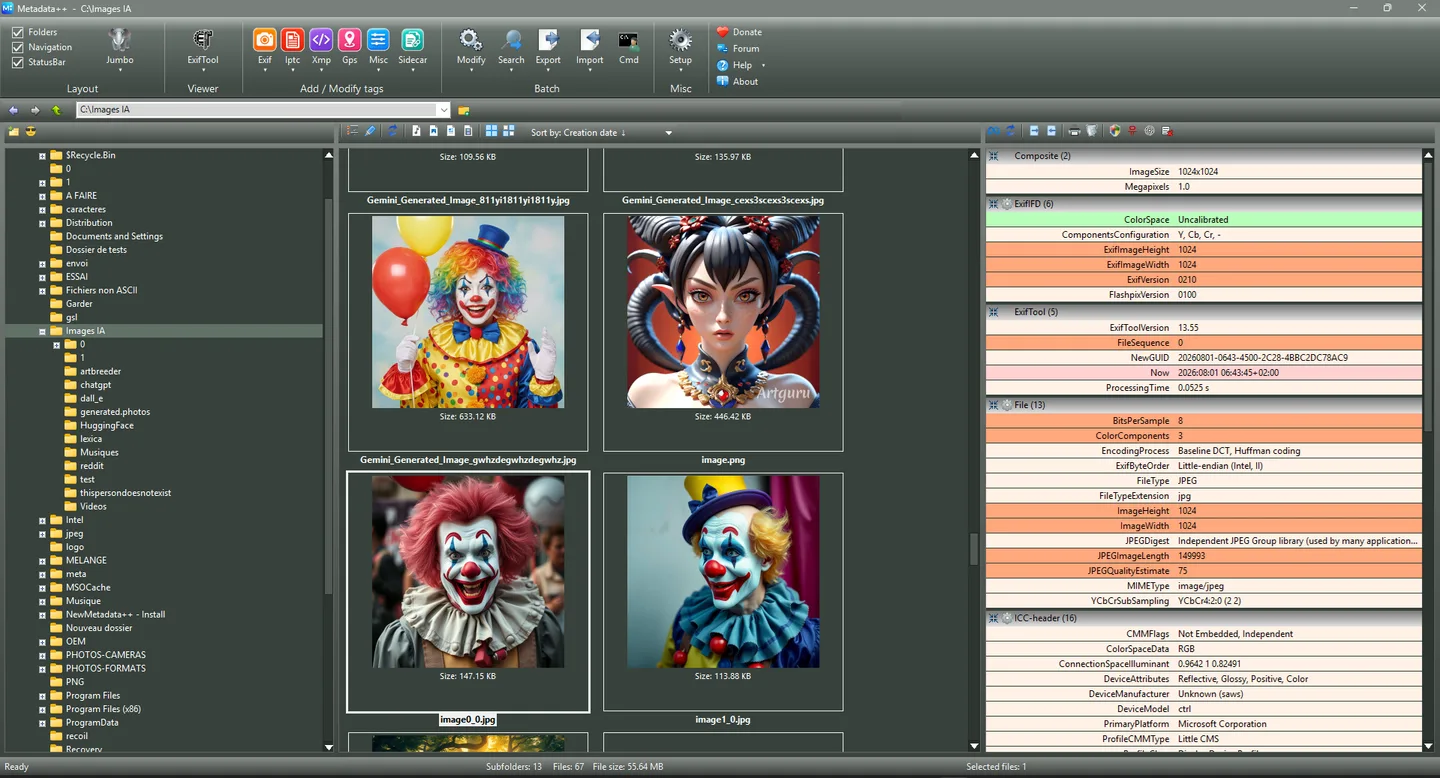
Metadata++ brings file browsing and metadata editing into one Windows workspace. Use it to inspect file properties, update fields such as titles, authors, keywords and ratings, or locate files through metadata search. Report, tile, thumbnail and Jumbo views provide different ways to browse a mixed collection.
Its supported file types span images, audio, video and documents. For files that cannot carry embedded metadata, Metadata++ can keep ratings and notes in separate sidecar files instead; those details are not embedded in the original file. Settings stay with the application.
The linked 3.00.5 release is listed for 64-bit Windows 11. The publisher states that the program is not digitally signed, so Windows SmartScreen may display a warning. Download availability was checked with HEAD only; the installer was not downloaded, installed or tested.
What it offers
- Read file metadata and properties across image, audio, video and document formats.
- Edit fields such as titles, authors, descriptions, keywords and ratings.
- Find files through metadata search and browse using Report, Tiles, Thumbnails or Jumbo views.
- Store ratings and notes in sidecar metadata when a file does not support embedded metadata.
- Use a multilingual interface with Unicode display and application-local settings.
Good to know
- Files without native embedded-metadata support use separate sidecars rather than storing the added metadata inside the file.
- The publisher says the program is not digitally signed; Windows SmartScreen may show a warning.
- The selected release is listed for 64-bit Windows 11; current Windows 10 support is not established by its download page.
Product images
Sources
References used for this listing. Retrieval dates do not indicate hands-on testing.
- Metadata++ — Free metadata manager for Windows ↗Retrieved
- Metadata++ — Details and supported formats ↗Retrieved
- Download Metadata++ — official release and signing information ↗Retrieved
- Metadata++ Screenshots — publisher gallery ↗Retrieved
- Metadata++ - Download — protected normal-browser observation ↗Retrieved
More in utilities
View category ↗
1.1.1.1 with WARP 2026.8.2115.0
Encrypt traffic from your Mac to Cloudflare’s network with WARP, or use DNS-only mode for encrypted DNS queries to the 1.1.1.1 resolver.
1.1.1.1 with WARP 2026.8.2115.0
Encrypt traffic between your Windows PC and Cloudflare, or use encrypted DNS only, with the free 1.1.1.1 with WARP app.


3uTools 9.12.005
Manage iPhone and iPad photos, music, apps and backups from Windows with 3uTools, a free utility that also includes device checks and firmware flashing tools.