

Utilities Windows
MFCMAPI for Windows
Inspect MAPI stores and mailbox properties to investigate Exchange and Outlook issues with MFCMAPI, a free Windows diagnostic tool for experienced users and developers.
- Operating system
- Windows; mailbox access requires an installed MAPI implementation
- Architecture
- x64; match 64-bit Outlook or the installed MAPI provider
- Download package
- Portable ZIP containing MFCMapi.exe
A separate x86 build supports 32-bit Outlook/MAPI. New Outlook alone does not supply classic MAPI. Outlook MAPI DLLs can require a matching Visual C++ Redistributable.
Link checked · Download guidance
What is MFCMAPI?
MFCMAPI exposes MAPI stores for investigating Exchange and Outlook problems. Its graphical interface lets experienced users examine stores and their properties, while the open-source project also serves as a sample for developers working with MAPI. It is a low-level diagnostic and editing utility, not a replacement for an everyday email client.
The linked download is the portable x64 ZIP for version 26.0.26291.01. Extract the archive and run MFCMapi.exe; no installer is required. Choose the build that matches Outlook or the installed MAPI provider, not merely Windows: x64 for 64-bit Outlook, or the separate x86 build for 32-bit Outlook. Access to profiles and mailboxes requires a MAPI implementation, normally supplied by classic Outlook. New Outlook for Windows does not provide that implementation.
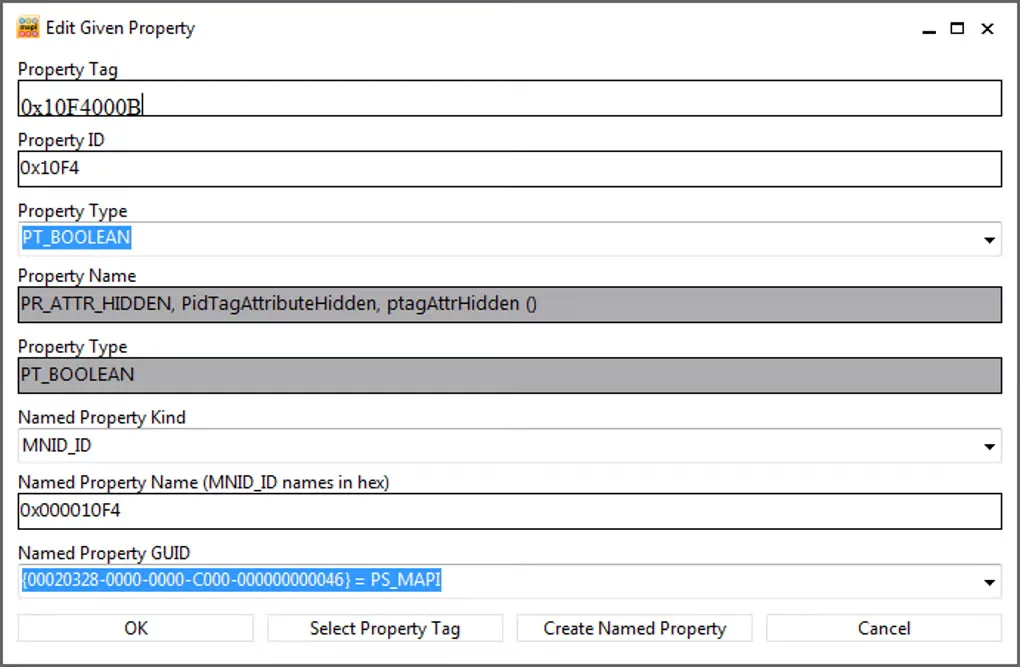
MFCMAPI can modify or permanently delete mailbox data. Back up important data and make only changes you understand. The October 2026 release adds configurable dark mode, but the historical source-gallery screenshot shown here is not evidence of that release's appearance.
What it offers
- Access MAPI stores to investigate Exchange and Outlook issues.
- Inspect mailbox-store properties through a graphical interface.
- Use the open-source implementation as a sample for MAPI development.
- Run from an extracted portable ZIP without an installer.
- Switch configurable dark mode in the October 2026 release with Ctrl+Shift+D or the Options dialog.
Good to know
- Changes can permanently delete mailbox data; back up important data and use only operations you understand.
- Mailbox access requires an installed MAPI implementation. New Outlook for Windows alone does not supply classic Outlook's MAPI implementation.
- The selected x64 build must match a 64-bit Outlook/MAPI provider; use the separate x86 build for a 32-bit provider.
Product images
Sources
References used for this listing. Retrieval dates do not indicate hands-on testing.
- MFCMAPI — publisher README ↗Retrieved
- Publisher release metadata — MFCMAPI October 2026 ↗Retrieved
- MFCMAPI publisher release notes — Atom feed ↗Retrieved
- MFCMAPI MIT License ↗Retrieved
- MFCMAPI - Download ↗Retrieved
More in utilities
View category ↗
1.1.1.1 with WARP 2026.8.2115.0
Encrypt traffic from your Mac to Cloudflare’s network with WARP, or use DNS-only mode for encrypted DNS queries to the 1.1.1.1 resolver.
1.1.1.1 with WARP 2026.8.2115.0
Encrypt traffic between your Windows PC and Cloudflare, or use encrypted DNS only, with the free 1.1.1.1 with WARP app.

3uTools 9.12.005
Manage iPhone and iPad photos, music, apps and backups from Windows with 3uTools, a free utility that also includes device checks and firmware flashing tools.