

Utilities macOS
Microsoft Excel for macOS
Organize budgets, calculate with formulas and turn worksheet data into charts in Microsoft Excel for Mac. The linked Microsoft PKG updates an existing installation; a paid license is required.
Version 16.114.3 (26102720) · Direct publisher file
Link checked · Download guidance
What is Microsoft Excel?
Microsoft Excel for Mac is a spreadsheet application for budgets, expense tracking and data analysis. Workbooks combine editable tables, formulas and charts so you can keep the underlying numbers alongside the results. Formatting, sparklines and worksheet comments help make a spreadsheet easier to read and discuss.
Microsoft offers Excel for a single PC or Mac and also includes it in Microsoft 365 plans. A downloadable package is not a license: the desktop application must be activated. Real-time editing with other people requires sharing the workbook through OneDrive, according to Microsoft’s product page. The free web edition is a separate option, not a free license for this Mac desktop app.
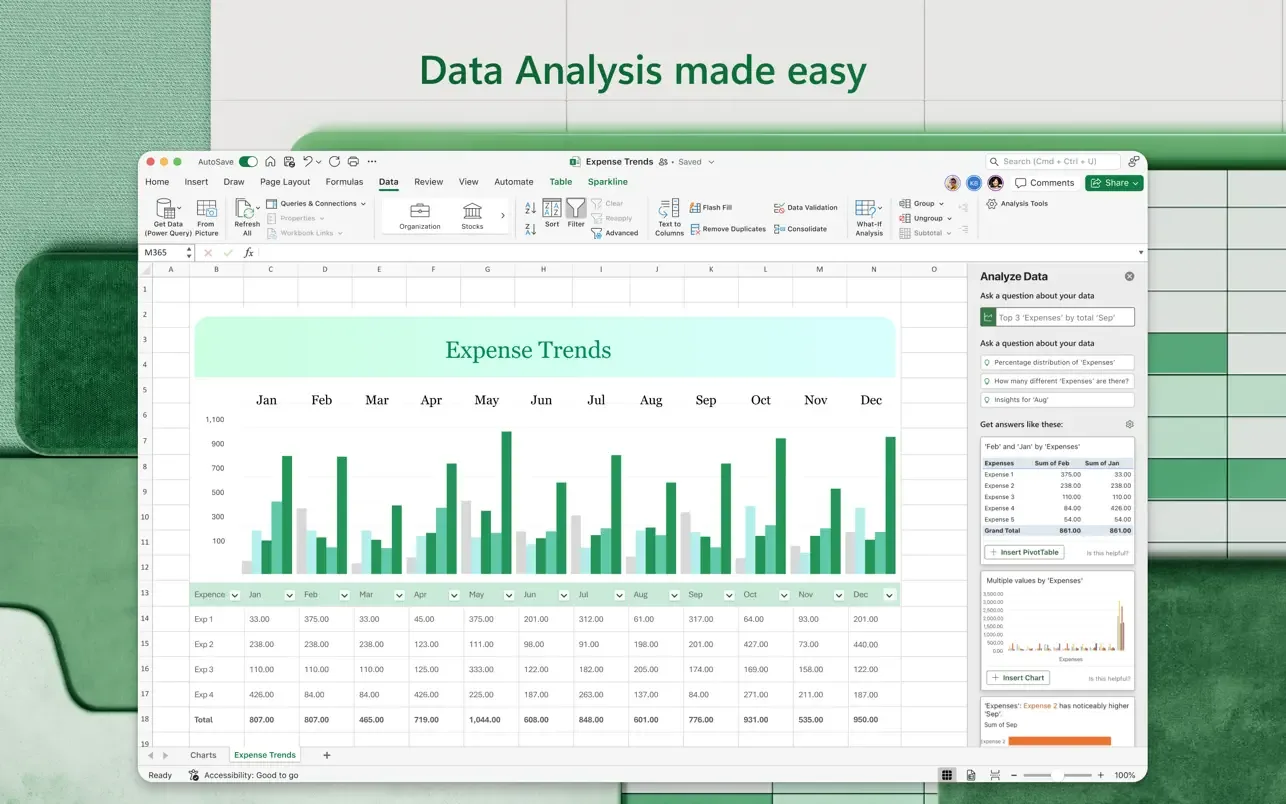
This entry links to Microsoft’s Excel 16.114.3 update package, build 26102720, listed for October 27, 2026. Microsoft distinguishes update packages for an existing installation from install packages for a new setup. If Excel is not installed, use the installation options linked in the publisher sources rather than treating this updater as a standalone installer. The gallery image is a publisher promotional screenshot of the Mac interface, not a test of this particular build.
What it offers
- Create, view, edit and share spreadsheet workbooks for budgets and data tracking.
- Use formulas, tables, charts and sparklines to calculate and visualize data.
- Apply worksheet formatting and add comments when reviewing a workbook.
- Co-author shared spreadsheets in real time when files are shared through OneDrive.
Good to know
- The linked PKG is an update package for an existing Excel installation, not a fresh-install package.
- Desktop use requires a paid license and activation; downloading the package does not provide a license.
- Real-time co-authoring requires the workbook to be shared through OneDrive.
Product images
Sources
References used for this listing. Retrieval dates do not indicate hands-on testing.
- Microsoft Excel for Mac - Download ↗Retrieved
- Buy Microsoft Excel (PC or Mac) | Cost of Excel Only or with Microsoft 365 ↗Retrieved
- Update history for Office for Mac — Microsoft Learn ↗Retrieved
- Deployment options for admins for Office for Mac — Microsoft Learn ↗Retrieved
- Microsoft Excel App - App Store ↗Retrieved
- Microsoft Excel | Free Online Spreadsheets Software ↗Retrieved
More in utilities
View category ↗
1.1.1.1 with WARP 2026.8.2115.0
Encrypt traffic from your Mac to Cloudflare’s network with WARP, or use DNS-only mode for encrypted DNS queries to the 1.1.1.1 resolver.
1.1.1.1 with WARP 2026.8.2115.0
Encrypt traffic between your Windows PC and Cloudflare, or use encrypted DNS only, with the free 1.1.1.1 with WARP app.


3uTools 9.12.005
Manage iPhone and iPad photos, music, apps and backups from Windows with 3uTools, a free utility that also includes device checks and firmware flashing tools.