

Development Windows
Microsoft Visual Studio for Windows
Write, debug and manage .NET and C++ projects with Microsoft Visual Studio for Windows. The linked Community edition is free for individual developers, with restrictions for organizational use.
- Operating system
- Supported 64-bit Windows 11 editions; Windows Server 2025, 2022 and 2019 Standard/Datacenter
- Architecture
- x64 or ARM64; workload support differs on ARM64
- Download package
- EXE web bootstrapper — Community edition
Evergreen 2026-family download; requires additional packages and administrator rights. Publisher recommends 16 GB RAM for typical professional solutions.
Link checked · Download guidance
What is Microsoft Visual Studio?
Microsoft Visual Studio combines a code editor, debugger, profiling tools and project management in a Windows development environment. It supports .NET and C++ work alongside web and other development workloads. Integrated Git tools let you manage branches, commit changes and resolve merge conflicts without switching out of the IDE.
This entry links to the Visual Studio Community bootstrapper for the 2026 release family. Microsoft’s downloads page listed version 18.11.2 when checked. The link is evergreen rather than pinned to that version, and the bootstrapper obtains additional installation packages for the workloads you select; it is not a complete offline installer.
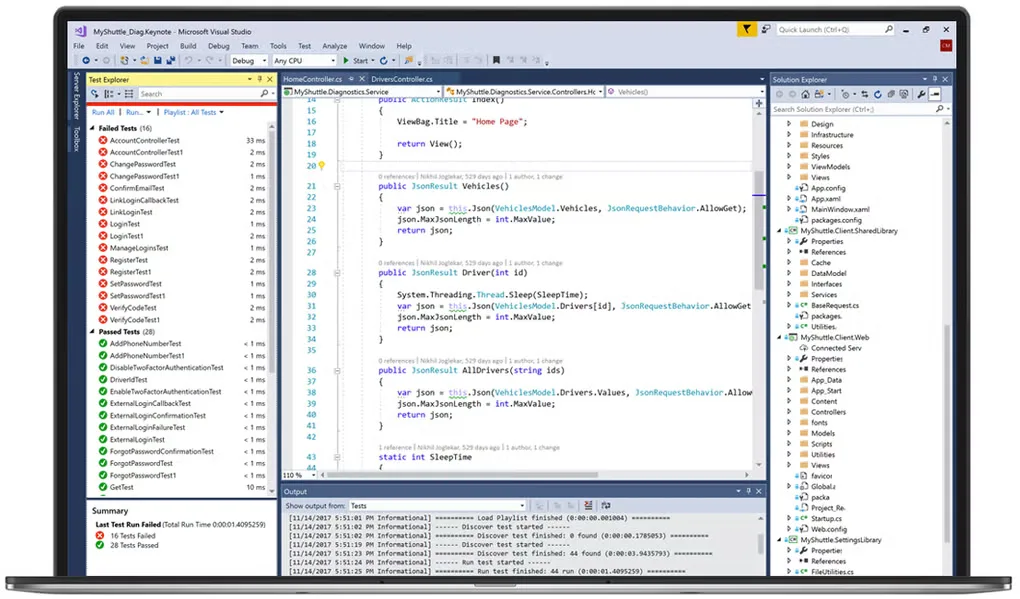
Community is free for individuals creating free or paid applications, but that does not make it unrestricted freeware for every business. Organizational use is subject to Microsoft’s Community license conditions. Check the supported Windows editions and workload requirements before choosing it, especially on ARM64. The gallery image shows an older Visual Studio interface for orientation, not the current 2026 appearance.
What it offers
- Edit and organize .NET, C++ and web projects in an integrated development environment.
- Debug code and investigate performance with built-in debugging and profiling tools.
- Use integrated Git tools for commits, branches, remote synchronization and merge conflicts.
- Select development workloads during installation and extend the IDE through the Visual Studio Marketplace.
Good to know
- Community has organizational licensing limits: other than the specified open-source, academic research and classroom scenarios, non-enterprise use is limited to five users and enterprise use is not permitted.
- The linked EXE is a web bootstrapper, not a full offline package; installation needs additional downloads and administrator rights.
- Typical installations need 20–50 GB of free space depending on selected components, and some workloads are unavailable on ARM64.
Product images
Sources
References used for this listing. Retrieval dates do not indicate hands-on testing.
More in development
View category ↗
010 Editor 17.0
Inspect and edit binary files on Mac with 010 Editor, a paid text and hex editor with Binary Templates, file comparison and a 30-day trial.
010 Editor 17.0
Inspect and edit binary files with 010 Editor for Windows, a text and hex editor with Binary Templates, file comparison and scripting. Includes a 30-day trial.
10x Editor
Edit and navigate C++ projects on Windows with a built-in parser, workspace search and Visual Studio project support. A paid license is required after the 30-day trial.