

Utilities macOS
Microsoft Word for macOS
Write, format and review documents with Microsoft Word for Mac, with templates, spelling and grammar feedback, and shared editing. A paid license is required; the linked PKG updates an existing installation.
- Operating system
- macOS; check Microsoft's requirements for your installed Word edition
- Architecture
- 64-bit; Microsoft lists all current Office for Mac packages as 64-bit only
- Download package
- PKG update package
Updates an existing Word installation. Not a first-install package; Intel versus Apple silicon coverage was not independently verified.
Link checked · Download guidance
What is Microsoft Word?
Microsoft Word for Mac is a document editor for reports, letters and other formatted writing. Templates and layout tools help structure a document, while Microsoft Editor provides spelling, grammar and style feedback. Comments and real-time co-authoring support working on the same document with other people. Microsoft describes sharing through OneDrive as a requirement for the collaborative editing offered on its standalone Word product page.
Word is commercial software, not a free desktop word processor. Microsoft sells a standalone license for one PC or Mac and also includes Word in Microsoft 365. The separate Mac App Store edition explicitly requires a qualifying Microsoft 365 subscription; do not assume its licensing is interchangeable with a standalone purchase. Microsoft's product page also lists internet access and a Microsoft account as requirements.
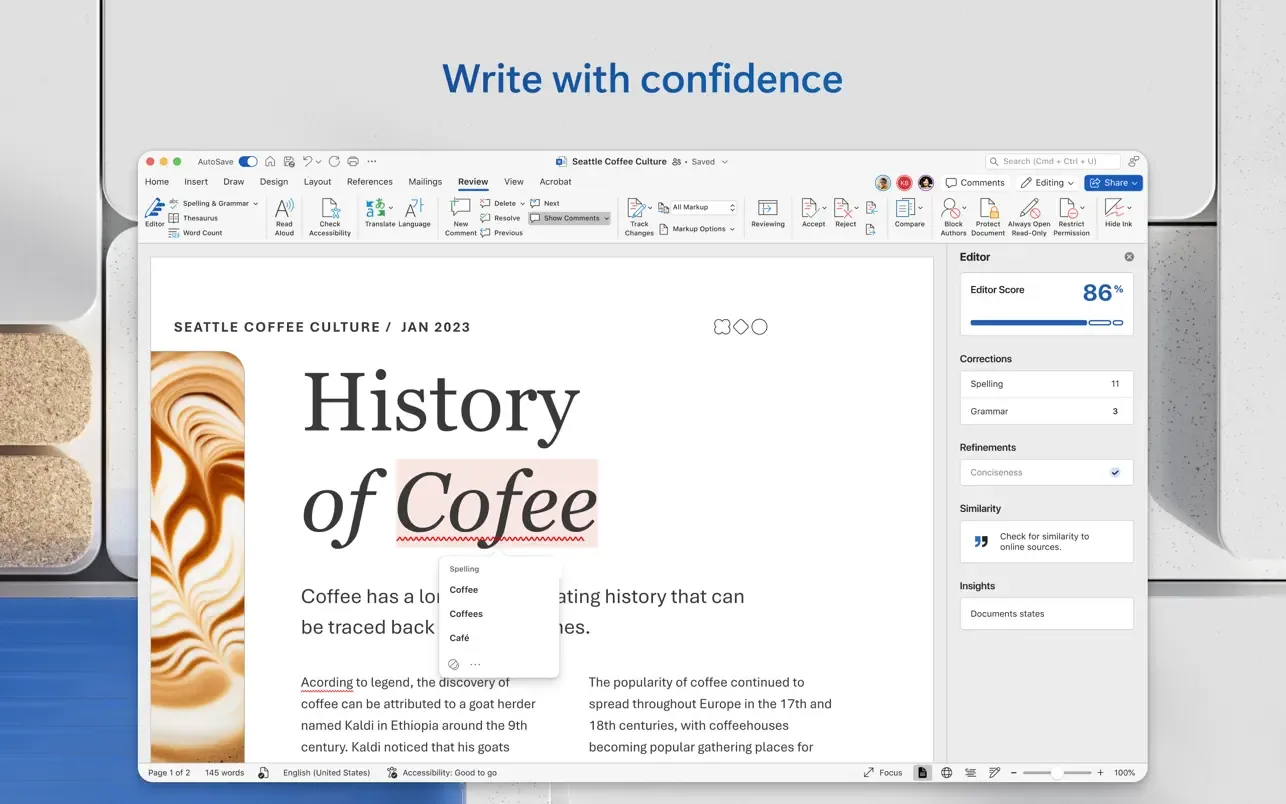
This entry links to Microsoft's Word-only PKG update for version 16.114.3, build 26102720, listed in its October 27, 2026 Mac release history. Microsoft distinguishes update packages for an existing installation from install packages for a new installation. Use the linked package only to update an existing Word installation; it is not presented here as a first-install download or as a license. The screenshot is a publisher-supplied Mac interface illustration, not a capture of this package running.
What it offers
- Create and format documents using templates and layout options.
- Receive spelling, grammar and style suggestions with Microsoft Editor.
- Comment on documents and collaborate with others through real-time co-authoring.
- Save documents to OneDrive for access across devices.
Good to know
- Desktop Word requires a paid license. The Mac App Store edition specifically requires a qualifying Microsoft 365 subscription.
- The linked PKG is a Word update package for an existing installation, not a first-install package.
- Microsoft lists a Microsoft account and internet access as requirements; its standalone Word page requires OneDrive sharing for real-time collaborative editing.
Product images
Sources
References used for this listing. Retrieval dates do not indicate hands-on testing.
More in utilities
View category ↗
1.1.1.1 with WARP 2026.8.2115.0
Encrypt traffic from your Mac to Cloudflare’s network with WARP, or use DNS-only mode for encrypted DNS queries to the 1.1.1.1 resolver.
1.1.1.1 with WARP 2026.8.2115.0
Encrypt traffic between your Windows PC and Cloudflare, or use encrypted DNS only, with the free 1.1.1.1 with WARP app.


3uTools 9.12.005
Manage iPhone and iPad photos, music, apps and backups from Windows with 3uTools, a free utility that also includes device checks and firmware flashing tools.