
Utilities Windows
MikroTik Netinstall
Install or reinstall RouterOS on MikroTik devices from a Windows PC. Netinstall provides a graphical recovery workflow, but reinstallation reformats the target device and erases user files.
Version 7.24.5 · Direct publisher file
Link checked · Download guidance
What is MikroTik Netinstall?
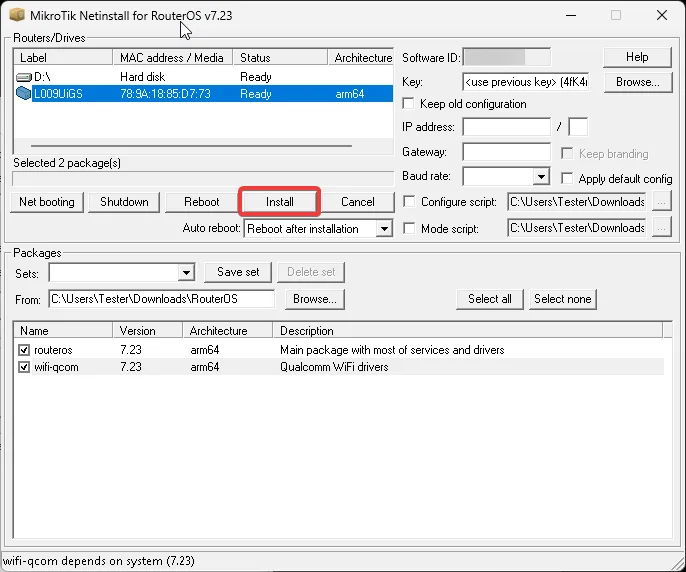
MikroTik Netinstall is a Windows utility for installing RouterOS on MikroTik hardware. It is useful when a device is inaccessible or its operating system is corrupted or misconfigured. The graphical interface lists devices started in Netinstall mode, lets you select RouterOS packages, and provides installation and reboot controls. It installs RouterOS on the connected MikroTik device, not on your Windows PC.
The publisher workflow starts with extracting the ZIP and running Netinstall.exe with administrator rights. Prepare the Ethernet connection and IP settings, put the target into Etherboot/BOOTP mode, and supply the RouterOS system package plus any required extra packages for that device. Those RouterOS packages are separate downloads; the Windows utility alone is not the complete installation payload.
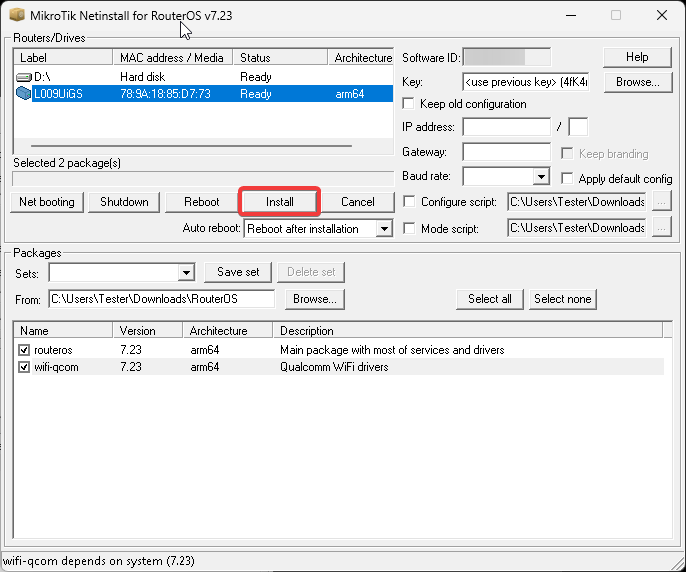
Treat this as a destructive recovery procedure: Netinstall reformats the target system drive. Keep Old Configuration can restore core configuration, but it is not a backup of user files, containers or databases. The RouterOS license key is retained. The linked package is the catalog-listed 7.24.5 netinstall64 ZIP, not a claim that this is the newest release; the publisher screenshot illustrates an older 7.23 interface.
What it offers
- Discover MikroTik devices booted in Netinstall/Etherboot mode through the Windows graphical interface.
- Select RouterOS system and extra packages for the target device architecture.
- Configure the built-in BOOTP/TFTP server through Net booting settings.
- Choose configuration-retention and default-configuration options, then install and reboot the device.
Good to know
- Reinstallation reformats the target device system drive and erases user files; Keep Old Configuration retains only core configuration, not a full backup.
- Requires administrator rights, a prepared Ethernet connection and an Etherboot/BOOTP-capable MikroTik target; the publisher recommends one active network interface.
- RouterOS packages must be obtained separately for the target device. Exact minimum Windows build support and the selected release channel were not established.
Product images
Sources
References used for this listing. Retrieval dates do not indicate hands-on testing.
- Netinstall for Windows | RouterOS Manual ↗Retrieved
- Netinstall | RouterOS Manual ↗Retrieved
- MikroTik Netinstall - Download ↗Retrieved
- Mikrotik.Netinstall 7.24.5 download ↗Retrieved
More in utilities
View category ↗
1.1.1.1 with WARP 2026.8.2115.0
Encrypt traffic from your Mac to Cloudflare’s network with WARP, or use DNS-only mode for encrypted DNS queries to the 1.1.1.1 resolver.
1.1.1.1 with WARP 2026.8.2115.0
Encrypt traffic between your Windows PC and Cloudflare, or use encrypted DNS only, with the free 1.1.1.1 with WARP app.

3uTools 9.12.005
Manage iPhone and iPad photos, music, apps and backups from Windows with 3uTools, a free utility that also includes device checks and firmware flashing tools.