

Utilities Windows
Mindwtr for Windows
Capture tasks, organize projects and choose next actions with Mindwtr, a free, open-source GTD task manager for Windows that works offline without an account.
- Operating system
- Windows; minimum Windows version not established by the cited installation page
- Architecture
- x64
- Download package
- EXE installer
Requires Windows WebView2. A separate portable ZIP is available from the publisher; this link is the installer.
Link checked · Download guidance
What is Mindwtr?
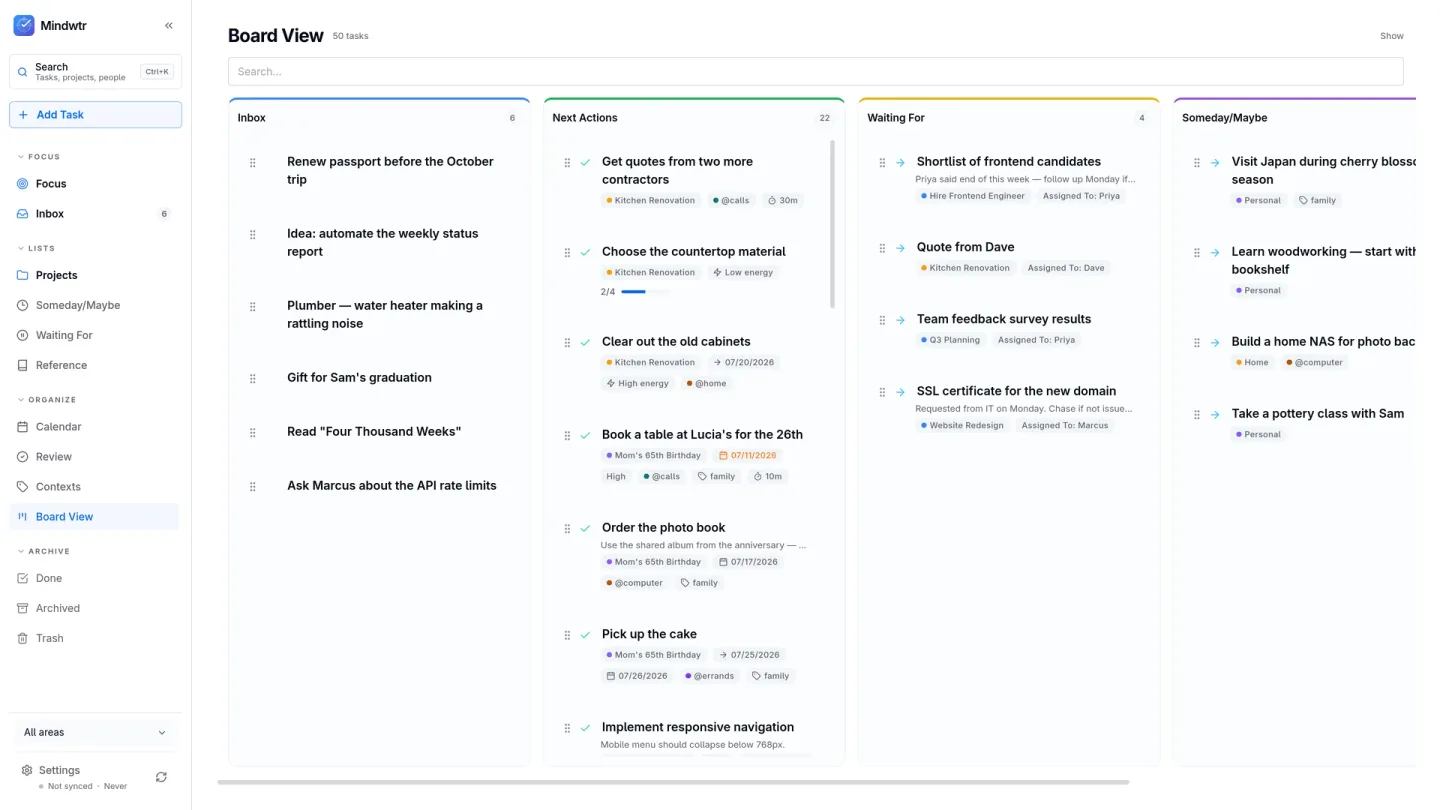
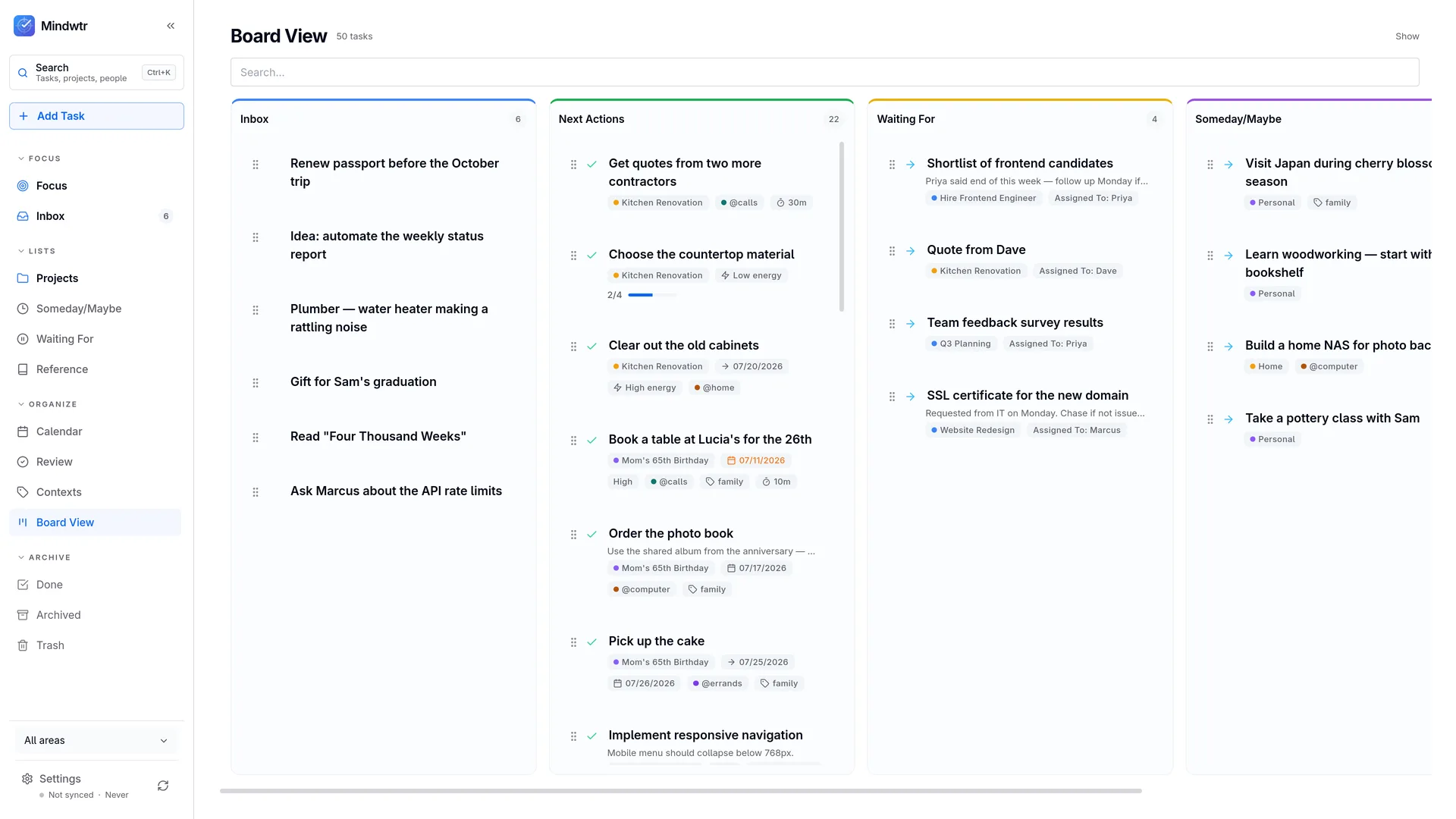
Mindwtr turns personal tasks and ideas into a Getting Things Done workflow. Capture an item in the Inbox, decide its next action, and organize it into a project, Waiting For or Someday/Maybe. Focus brings today's schedule and next actions together, while a guided weekly review helps you check projects and follow up on unfinished commitments.
Tasks stay on your device and can be used offline without creating an account. Calendar planning, recurring tasks, notes and attachments support everyday routines. Sync is optional: you choose a supported service such as Dropbox, WebDAV, a shared folder or a self-hosted server rather than needing a Mindwtr account.
This is a personal organizer, not a team workspace. Waiting For records what you are expecting from other people; it does not provide shared task assignments or team discussion. The linked download is the Windows x64 EXE installer for version 1.3.7. Windows WebView2 is required, including for the publisher's separate portable build.
What it offers
- Capture tasks in an Inbox and organize them into Projects, Next Actions, Waiting For and Someday/Maybe.
- Use Focus to view today's schedule and next actions, with contexts for narrowing what to do.
- Follow a guided weekly review to check projects and outstanding commitments.
- Plan dated and recurring tasks, with notes and file attachments alongside the work.
- Work offline without an account and optionally sync through a user-selected service.
Good to know
- Designed for one person's tasks: no shared workspaces, teammate task assignments or comment threads.
- Windows WebView2 is required; the separate portable package does not remove that dependency.
Product images
Sources
References used for this listing. Retrieval dates do not indicate hands-on testing.
- Mindwtr — Free, Open-Source GTD & To-Do App ↗Retrieved
- What Mindwtr is | Mindwtr Docs ↗Retrieved
- Desktop Installation | Mindwtr Docs ↗Retrieved
- dongdongbh/Mindwtr — official repository ↗Retrieved
- Release v1.3.7 · dongdongbh/Mindwtr · GitHub ↗Retrieved
- Mindwtr v1.3.7 — release asset catalog ↗Retrieved
More in utilities
View category ↗
1.1.1.1 with WARP 2026.8.2115.0
Encrypt traffic from your Mac to Cloudflare’s network with WARP, or use DNS-only mode for encrypted DNS queries to the 1.1.1.1 resolver.
1.1.1.1 with WARP 2026.8.2115.0
Encrypt traffic between your Windows PC and Cloudflare, or use encrypted DNS only, with the free 1.1.1.1 with WARP app.

3uTools 9.12.005
Manage iPhone and iPad photos, music, apps and backups from Windows with 3uTools, a free utility that also includes device checks and firmware flashing tools.