
Utilities Windows
Mipony
Browse cloud accounts side by side, move files between services and your PC, and track transfers with Mipony for Windows. The free edition has ads and account limits.
What is Mipony?
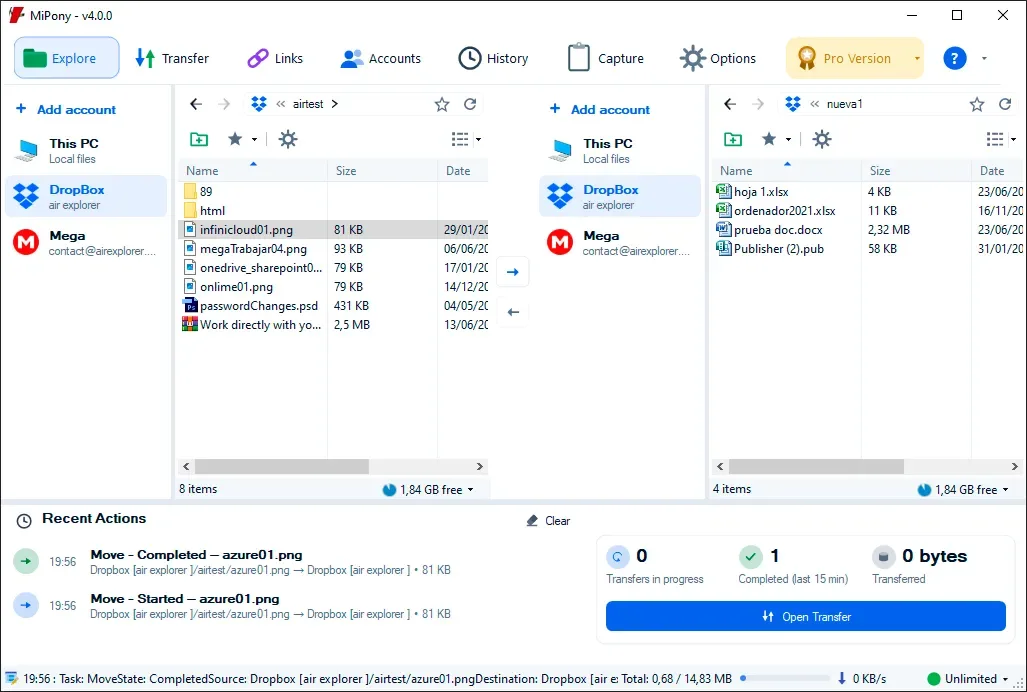
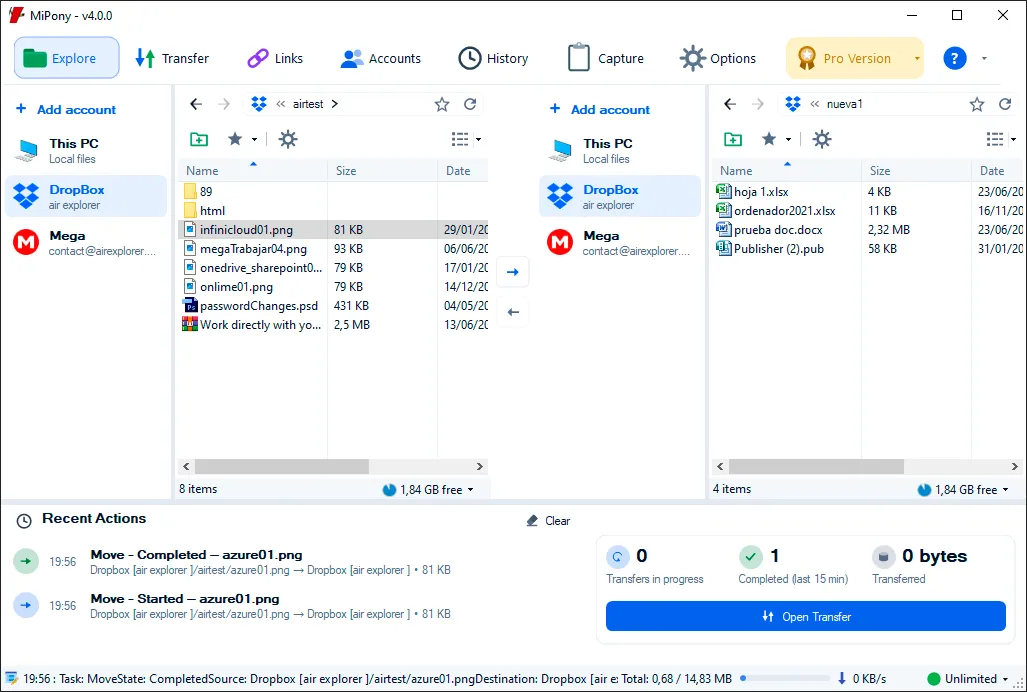
Mipony brings cloud storage accounts and local files into a two-pane Windows interface. Open folders on either side to upload, download or copy files between locations without switching between each provider's website. The publisher lists services including Google Drive, OneDrive, Dropbox and MEGA.
The transfer view shows progress, speed and status, with pause, resume and cancellation controls where available. Other tools include renaming multiple files and creating sharing links when the storage provider supports them.
The free edition includes ads and allows four cloud accounts, with one account per cloud service. It permits two simultaneous cloud uploads and two simultaneous cloud downloads; business clouds are read-only. The publisher lists unlimited cloud-to-cloud transfers in both Free and Pro, so that benefit is distinct from the free edition's account and concurrency limits. Pro removes ads and expands those limits.
This entry describes the publisher's current cloud-management interface rather than the older file-host download-manager description on Softonic. The linked Windows EXE is the publisher's installer; its current version and CPU architecture have not been independently established.
What it offers
- Browse cloud folders and local files in two panes, with account storage information.
- Upload, download and copy files between your computer and supported cloud accounts.
- Track transfer progress, speed and status; pause, resume or cancel operations when available.
- Rename multiple files and create sharing links when the cloud provider supports them.
- Use cloud-to-cloud transfers, listed by the publisher as unlimited in both Free and Pro.
Good to know
- The free edition includes ads and is limited to four cloud accounts, with one account per cloud service.
- Free allows two simultaneous cloud uploads and two simultaneous cloud downloads; business clouds are read-only.
- The speed limiter and startup password are Pro features; sharing links depend on provider support.
Product images
Sources
References used for this listing. Retrieval dates do not indicate hands-on testing.
More in utilities
View category ↗
1.1.1.1 with WARP 2026.8.2115.0
Encrypt traffic from your Mac to Cloudflare’s network with WARP, or use DNS-only mode for encrypted DNS queries to the 1.1.1.1 resolver.
1.1.1.1 with WARP 2026.8.2115.0
Encrypt traffic between your Windows PC and Cloudflare, or use encrypted DNS only, with the free 1.1.1.1 with WARP app.

3uTools 9.12.005
Manage iPhone and iPad photos, music, apps and backups from Windows with 3uTools, a free utility that also includes device checks and firmware flashing tools.