
Utilities Windows
mkbrr
Create torrent files, inspect their metadata and check local data with mkbrr. The Windows desktop GUI offers visual controls; a separate CLI supports automation and batch jobs.
- Operating system
- Windows; minimum version/build not specified in cited publisher documentation
- Architecture
- x64 (amd64)
- Download package
- ZIP archive containing mkbrr-gui.exe
Extract and run the GUI executable directly according to the publisher. CLI is distributed separately. No installer execution or runtime compatibility test was performed.
Link checked · Download guidance
What is mkbrr?
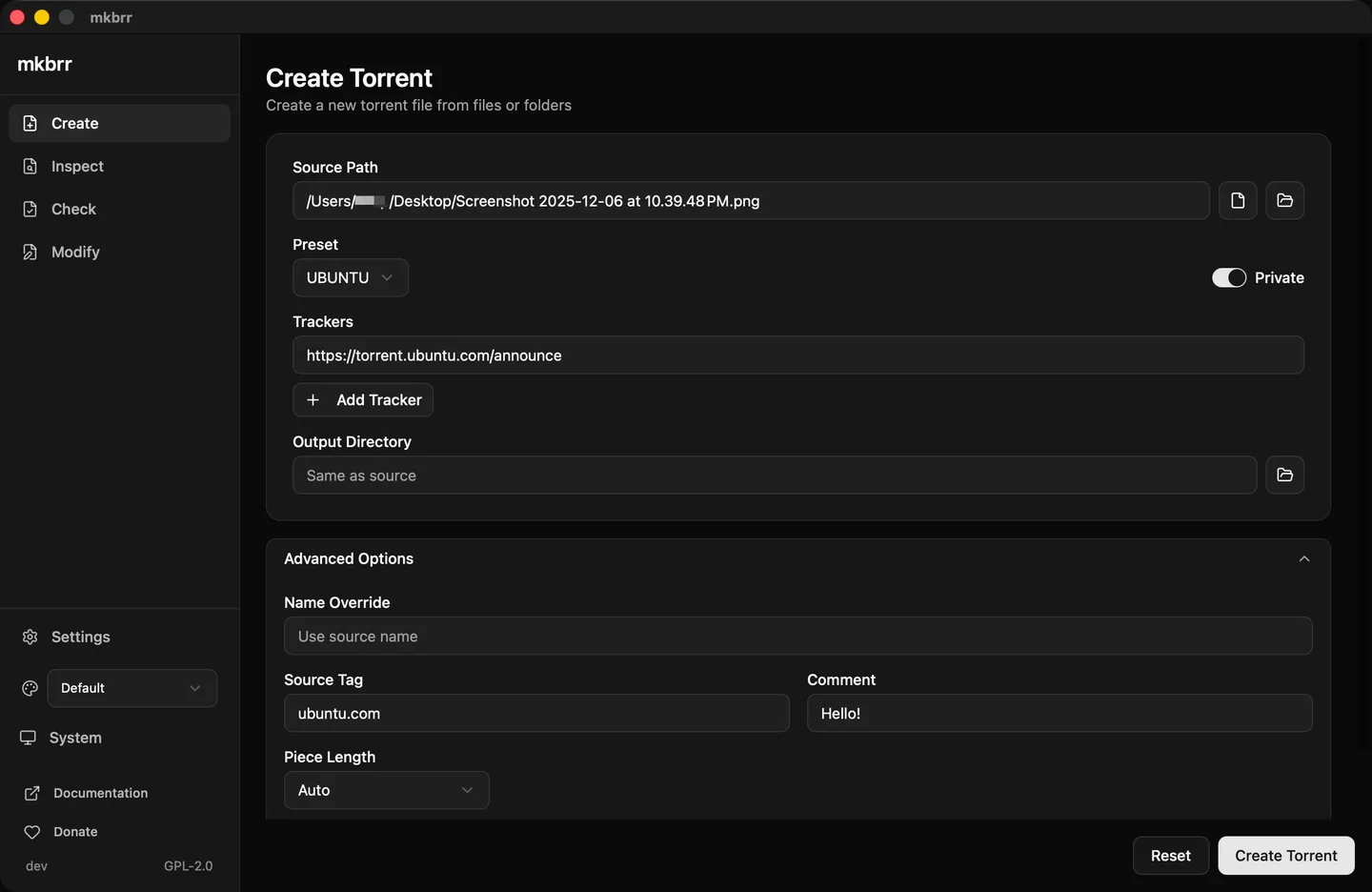
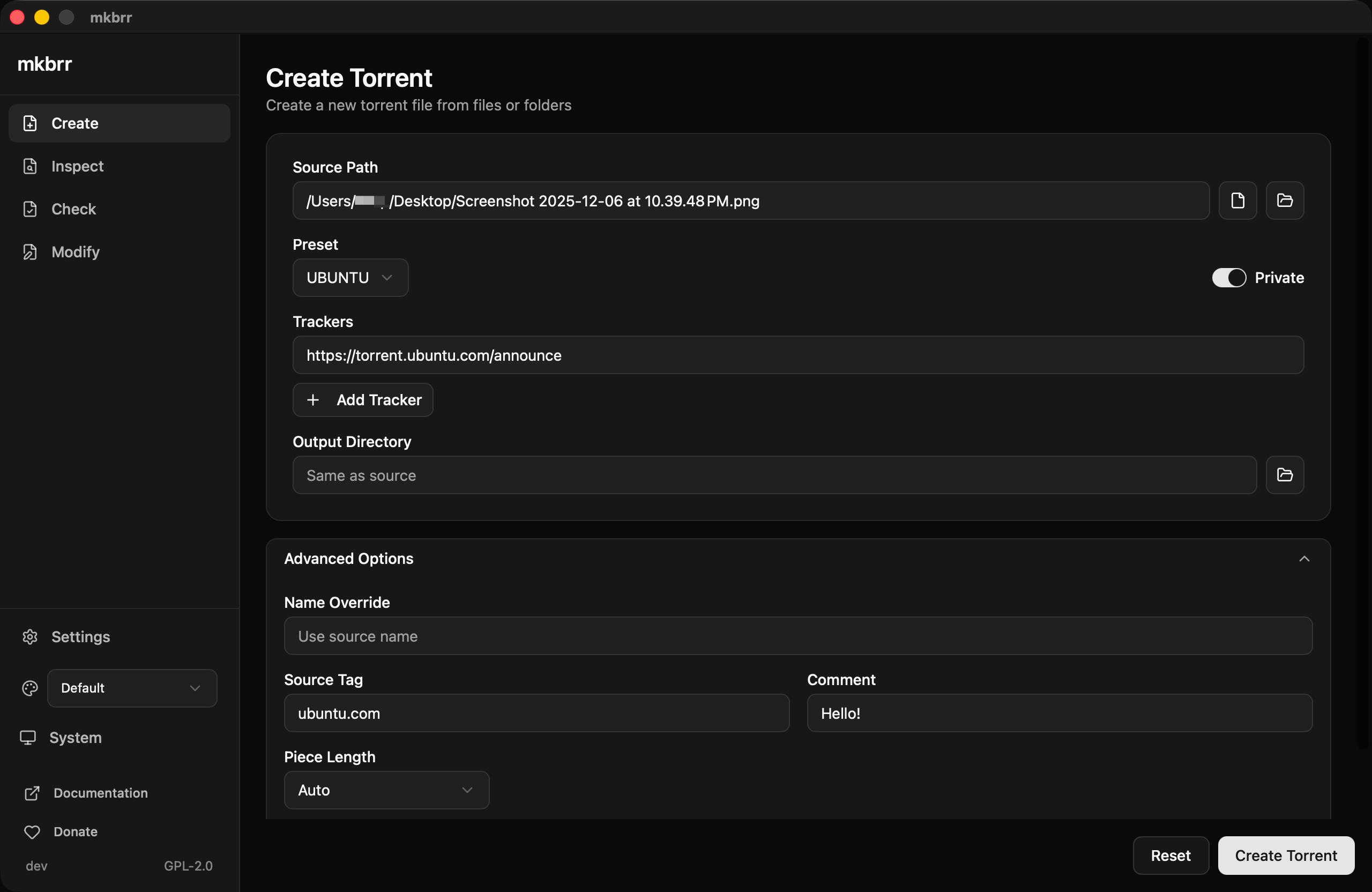
mkbrr works with .torrent files: create them from local files or folders, inspect their contents, check data integrity and modify metadata. The desktop interface separates Create, Inspect, Check and Modify into dedicated pages. Tracker-aware settings and reusable presets help when preparing torrents for different trackers, while the searchable file tree makes large torrent manifests easier to inspect.
The linked download is the Windows x64 GUI ZIP for version 1.27.0. The publisher instructs Windows users to extract mkbrr-gui.exe and run it directly, without an installer. The command-line program is a separate download from the same project, not a different product; use it for scripted or batch operations, which the GUI does not provide. The publisher documentation screenshot below illustrates the shared desktop workflow on macOS, not a tested Windows installation.
What it offers
- Create torrent files with tracker settings, presets and hashing progress in the desktop GUI.
- Inspect metadata through a searchable, collapsible file tree.
- Check local data against a torrent and review good pieces, bad pieces and missing files.
- Modify torrent metadata without needing the original source files.
- Create, edit and delete reusable presets through the GUI settings page.
Good to know
- The GUI does not support batch operations or scripting; those workflows require the separate CLI.
- The selected GUI archive is for Windows x64 (amd64). The cited installation documentation does not specify a minimum Windows version or build; compatibility with a particular Windows release was not tested.
Product images
Sources
References used for this listing. Retrieval dates do not indicate hands-on testing.
More in utilities
View category ↗
1.1.1.1 with WARP 2026.8.2115.0
Encrypt traffic from your Mac to Cloudflare’s network with WARP, or use DNS-only mode for encrypted DNS queries to the 1.1.1.1 resolver.
1.1.1.1 with WARP 2026.8.2115.0
Encrypt traffic between your Windows PC and Cloudflare, or use encrypted DNS only, with the free 1.1.1.1 with WARP app.

3uTools 9.12.005
Manage iPhone and iPad photos, music, apps and backups from Windows with 3uTools, a free utility that also includes device checks and firmware flashing tools.