
Development Windows
mnml
Edit code, review Git changes and work with HTTP requests in mnml, a terminal IDE with Vim or standard keymaps. Windows x64 MSI available; interactive Windows behavior remains unverified by the publisher.
- Operating system
- Windows; classic conhost VT processing requires Windows 10 1809 or newer
- Architecture
- x64 (x86_64)
- Download package
- MSI installer
Publisher ships a Windows x64 build but has not proven real interactive console or ConPTY behavior. The console prerequisite is not certification of every Windows build. Use a suitable Nerd Font or --ascii; MSI does not install the font into Windows.
Link checked · Download guidance
What is mnml?
mnml brings a code editor, Git tools, terminal panes and an HTTP client into one terminal workspace. It is aimed at developers who want to edit files and inspect project changes without repeatedly switching applications. Choose Vim-style or standard, VS Code-style keybindings at launch; the interface also provides tabs, a file tree, a command palette and mouse controls. Language Server Protocol support and a Debug Adapter Protocol debugger connect editing to language-aware tools.
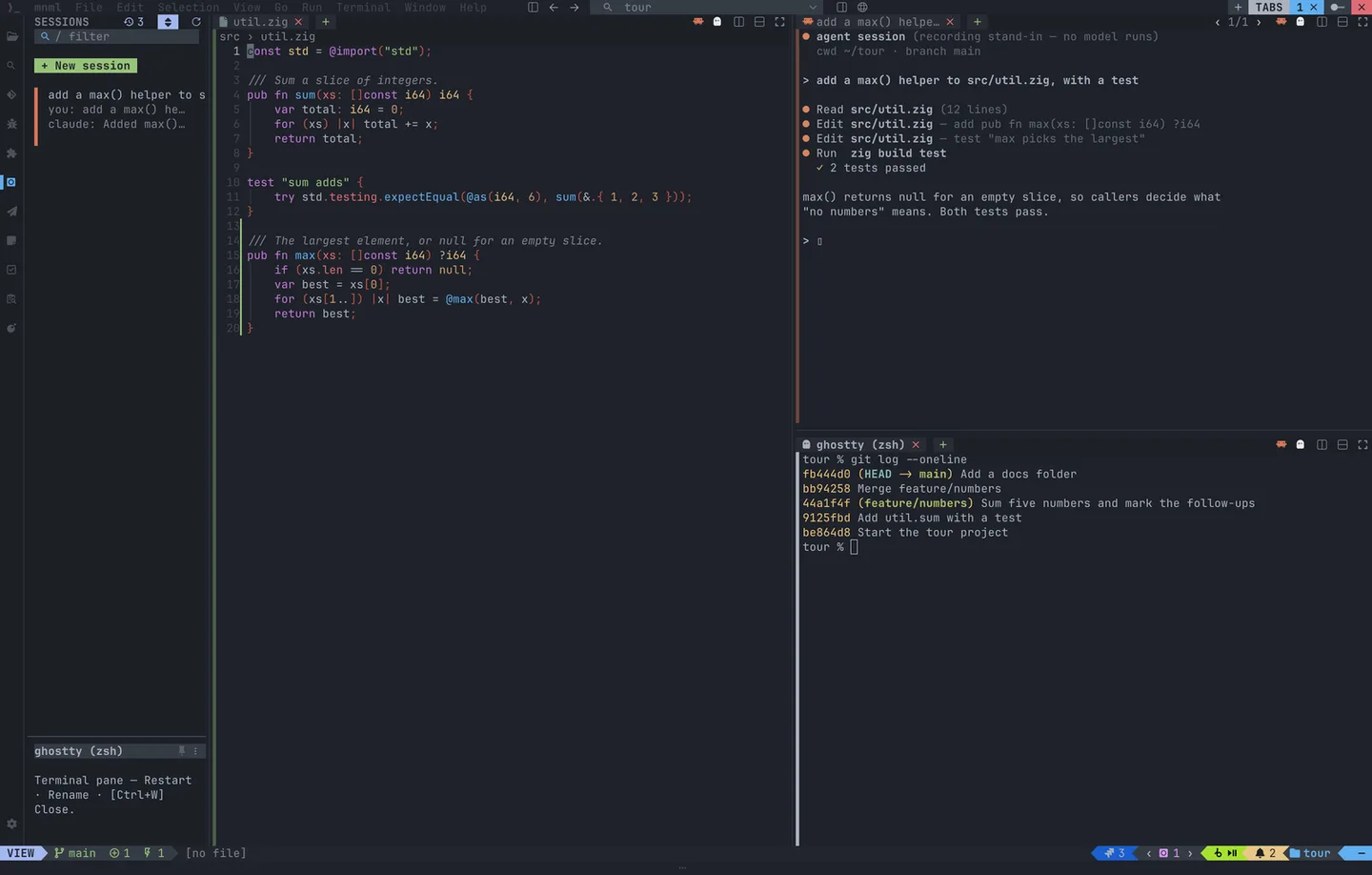
The workspace can place an agent session beside your code and a shell below it. Git status, diffs, staging and commits are built in, while the HTTP client handles .http and .curl files and request chains. Jira and Bitbucket are separate Marketplace integrations, not components automatically included with the base installation. The current 0.3.x project is written in Zig; older Rust-era descriptions do not describe this release.
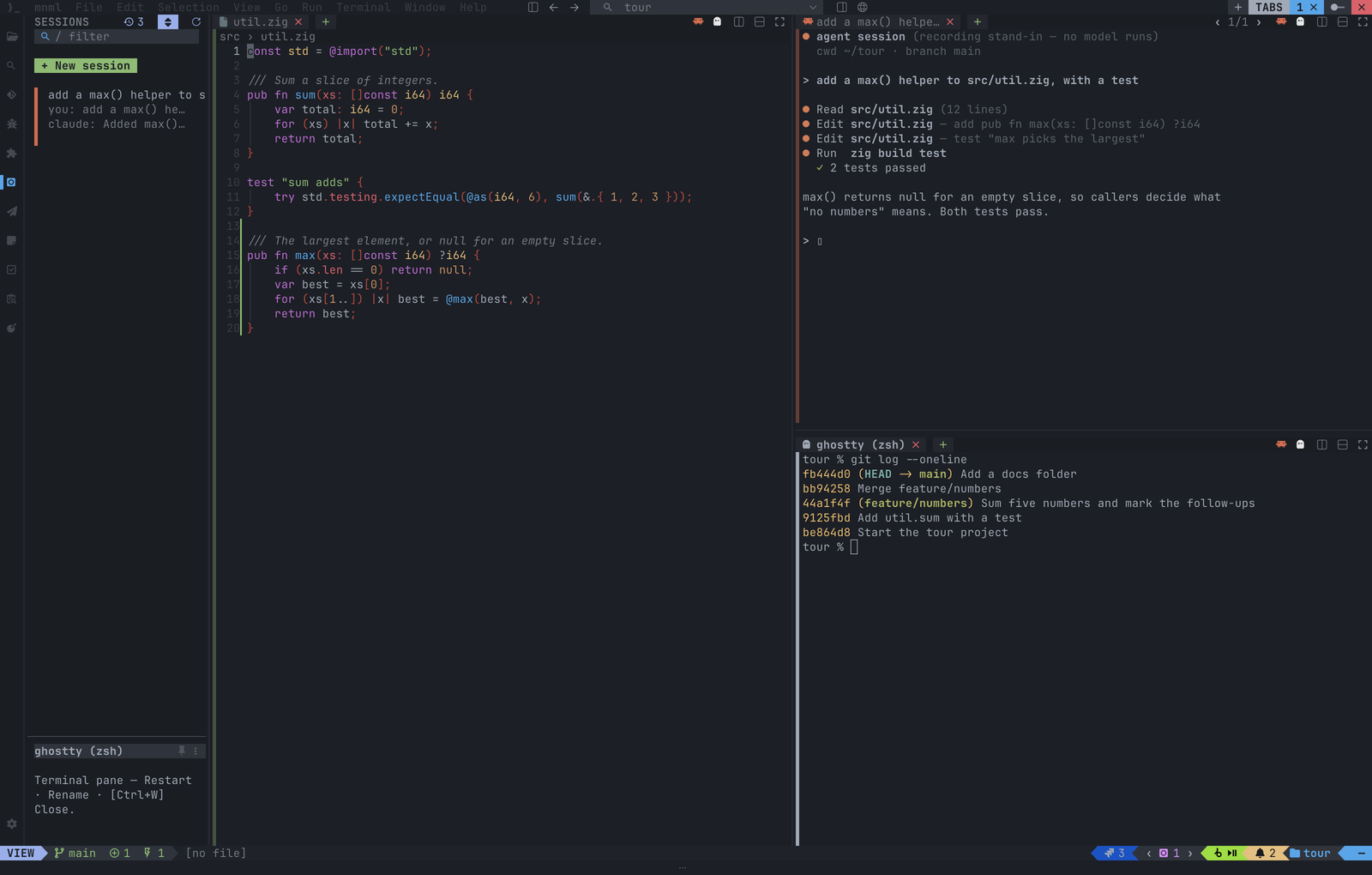
The linked package is the publisher's version 0.3.5 Windows x64 MSI. Availability is not a Windows runtime endorsement: the release README calls Windows compiled but not yet run, and its Windows ledger says real interactive-console and ConPTY behavior has not been proven. That ledger reports Windows CI unit coverage, which does not close the interactive verification gap. The screenshot is the publisher's cross-platform demonstration, including a labeled stand-in agent session, not evidence of this MSI running on Windows.
What it offers
- Select Vim or standard editing keymaps at launch with --input vim or --input standard.
- Navigate code with a file tree, tabs, tree-sitter highlighting, LSP support and a DAP debugger.
- Inspect Git status and diffs, stage changes and commit from the editor.
- Use an HTTP client for .http and .curl files and chained requests.
- Arrange terminal and agent-session panes beside code; add Jira or Bitbucket separately through the Marketplace.
Good to know
- The publisher has not verified real Windows interactive-console or ConPTY operation; compilation and unit coverage do not establish that those workflows work.
- The MSI does not install the bundled font into the Windows font directory. Nerd Font icons need a suitable terminal profile font; --ascii avoids relying on those glyphs.
- Windows Terminal cannot distinguish some Ctrl+Shift shortcuts that require CSI u, and closing a terminal session does not guarantee termination of its child process's own children.
Product images
Sources
References used for this listing. Retrieval dates do not indicate hands-on testing.
More in development
View category ↗
010 Editor 17.0
Inspect and edit binary files on Mac with 010 Editor, a paid text and hex editor with Binary Templates, file comparison and a 30-day trial.
010 Editor 17.0
Inspect and edit binary files with 010 Editor for Windows, a text and hex editor with Binary Templates, file comparison and scripting. Includes a 30-day trial.
10x Editor
Edit and navigate C++ projects on Windows with a built-in parser, workspace search and Visual Studio project support. A paid license is required after the 30-day trial.