

Development Windows
Modbus Poll for Windows
Read and write Modbus registers and coils, monitor multiple devices and log data with Modbus Poll, a Windows master/client simulator with a time-limited trial.
- Operating system
- Windows 7, 8, 8.1, 10 and 11
- Architecture
- x64
- Download package
- EXE installer
This link is the 64-bit Windows x64 package. Separate ARM64 and x86 packages are listed by the publisher.
Link checked · Download guidance
What is Modbus Poll?
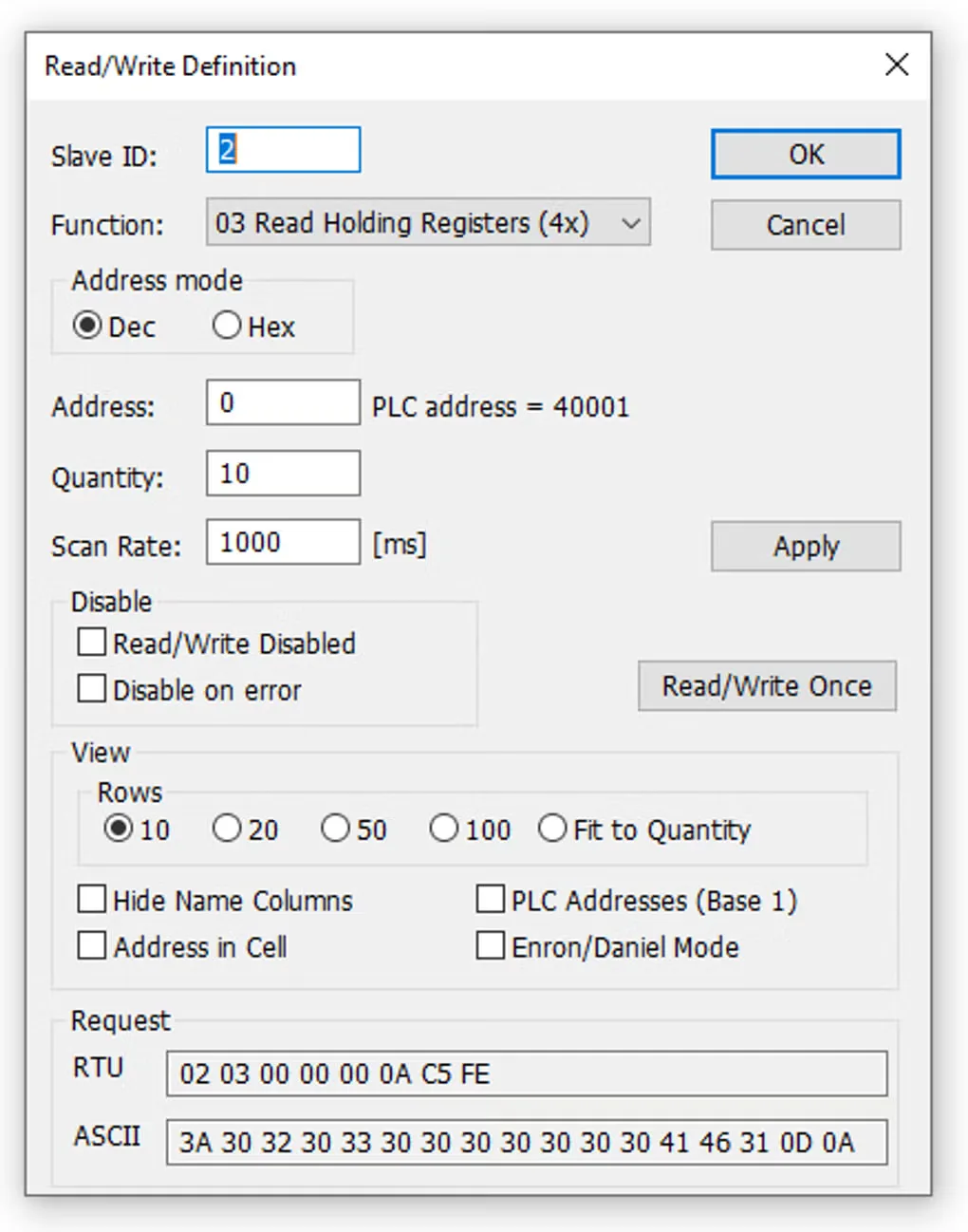
Modbus Poll helps developers test Modbus slave/server devices from a Windows PC. Set a device ID, function, address range and polling interval for each data window, then read or write registers and coils. Its multi-window workspace lets you monitor several devices or data areas together rather than reconfiguring a single view each time.
The simulator supports Modbus RTU, ASCII and TCP/IP, along with additional TCP and UDP variants. Display options include floating-point and other numeric formats with word-order swapping. For investigation, the Test Center sends custom test strings, while traffic monitoring, text-file logging and Excel integration help examine responses and retain data.
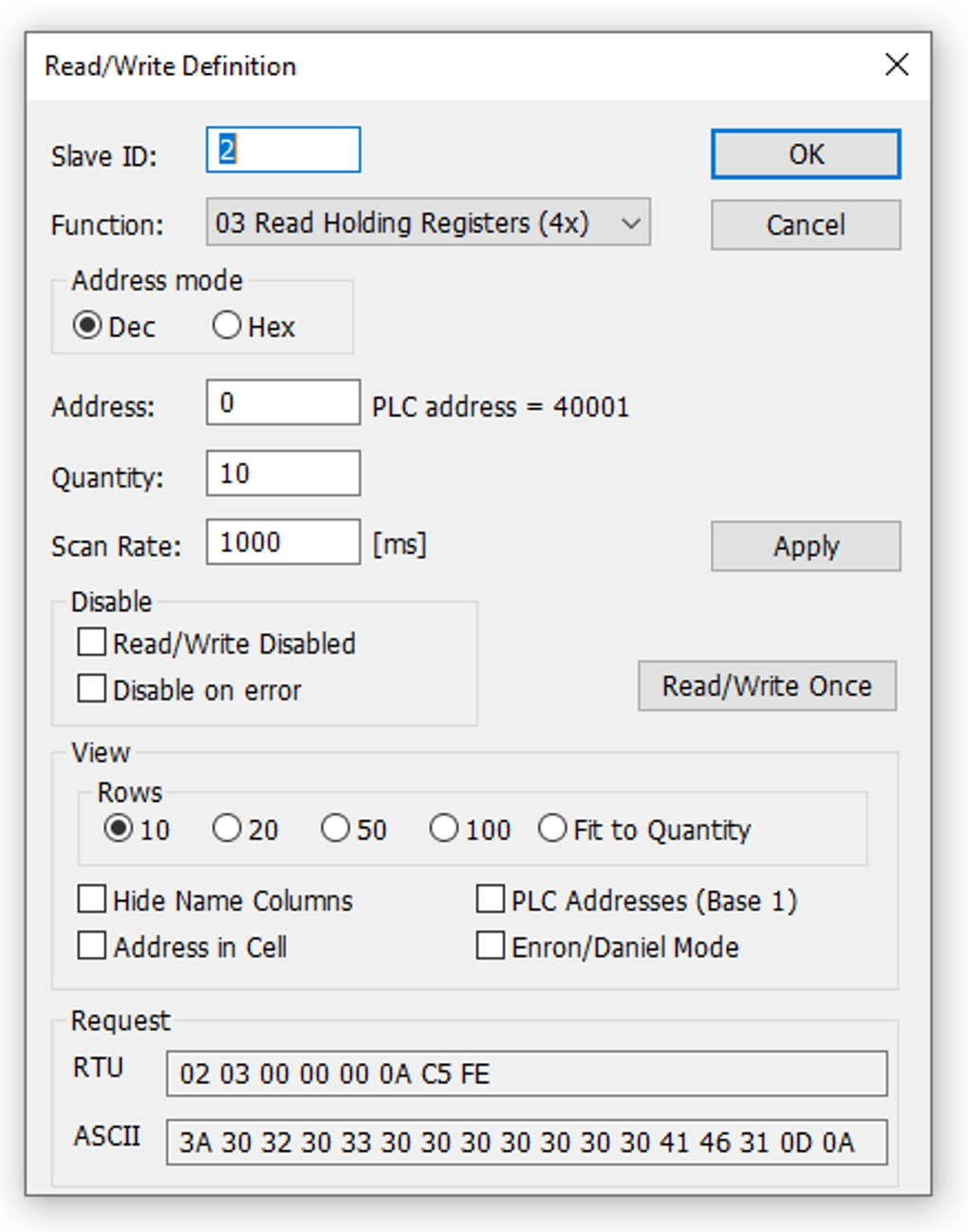
This is commercial software with an evaluation period, not an unrestricted free utility. Trial connections disconnect after 10 minutes; restarting the application begins another 10-minute demonstration. After 30 days, the trial cannot make a connection. The download here is the publisher’s x64 EXE installer; ARM64 and x86 packages are separate. The screenshot shows a source-hosted Read/Write Definition dialog and is not proof of the current release’s exact appearance.
What it offers
- Monitor several Modbus devices and data areas in separate windows.
- Read and write registers and coils with per-window device ID, address range and poll rate.
- Use Modbus RTU, ASCII, TCP/IP and supported TCP/UDP variants.
- Inspect values in different numeric formats with word-order swapping and value scaling.
- Compose custom requests in the Test Center, monitor serial traffic and log data to text files or Excel.
Good to know
- Trial connections disconnect after 10 minutes; restarting the application starts another 10-minute demonstration period.
- After 30 days, the evaluation version cannot make a connection.
Product images
Sources
References used for this listing. Retrieval dates do not indicate hands-on testing.
- Modbus Master Simulator ↗Retrieved
- Download ↗Retrieved
- Witte Software ordering information ↗Retrieved
- Modbus Poll - Download ↗Retrieved
More in development
View category ↗
010 Editor 17.0
Inspect and edit binary files on Mac with 010 Editor, a paid text and hex editor with Binary Templates, file comparison and a 30-day trial.
010 Editor 17.0
Inspect and edit binary files with 010 Editor for Windows, a text and hex editor with Binary Templates, file comparison and scripting. Includes a 30-day trial.
10x Editor
Edit and navigate C++ projects on Windows with a built-in parser, workspace search and Visual Studio project support. A paid license is required after the 30-day trial.