
Utilities Windows
Mogan Research
Write formula-heavy scientific documents with Mogan Research, now presented by its publisher as Mogan STEM, a free structured editor based on GNU TeXmacs.
- Operating system
- Windows 10 or later
- Architecture
- 64-bit
- Download package
- EXE installer
Publisher-linked USTC mirror package MoganSTEM-v2026.3.7-64bit-installer.exe; installation guide and mirror list different release versions.
Link checked · Download guidance
What is Mogan Research?
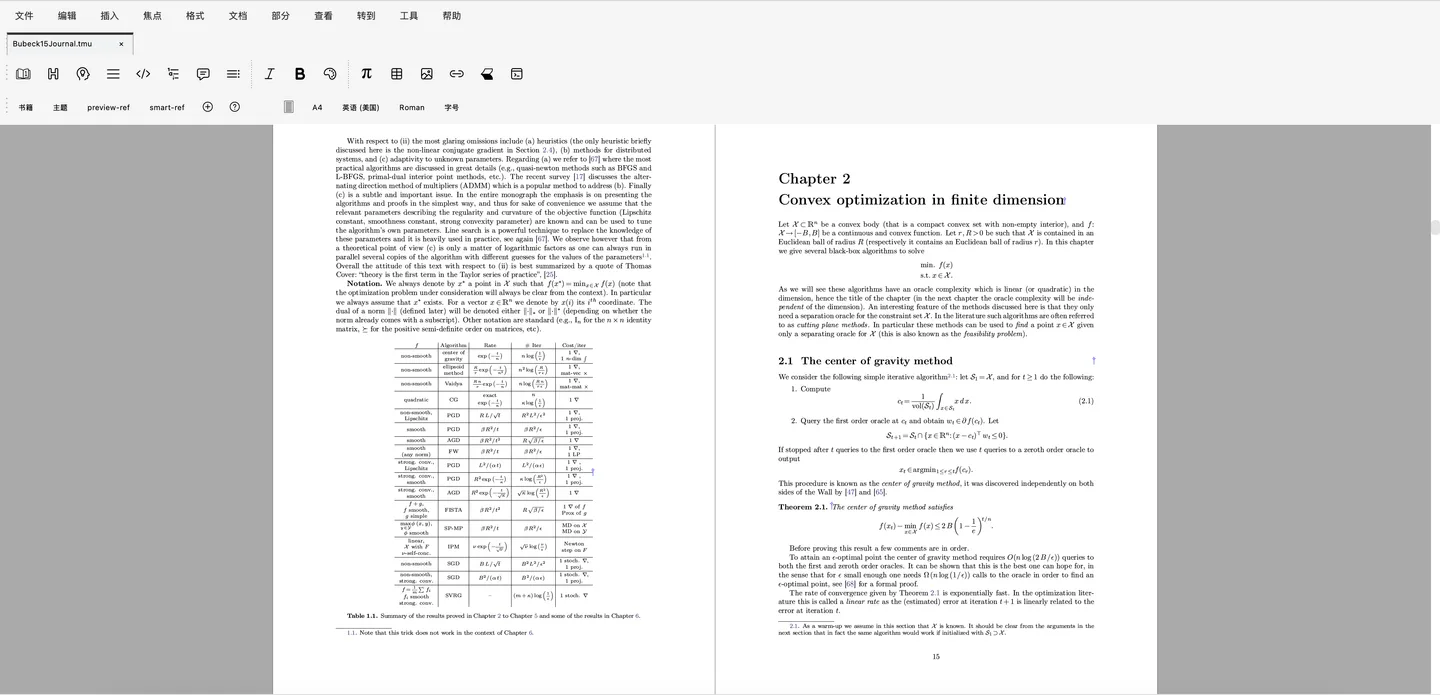
Mogan Research is a structured scientific document editor for mathematical papers, lecture notes and technical reports. The publisher now presents the community application as Mogan STEM. Its graphical editing environment brings text, mathematical notation, tables and references into the same document, with PDF and LaTeX output for sharing or submission.
The emphasis is on working with document structure and equations rather than treating a paper as plain text. Math-mode shortcuts and Tab cycling help enter notation, while built-in bibliography tools support references and citations. The publisher also documents extensions for scientific computing tools.
This entry links to the Mogan STEM 2026.3.7 64-bit Windows installer on the publisher-linked USTC mirror. The installation guide requires Windows 10 or later, but still names 2026.2.0 as its stable release; the mirror exposes the newer numbered package. The screenshot illustrates the publisher’s editing interface, not a hands-on test of this installer. Built-in AI assistant features belong to the separate commercial Liii STEM edition.
What it offers
- Edit structured scientific documents containing text, formulas, images and tables.
- Enter mathematical notation with math-mode shortcuts and Tab cycling.
- Export documents to PDF and LaTeX.
- Manage references and citations with built-in bibliography tools.
- Extend the editor with scientific-computing plugins and Scheme customization.
Good to know
- Built-in AI assistant features are part of the separate commercial Liii STEM edition, not the free community application.
- Windows 10 or later is required; the selected installer is 64-bit.
- Publisher release information is inconsistent: the installation guide names 2026.2.0 while the linked mirror provides this 2026.3.7 package.
Product images
Sources
References used for this listing. Retrieval dates do not indicate hands-on testing.
- Mogan Research - Download ↗Retrieved
- What is Mogan STEM | Mogan STEM ↗Retrieved
- Installation Guide | Mogan STEM ↗Retrieved
- USTC mirror — Mogan v2026.3.7 directory ↗Retrieved
- What is Mogan STEM | Mogan STEM ↗Retrieved
More in utilities
View category ↗
1.1.1.1 with WARP 2026.8.2115.0
Encrypt traffic from your Mac to Cloudflare’s network with WARP, or use DNS-only mode for encrypted DNS queries to the 1.1.1.1 resolver.
1.1.1.1 with WARP 2026.8.2115.0
Encrypt traffic between your Windows PC and Cloudflare, or use encrypted DNS only, with the free 1.1.1.1 with WARP app.

3uTools 9.12.005
Manage iPhone and iPad photos, music, apps and backups from Windows with 3uTools, a free utility that also includes device checks and firmware flashing tools.